
A Guide to Scraping Google News
- Nov 24, 2025
- 18 min read
Scraping Google News isn't just about pulling headlines. It’s about building a system that automatically grabs a constant flow of global information—headlines, article links, summaries, and timestamps—and turns it into a clean, structured dataset. For any business or researcher who needs to be the first to know, this is a massive advantage.
Why Bother Scraping Google News?
Before we jump into the code, let’s talk about the “why.” It's one thing to read the news, but it's another thing entirely to build a machine that reads it for you. In today's information firehose, manually keeping up is impossible. Key updates, competitor moves, and emerging trends get buried in the noise. This is where a well-built scraper makes all the difference, turning that noise into a real competitive edge.
The magic happens when you convert unstructured news into actionable intelligence. This isn't just a data collection exercise. It's about building a system that can spot important signals before anyone else. Imagine a hedge fund tracking whispers of new regulations to predict market swings, or a brand monitoring campaign mentions to gauge public sentiment in real time.
Stay Ahead with Proactive Monitoring
One of the biggest wins here is proactive monitoring. Instead of getting blindsided by a PR crisis that’s already blowing up on social media, your system can catch the very first news article that sparks the fire. This gives your communications team a crucial head start to manage the narrative.
The same idea applies to market intelligence. Product teams can spot emerging consumer behaviors or technologies as they bubble up in the news, long before they hit the mainstream. That kind of foresight is what allows you to out-innovate the competition.
By capturing metadata like headlines, summaries, and publication times, companies can watch how stories develop in real time. One analysis showed this led to a 42% reduction in public relations response time, allowing teams to spot regional regulatory changes up to two days before they were officially announced. You can find more examples of how organizations use news data on groupbwt.com.
Turning Raw Information into Real-World Strategy
Ultimately, the goal is to build something bigger than just a list of articles. The data you scrape from Google News becomes the fuel for powerful analytical systems that drive smart decisions.
This table breaks down some of the most common and valuable applications.
Core Applications of Google News Data
A summary of the primary use cases and strategic benefits derived from scraped news data.
Application | Strategic Benefit | Example Scenario |
|---|---|---|
Sentiment Analysis | Instantly gauge brand perception and campaign effectiveness. | A company launches a new product and uses sentiment analysis to see if the press coverage is positive, negative, or neutral across different regions. |
Competitive Intelligence | Maintain a 360-degree view of competitor actions and strategies. | A marketing team tracks every press release, product launch, and executive hire announced by their top three competitors, all on a single dashboard. |
Risk Management | Identify potential disruptions before they impact your operations. | A logistics firm monitors news for mentions of port strikes or geopolitical tensions along its key shipping routes to proactively reroute cargo. |
Market Trend Analysis | Discover and validate emerging trends to inform product development. | A tech company notices a spike in news articles about a new AI framework and decides to invest in training their developers on it. |
As you can see, each of these use cases provides a clear return on investment. Building a robust Google News scraper is far more than a technical challenge; it's the first step toward creating a sophisticated intelligence operation that gives you a clear, data-driven picture of the world as it unfolds.
Designing a Resilient Scraping Architecture
Any successful Google News scraping operation is built on a solid foundation. Before you write a single line of code, you need a plan—a reliable and scalable architecture that can stand the test of time. This is all about making smart choices upfront with your tools, infrastructure, and the tactics you’ll use to look less like a bot and more like a real user.
Think of it like building a house. You wouldn't just start hammering nails without a blueprint. A well-designed scraper anticipates the big challenges—IP blocks, JavaScript-heavy pages, and CAPTCHAs—and builds the solutions in from the start. That initial planning saves you from constant breakages and maintenance headaches later on.
The entire process, from raw news collection to actionable insights, follows a clear path.
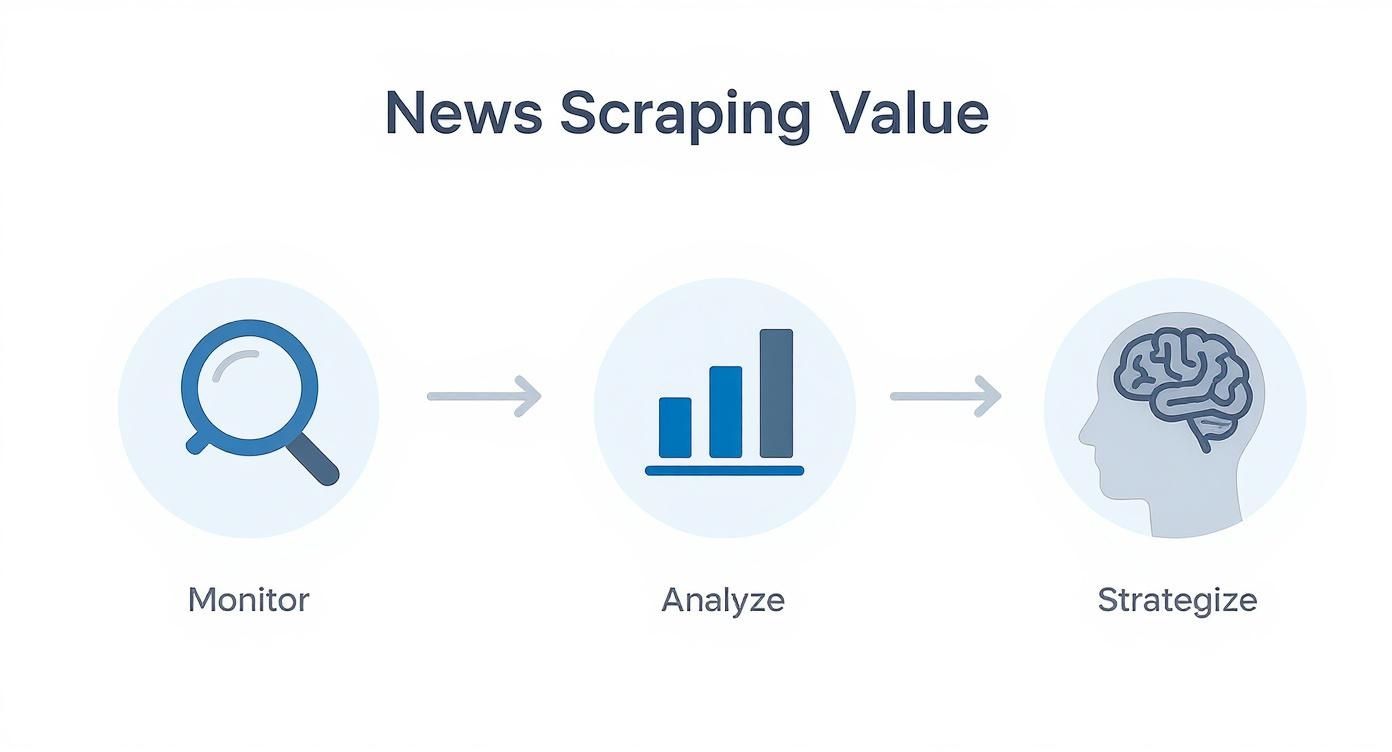
This workflow shows how your initial data gathering directly feeds into the analysis and strategic decisions that ultimately drive business value.
Choosing Your Core Technology Stack
The programming language and libraries you pick will dictate what your scraper can and can't do. While you can send HTTP requests with almost any language, there's a reason the web scraping world has its favorites. Python is the undisputed leader here, thanks to its straightforward syntax and a massive ecosystem of libraries built specifically for this kind of work.
When you're gearing up to scrape Google News, your core toolkit will probably look something like this:
Requests or HTTPX: These are your workhorses for making basic, efficient HTTP requests to grab a page's initial HTML. They’re perfect for static content but won't get you far with modern, dynamic sites.
BeautifulSoup: A fantastic library for parsing messy HTML. It takes the raw source code and turns it into a structured tree, making it much easier to pinpoint and extract the exact data you need.
Selenium or Playwright: These are the heavy hitters for dynamic content. They automate a real web browser (like Chrome or Firefox) in "headless" mode, meaning it runs in the background without a GUI. This lets the browser execute JavaScript, load content as you scroll, and interact with page elements just like a person would—a must-have for most news sites today.
A key takeaway here is to build a scraper that can adapt. It’s perfectly fine to start with a simple and combination, but you need to have a headless browser solution ready in your back pocket. You'll inevitably run into a site where it's non-negotiable.
The Critical Role of Proxies and Browser Emulation
Just blasting requests from your server's IP address is the quickest way to get yourself blocked. Google and other major sites use sophisticated anti-bot systems that analyze request patterns, IP reputation, and browser details. This is where proxies and browser emulation become absolutely essential parts of your setup.
Understanding Proxy Networks
Proxies are basically middlemen that mask your scraper's real IP address. You've got two main flavors to consider:
Datacenter Proxies: These IPs come from servers in data centers. They're fast and relatively cheap, but they're also easy for anti-bot systems to spot because their IP ranges are widely known.
Residential Proxies: These are real IP addresses assigned by Internet Service Providers (ISPs) to homes. Since they look like genuine user traffic, they are much, much harder to detect. For a high-value target like Google, rotating residential proxies are the industry standard.
Emulating a Real Browser
It's not just about the IP. Anti-bot systems look for other tell-tale signs of automation. A properly configured headless browser helps you fly under the radar by managing:
User-Agents: This is a small string of text that tells a server what browser and operating system you're using. Rotating these to match common configurations is a simple but effective tactic.
Browser Fingerprints: This is a unique combination of your browser's attributes—things like screen resolution, installed fonts, and plugins. Advanced scraping services automatically manage these fingerprints to make each request look unique.
The web scraping market is quickly becoming a multi-billion-dollar industry, which tells you just how important this data is. It's no surprise that Python is the tool of choice for nearly 70% of developers in the field. And to get the job done right, almost 40% use proxies and other anti-detection techniques to avoid getting blocked.
While Python is the most popular, it's not the only option. The architectural principles are the same across languages, and it's entirely possible to build a production-ready Java web scraper if that's what your team prefers.
Building a Scraper That Evades Blocks

Alright, with the high-level architecture mapped out, it's time to get our hands dirty and translate that plan into code. Building a scraper that can dance around Google's defenses isn't about just firing off a simple HTTP request; it's about crafting requests that look like they came from a real person using a real browser.
Our first stop is constructing the perfect URL. The good news is that Google News gives you a surprising amount of control right through its URL parameters. We can tell it everything from our search query to the language and location, which is key to getting clean, relevant data from the get-go.
For example, a search for "artificial intelligence" seems simple enough. But by adding parameters like (for US English) and (for the United States region), you're being explicit about the context you want. This small step is crucial for targeted data collection and prevents Google from guessing your location and serving you irrelevant results.
Crafting Precise Search Queries
Getting a handle on these URL parameters is your first real superpower. They let you filter and refine results before you ever download a single byte of HTML, which saves an incredible amount of processing time down the line.
Here’s a quick cheatsheet I keep handy for the most common parameters you'll need for scraping Google News.
Google News URL Parameter Cheatsheet
This little table is your reference for quickly targeting specific languages, regions, or timeframes directly in your search URLs.
Parameter | Function | Example Value |
|---|---|---|
q | The search query term. | |
hl | Sets the interface language. | (English, US) |
gl | Sets the geographic location for results. | (United States) |
ceid | Defines the country and language edition. |
So, if you wanted to find news about "renewable energy" specifically for a UK audience, you'd string together , , and . This level of precision is fundamental to building a high-quality dataset.
Parsing HTML for Key Information
Once you've made your request and have the HTML response, the real work begins: parsing. This is where a library like Python's BeautifulSoup becomes your best friend. It takes the messy wall of HTML and turns it into a structured object you can easily navigate to pull out the data you need.
For any given news article, you're usually looking for the same set of core data points:
Headline: The main title of the story.
Source: Who published it (e.g., Reuters, BBC News).
Timestamp: When the article was published.
Article Link: The direct URL to the full story.
Snippet: The short summary Google provides.
Here’s a practical Python snippet using and to show how you'd fetch the page and get ready to parse it.
import requestsfrom bs4 import BeautifulSoup
Define headers to mimic a real browser—this is a must!
headers = { 'User-Agent': 'Mozilla/5.0 (Windows NT 10.0; Win64; x64) AppleWebKit/537.36 (KHTML, like Gecko) Chrome/91.0.4472.124 Safari/537.36'}
Construct a clean, specific URL
search_query = "market trends"url = f"https://news.google.com/search?q={search_query.replace(' ', '+')}&hl=en-US&gl=US&ceid=US:en"
Make the request
response = requests.get(url, headers=headers)soup = BeautifulSoup(response.text, 'html.parser')
Find all article containers (the selector will change over time)
articles = soup.find_all('article')
print(f"Found {len(articles)} articles.")
Pro Tip: Google will change its HTML structure. It’s not a matter of if, but when. Your CSS selectors will eventually break. I've learned the hard way to build resilient parsers and set up monitoring to get an alert the moment a scraper starts failing.
Integrating Proxies for Evasion
Hitting Google News repeatedly from the same IP address is the fastest way to get your scraper blocked. That’s where a proxy management service becomes a non-negotiable part of your toolkit. A service like ScrapeUnblocker does all the heavy lifting for you—IP rotation, User-Agent management, and faking browser fingerprints.
Instead of your code making a direct request to Google, you send it to the service's API endpoint. The service then intelligently routes it through a massive pool of residential IPs, making each request look like it's from a unique, everyday user. This is your best defense against CAPTCHAs and outright bans. If you want to get into the nitty-gritty, we have a whole guide on how to bypass website blocking ethically.
The beauty of this approach is that it keeps your own code clean and simple. No more manually managing proxy lists or writing complex retry logic. You just make an API call, and the infrastructure takes care of the rest.
Handling Dynamic Content and Pagination
Google News, like most modern sites, doesn't load everything at once. It uses JavaScript to load more articles as you scroll. A basic call will only see the initial HTML, missing most of the content. You could fire up a full headless browser with Selenium or Playwright, but that's a lot of overhead.
A much smarter approach is to use a scraping API that can render JavaScript for you. With ScrapeUnblocker, you just add a parameter to your API call, and it renders the page in a real browser behind the scenes, returning the complete, final HTML. You get all the data without the headache of managing browsers yourself.
When you start scraping Google News at scale, this becomes incredibly powerful. Analysts can pull hundreds of headlines by automating pagination, uncovering keyword trends and market signals that would otherwise be invisible. By combining these techniques, you move from a brittle script to a robust, resilient data pipeline.
Processing and Storing Your News Data
Pulling down raw HTML is a huge win, but let's be honest—the real work is just beginning. What you have is a messy, inconsistent jumble of data that’s not quite ready for primetime. This is where the post-processing and smart storage come in, transforming that chaotic stream of information into a genuinely valuable, structured asset.
Think of it like this: your scraper just delivered a pile of crude oil. You can’t put that directly into your car. You have to refine it first. We need to do the same with our data before it can fuel any real insights.
Cleaning and Normalizing Your Data
First things first, we need to bring some order to the chaos. Every news source formats its data a little differently, and your scraper faithfully captures all those quirks. Normalization is all about wrestling that data into a single, standardized format.
Here’s what that usually looks like in practice:
Standardizing Dates: You'll get dates in every format imaginable. "2 hours ago," "Oct 5, 2024," and "2024-10-05T14:30:00Z" might all pop up in the same batch. Your script needs to be smart enough to parse all of these and convert them into a consistent format like ISO 8601. This makes sorting and filtering possible.
Cleaning Headlines: Google News loves to tack the source onto the end of a headline (e.g., "Market Hits Record High - Reuters"). A quick function to split the string at the last " - " gives you a much cleaner title for your database.
Resolving URLs: Links can be a minefield of relative paths () and messy tracking parameters. Your code should resolve these into clean, absolute URLs so they actually work and don't create duplicate entries.
A clean dataset is the bedrock of any trustworthy analysis. I've always found that 80% of the effort in any data project is just cleaning and prep. If you skimp on this part, you'll end up with flawed conclusions and a lot of wasted time.
This cleaning phase is a massive part of the workflow. If you want to dig into the nitty-gritty of extraction, our guide on scraping news articles has more code snippets and detailed walkthroughs.
Choosing the Right Storage Solution
With clean data in hand, you need a home for it. The right storage solution really depends on the scale and goals of your project. There's no single "best" answer, so let's break down the common choices.
Storage Type | Best For | Pros | Cons |
|---|---|---|---|
CSV Files | Quick analyses, small datasets, and prototyping. | Simple to create, universally compatible, human-readable. | Doesn't scale, no real query power, easily corrupted. |
Relational (SQL) | Structured data, complex queries, ensuring data integrity. | Powerful querying (e.g., PostgreSQL), enforces a rigid schema. | Less flexible if your data format changes, can be complex to set up. |
NoSQL | Large volumes of semi-structured data, flexibility, and scale. | Schema-less (e.g., MongoDB), horizontally scalable, great for varied data. | Querying can be less powerful, data consistency needs careful management. |
For most projects focused on scraping Google News, I almost always suggest starting with a relational database like PostgreSQL. Its structured approach forces you to maintain good data hygiene from the start, and its query language is second to none for analyzing trends.
Implementing Smart Deduplication
As your scraper runs day after day, you're going to see the same articles again. And again. Storing duplicates is a waste of space and, worse, it will skew your analysis. A good deduplication strategy isn't optional; it's essential.
The most reliable approach I've found is to create a unique identifier, or hash, for each article. You can generate one by combining a few key data points that are unlikely to ever change:
Start with the article's title.
Add the source name.
Toss in the publication date for good measure.
Run that combined string through a hashing algorithm like SHA-256.
Now, before you save any new article, you just check your database for that hash. If it already exists, you simply toss the new entry. This simple technique is incredibly robust and guarantees every article is stored only once, keeping your dataset lean and accurate.
Scaling Your Operation with Ethical Practices
Getting your first scraper to pull a few articles is one thing. But turning that simple script into a production-level system that runs 24/7? That’s a whole different ball game. This is where you move from just getting data to getting it reliably, responsibly, and without getting shut down.
Lots of people think scaling just means sending requests faster. That’s a rookie mistake. Aggressive, rapid-fire scraping is the quickest way to get your IP address banned and puts a completely unnecessary strain on Google’s servers. The real goal is to scale intelligently, not just with brute force.
Implementing Smart Rate Limiting
The first rule of responsible scraping at scale is simple: slow down. Your best defense is to make your scraper act less like a machine and more like a person. After all, no human being clicks through dozens of articles in a matter of seconds.
You need to build in delays and, more importantly, variability. A fixed delay is better than nothing, but it's still predictable. Instead, try pausing for a random interval between 2 to 7 seconds after each request. This small change goes a long way in breaking up the robotic rhythm that anti-bot systems are trained to detect.
Another pro tip is to program in a "cool-down" period. For instance, after scraping, say, 50 pages, just pause the entire operation for a couple of minutes. This mimics a person taking a short break and drastically reduces the intensity of your scraping footprint.
The most successful scrapers are the ones you never notice. They operate like a gentle stream, not a tidal wave. By respecting the target's infrastructure, you ensure the long-term viability of your own data pipeline.
Building Resilient Error Handling
When you’re scraping at scale, things will go wrong. It’s not a matter of "if," but "when." Connections will drop, pages will time out, and you’ll hit temporary blocks. A scraper that falls over at the first hurdle is basically useless for any serious project. This is why your error-handling logic has to be rock-solid.
Your code needs to anticipate common failures and handle them gracefully.
Implement Retries with Exponential Backoff: When a request fails, don't just hammer the server by retrying immediately. Instead, wait a few seconds, then try again. If it fails a second time, wait even longer—maybe double the delay. This "exponential backoff" gives a struggling server time to recover and prevents you from making the problem worse.
Catch Specific Exceptions: Don’t treat all errors the same. A connection timeout is different from a 404 (Not Found) or a 429 (Too Many Requests). Your code should react accordingly: retry a timeout, log the broken URL for a 404, and take a long pause for a 429.
Log Everything: Seriously, log everything—successes, errors, retries, the works. When your scraper inevitably breaks at 3 AM, these logs will be your best friend for figuring out what went wrong without having to guess.
Navigating the Legal and Ethical Landscape
This is, without a doubt, the most important part of scaling your operation. Just because you can scrape something doesn't always mean you should. Sticking to ethical guidelines isn't just about being a good citizen of the web; it protects your project from a world of legal trouble.
Your first stop should always be the website's file (you can find Google's at ). This file lays out the rules of the road for automated bots, telling you which areas are off-limits. While it’s not legally binding, ignoring it is a huge red flag and a violation of community norms.
Beyond that, be mindful of Google's Terms of Service. Violating them is a surefire way to get your IPs permanently blocked. The key is to focus on publicly available data only. Never try to access private information, and design your system to be as gentle as possible.
Sometimes, scraping isn’t even the best answer. For certain projects, official news APIs from publishers or data aggregators can be a much better, less aggressive way to get what you need. By balancing technical muscle with ethical responsibility, you can build a data pipeline that’s not only powerful but also sustainable.
Troubleshooting Common Scraping Challenges
Sooner or later, every scraper breaks. It's just a fact of life when you're scraping Google News. One day everything is running smoothly, and the next you're hit with a wall of CAPTCHAs or your parser starts spitting out empty data. The real skill isn't in building a scraper that never fails, but in knowing how to quickly figure out what went wrong and get it back on track.
The Dreaded IP Block or CAPTCHA Wall
Let's start with the most common culprit: getting blocked. If you suddenly see your error rates spike or find yourself staring at endless CAPTCHA puzzles, Google's anti-bot system has most likely flagged your activity.
Your first instinct might be to just throw more proxies at the problem, but it's often more about how you're using them. The fix is to make your requests look less like a rapid-fire script and more like a real person browsing. This means your scraping service shouldn't just be rotating IPs; it needs to be cycling through a full deck of browser fingerprints and user-agents with every single request.
I see people blame their proxy provider all the time when the real issue is their own request pattern. Sending 10 requests a second from one IP is an obvious red flag. But sending 10 requests a second from 10 different high-quality residential IPs, each with a unique browser profile? That just looks like regular traffic from 10 different people.
When Your Parser Suddenly Breaks
This one is a classic. Your scraper was working perfectly yesterday, but today it’s returning nothing but empty fields. This almost always means Google tweaked its front-end code, and the HTML structure you were relying on has changed. That with the specific class name you were targeting might not even exist anymore.
Fighting this is all about building more robust parsers from the get-go. Here are a few strategies I've learned to rely on to save myself from constant maintenance headaches:
Go for broader, more stable selectors. Instead of chaining together a long, fragile path like , try to find an element with a unique and meaningful attribute that's less likely to change, like a or an .
Build in a fallback. Don't rely on just one selector. Write your code to try your primary selector first. If it comes back empty (), have it automatically try a second or even a third alternative before it officially fails.
Monitor your output. This is a lifesaver. Set up a simple alert that pings you if the number of successfully scraped articles drops below a certain baseline. It's far better to catch a broken parser in minutes than to realize a week later that your database is filled with useless, empty records.
Common Questions About Scraping Google News
Even with a detailed guide, you're bound to run into a few tricky spots when you start scraping. Let's tackle some of the most common questions that pop up when working with a target as complex as Google News.
Is Scraping Google News Actually Legal?
This is the big one, and the answer is nuanced. Generally, scraping data that's publicly available isn't illegal. The catch is how you do it and what you do with the data afterward. You have to be mindful of data privacy laws like GDPR and CCPA, and you should always check Google's Terms of Service.
This guide is all about ethical scraping—respecting files and not hammering servers with requests. Following these best practices helps keep you out of legal hot water and makes your scraping project more sustainable in the long run.
Think of yourself as a responsible visitor. You’re there to look at public information, not to kick down the door. Grab only what you need, and do it without disrupting the site for everyone else.
How Do I Stop Google from Blocking My Scraper?
Getting blocked is almost a rite of passage, but you can definitely avoid it. The key is to stop acting like a bot. Firing off hundreds of requests from a single IP address is a surefire way to get your access cut off. Instead, your goal is to blend in by mimicking real human behavior.
Here’s what that looks like in practice:
Use High-Quality Proxies: This is non-negotiable. Using a pool of rotating residential proxies makes your requests look like they're coming from countless different people, not a single automated script.
Mix Up Your Headers: Never use the same User-Agent for every request. Rotate through a list of real browser headers to avoid leaving a robotic signature.
Slow Down: A real person doesn't click a new link every 500 milliseconds. Introduce random delays between your requests to make your activity seem more natural and less aggressive.
What are the Best Python Libraries for the Job?
Building a solid Google News scraper isn't a one-tool job. You'll need a combination of libraries, each with its own strengths.
Requests or HTTPX: These are your workhorses for making the initial HTTP calls. They’re fast, efficient, and perfect for fetching the raw HTML of a page.
BeautifulSoup: Once you have the HTML, this is the gold standard for parsing it. It turns a messy blob of source code into a clean, searchable Python object, which makes finding and extracting data a whole lot easier.
Selenium or Playwright: Google News relies heavily on JavaScript to load its content. These tools let you automate a real web browser (like Chrome or Firefox) to fully render the page, ensuring you see everything a human user would before you start scraping.
Can I Scrape Historical News Data from Google?
This is a common goal, but Google News isn't really built for it. While you can use some of Google's advanced search filters to go back in time, the platform is designed to prioritize recent, relevant news. Trying to build a deep historical archive by scraping it is often a frustrating and unreliable process.
If your project depends on extensive historical data, you're much better off looking into dedicated news APIs or archival services. These platforms are designed specifically for that purpose and will give you more reliable, structured access to historical news records.
Ready to build a scraper that just works, without worrying about blocks? ScrapeUnblocker takes care of the entire anti-bot puzzle for you, from full JavaScript rendering to managing a massive pool of premium residential proxies. Stop wrestling with CAPTCHAs and start getting the data you need. Explore our features and get started for free.
Comments