
How to Bypass Website Blocking Ethically
- Nov 6, 2025
- 16 min read
Before you can even think about bypassing website blocks, you have to know what you're up against. Modern websites are armed with a sophisticated, multi-layered defense system that goes way beyond simple IP bans. They use things like browser fingerprinting, behavioral analysis, and JavaScript challenges. Getting a handle on these tactics is the absolute first step to building a scraper that doesn't get shut down immediately.
Understanding Modern Anti-Bot Defenses
So, you're ready to start scraping. Before you write a single line of code, let's get a clear picture of the battlefield. The game has changed, and it's changed dramatically.
Just a few years ago, you could get away with rotating through a handful of datacenter IPs. Try that today, and you'll get blocked almost instantly. Anti-bot systems have morphed from simple gatekeepers into intelligent defense grids that pick apart every single aspect of your connection.
Think of it as a constant digital Turing test. The website is always asking, "Are you a real human or a script pretending to be one?" Answering that question correctly involves a lot more than just having the right IP address. The site is scrutinizing your digital identity from every possible angle.
Diagnosing the Block
Your first job is to play detective. When your scraper gets blocked, what does that block actually look like? Different blocking mechanisms leave different fingerprints, and figuring out which one you've hit is crucial because it dictates your entire strategy.
Here are a few common scenarios I run into all the time:
Direct IP Block: This is the old-school, straightforward block. You’ll see a connection timeout, a error, or a blunt message saying your IP is banned. This usually happens when you hammer a site with too many requests from one address in a short time.
CAPTCHA Walls: If you're suddenly staring at an "I'm not a robot" checkbox, a grid of blurry street signs, or a Cloudflare Turnstile challenge, you've tripped an active defense. The server has flagged your session as suspicious and is demanding proof of humanity.
JavaScript Challenges: Ever seen a page that just says "Checking your browser..." for a few seconds? That’s an invisible challenge. The server is running some tricky JavaScript to poke around your browser's environment, searching for any tell-tale signs of automation.
Silent Content Blocking: This one is the sneakiest. The page loads just fine with a status, but the data is garbage. E-commerce sites might show you last week's prices, or directories might return empty lists. You're being fed bad data without any error to warn you.
Moving Beyond IP Reputation
While your IP address is still a big part of the puzzle, it's just the starting point. Anti-bot services now build a comprehensive profile of every visitor, creating what's known as a browser fingerprint. This fingerprint is a unique ID created by stitching together dozens of data points from your browser and device.
Key Takeaway: A successful bypass strategy isn't about finding a single magic bullet. It's about building a scraper that looks, acts, and communicates like a genuine user, leaving as few automated fingerprints as possible.
This fingerprint includes everything from your User-Agent and screen resolution to the specific fonts installed on your system and even how your graphics card renders images. If these details don't match up with a typical user's setup, you'll be flagged. For example, a request claiming to be from Chrome on Windows but missing the expected HTTP headers or TLS signature of that browser is an immediate giveaway.
This level of scrutiny has become a global standard, and it's not just for commercial websites. The same technological principles are used in internet censorship, which has evolved into sophisticated multi-faceted strategies, including technical website blocking methods such as DNS tampering and deep packet inspection (DPI). These techniques enable governments worldwide to disrupt access to entire domains, particularly targeting major messaging services and social platforms. You can discover more about these evolving censorship trends at VeePN. The core idea is the same: inspect the traffic for anything that looks out of place.
Building a Resilient Proxy Infrastructure
When you're trying to get around website blocking, proxies are your first line of defense. But just using a single proxy is like putting a flimsy padlock on a bank vault; it's better than nothing, but it won't stand up to any real pressure. A truly resilient proxy infrastructure is less about having a proxy and more about building a strategic layer into your whole scraping architecture.
The fundamental idea is to spread your requests across a huge pool of IP addresses. Why? Because if a website sees hundreds of requests pouring in from the same IP in a minute, it’s a dead giveaway. A smart proxy strategy makes your traffic look like it’s coming from many different, unrelated people, which is far more difficult for anti-bot systems to catch.
Choosing the Right Proxy for the Job
Not all proxies are created equal, and honestly, picking the wrong kind can kill your project before it even gets off the ground. Your choice directly affects your success rate, your budget, and the kinds of sites you can even attempt to scrape. It's like picking a vehicle for a specific journey—a Ferrari is fantastic on a racetrack but completely useless in the mud.
Let’s break down the main players:
Datacenter Proxies: These are your workhorses. They’re IPs that come from servers in data centers, making them incredibly fast, cheap, and easy to get. They’re perfect for scraping sites with fairly basic security. The downside? Their IP ranges are well-documented, so sophisticated anti-bot systems can spot and block them easily.
Residential Proxies: Now we're getting serious. These are real IP addresses assigned by Internet Service Providers (ISPs) to actual homes. Because they belong to real user devices, they look completely legitimate and carry a very high trust score. For bypassing website blocking on tougher targets, these are often non-negotiable.
Mobile Proxies: These are the top-tier option. The IPs come directly from mobile carrier networks (think 4G or 5G). They’re the most trusted—and, yes, the most expensive—proxy type because they represent real people on their phones. Mobile carriers often rotate these IPs dynamically anyway, adding another layer of authenticity.
To give you a clearer picture of when to use which, here’s a quick comparison of the most common proxy types.
Proxy Type Comparison for Web Scraping
Choosing the right proxy is a balancing act between cost, performance, and the level of anonymity you need for a specific target. This table breaks down the key differences to help you make an informed decision.
Proxy Type | Anonymity Level | Cost | Speed | Best Use Case |
|---|---|---|---|---|
Datacenter | Low | $ | ★★★ | High-volume scraping on sites with basic security. |
Residential | High | $$ | ★★☆ | Scraping secure e-commerce, social media, and travel sites. |
Mobile | Very High | $$$ | ★☆☆ | Accessing the most difficult targets, especially mobile-first apps and sites. |
Ultimately, the best choice depends entirely on your target website's defenses. Starting with datacenter proxies is fine for many projects, but be prepared to upgrade to residential or mobile proxies when you start hitting more advanced blocks.
The infographic below shows a simple decision-making flow for when you hit a block. It helps you figure out if the problem is just your IP or something more complex.
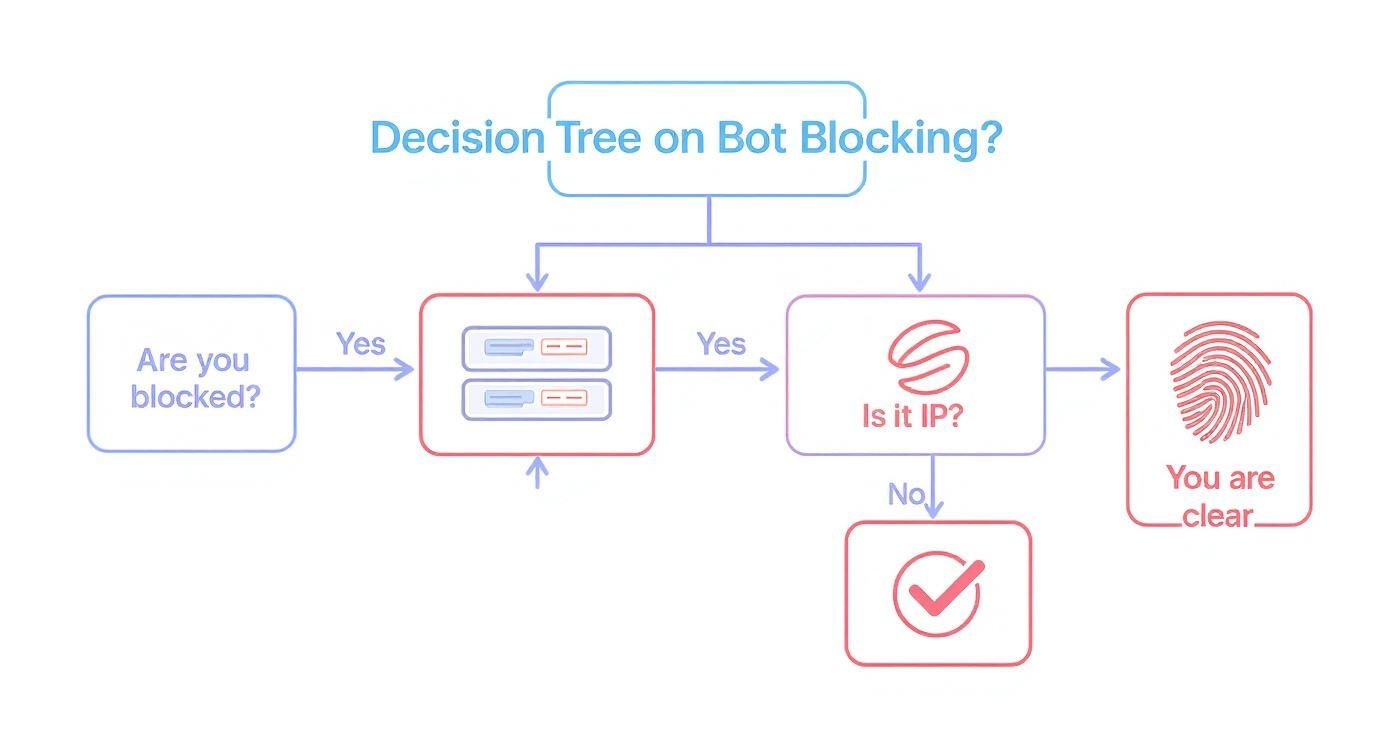
This decision tree really drives home the point that while IP blocks are a common first hurdle, you'll often run into more advanced fingerprinting defenses that require solutions beyond just swapping out your proxy.
Implementing Intelligent Rotation and Session Management
Just having a big pool of proxies won't get you far if you don't use them smartly. This is where your rotation logic becomes critical. The goal is simple: don't use the same IP address too many times in a row on the same website.
For basic data gathering, rotating your IP for every single request is a great starting point. This "fire-and-forget" approach makes each request look isolated, making it tough for the target site to connect the dots.
But what about more complex jobs, like navigating a checkout process or scraping data that's behind a login? That’s when you need proper session management. This means using a "sticky" proxy—one that holds the same IP address for a set amount of time or across a series of requests. This makes sure the server sees a consistent user journey, which is essential for working with things like cookies and session tokens.
A classic mistake I see all the time is rotating proxies too aggressively during a session-based scrape. If a website sees your IP change between adding an item to the cart and heading to checkout, it's an instant red flag that will almost certainly get you blocked.
Leveraging Geo-Targeting for Specific Data Needs
One of the most powerful tools in a good proxy service's arsenal is geo-targeting. This lets you send your requests through IPs located in specific countries, states, or even cities. For any task that involves location-specific data, this isn't just a nice-to-have; it's essential.
For example, if you're scraping:
E-commerce sites: You can see prices, promotions, and product availability that vary wildly based on the user's location.
Airline or hotel sites: Fares are often priced differently for various regional markets, and geo-targeting is the only way to see them.
Local business directories: You need to look like you're searching from that specific area to get accurate, relevant results.
This need to bypass geographic restrictions isn't just a niche developer problem. The demand for tools to bypass website blocking has surged globally, largely due to increased censorship and geo-blocking. For instance, data shows a staggering 3,000% spike in worldwide search volume for VPNs in countries facing sudden internet restrictions. Even in the United States, where VPN use has dipped slightly, around 32% of adults (that's about 75 million people) still rely on them to get around access limits and protect their privacy. You can dig into more insights on the global impact of geo-blocking at Infatica.io.
In the end, a solid proxy infrastructure is about much more than just hiding your IP address. It’s about strategically managing your digital footprint to look like a legitimate user—whether that means rotating IPs constantly, holding a session, or appearing to browse from downtown Tokyo. This thoughtful approach is what turns your proxy layer from a simple cost of doing business into a powerful asset for successful data extraction.
How to Mimic Human Browser Behavior
Forget simple IP checks. Today’s sophisticated anti-bot systems are looking at your scraper’s digital fingerprint—a unique profile built from dozens of tiny details about its browser environment. To get past them, your scraper needs to stop acting like a script and start behaving like a real person browsing the web.
It’s all about blending in.
Sure, rotating your User-Agent string is a common first move, but on its own, it’s basically useless. Modern defenses will cross-reference that string with other signals in a heartbeat. If you declare your scraper is the latest Chrome on Windows, but your TLS fingerprint or HTTP headers don’t match what a real Chrome browser sends, you’re getting blocked. The entire request has to tell a consistent story.
Going Beyond the User-Agent
The User-Agent is just the cover of the book. The real story is in the HTTP headers that browsers send automatically with every request. If you don't include them, or use the defaults from a library like Python's , you're practically screaming "I'm a bot!"
Here are the key headers you absolutely have to get right:
: This tells the server what language the user prefers (e.g., ). A dead giveaway if it's missing.
: Shows the compression formats your scraper can handle, like .
: Usually , which tells the server you're efficient and plan to make more requests over the same connection, just like a real browser.
: A simple flag that signals a preference for a secure HTTPS connection.
For a deeper look into this, check out our guide on using a User-Agent for web scraping. Getting these right is fundamental to any effort to bypass website blocking.
Expert Tip: Don't forget about header order. It sounds crazy, but some advanced anti-bot systems know the exact sequence of headers that Chrome or Firefox sends. Matching that order can be the subtle detail that gets you past the block.
Mastering the Digital Fingerprint
Your digital fingerprint goes way deeper, right into the world of JavaScript. Headless browsers like Puppeteer and Playwright are fantastic because they execute JavaScript, but they can still give away their automated nature if you're not careful.
Anti-bot scripts are written to poke and prod the browser environment for signs of automation. For example, they'll check for the property, which screams in a standard Selenium or Puppeteer session. You have to patch these properties to make your headless browser "stealthy."
And it doesn't stop there. The way your scraper’s environment renders things is also under the microscope:
Canvas Fingerprinting: A sneaky technique where a hidden image is drawn with the HTML5 Canvas API. Tiny differences in your GPU and drivers cause the image to render uniquely, creating a hash that identifies you.
WebGL Fingerprinting: Similar to Canvas, this queries the Web Graphics Library for granular details about your graphics hardware.
Font Enumeration: Even the list of fonts installed on your system can be a surprisingly effective identifier.
Generating Realistic and Unique Fingerprints
Trying to manage all these variables yourself is an operational nightmare. You'd be constantly chasing browser updates that change everything from header values to JavaScript properties. It just doesn't scale.
This is where you bring in a specialized service. A platform like ScrapeUnblocker is built to handle this mess for you. It draws from a massive, constantly updated library of real-world fingerprints from millions of different devices.
When you send a request, the system doesn't just slap on a random User-Agent. It constructs a complete, internally consistent profile that looks 100% human.
Legitimate Headers: You get all the right HTTP/2 headers, in the right order.
Matching TLS/JA3 Fingerprints: The TLS handshake perfectly matches the declared browser.
Realistic Browser Properties: JavaScript properties for screen size, plugins, and hardware are all consistent and believable.
By generating a unique, legitimate-looking fingerprint for every single request, your scraper stops looking like one of a thousand identical bots. Instead, it looks like one of a million unique human users, disappearing into the crowd.
Navigating JavaScript Challenges and CAPTCHAs
Sooner or later, every scraper runs into a wall. One minute it’s working perfectly, the next it’s completely blocked. The usual suspects? A tricky JavaScript challenge or, worse, a CAPTCHA. These aren’t just simple IP blocks; they’re smart defenses designed to sniff out automated scripts and stop them in their tracks.
To get past these, you have to think beyond basic HTTP requests. The solution lies in tools that can load and interact with a webpage just like a real person using a real browser.

Many modern websites are built on client-side rendering. This means the juicy data you're after isn't even in the initial HTML. It gets loaded dynamically by JavaScript after the page opens. A simple or call will just grab the empty page skeleton, missing all the good stuff. This is where real browser rendering becomes a non-negotiable part of your toolkit.
Handling Dynamic Content with Headless Browsers
When you're up against a JavaScript-heavy site, you need something that can actually execute those scripts. This is where headless browsers come in. They are real web browsers, like Chrome or Firefox, but they run in the background without a graphical user interface. The industry go-tos here are tools like Puppeteer (for Node.js) and Playwright (which supports Node.js, Python, .NET, and Java).
A headless browser is powerful because it can:
Execute JavaScript: It runs all the page scripts, loading content just as it would for a human visitor.
Handle Asynchronous Content: It can patiently wait for data from AJAX calls to load or for new elements to pop onto the page before your code tries to scrape them.
Interact with Elements: You can write code to click buttons, fill out forms, or scroll down a page, triggering events that reveal more data.
Think about scraping a product page where user reviews only appear after you click a "Show Reviews" button. A standard scraper is dead in the water. With Playwright, though, you can easily code a command to find that button, click it, wait for the reviews to load, and then grab them. This ability to mimic real user actions is essential for any serious attempt to bypass website blocking.
But here's the catch: running headless browsers at scale is a beast. You're suddenly managing browser dependencies, dealing with random crashes, and trying to keep them from being detected, which is a massive engineering headache.
A rookie mistake is to fire up a headless browser with its default settings. Anti-bot systems are great at spotting the obvious fingerprints of automation, like the flag. You have to use "stealth" plugins or patched browsers to cover your tracks.
Solving the CAPTCHA Problem
Even with a perfectly stealthy headless browser, you’ll eventually face a CAPTCHA. They are built for one reason: to stop bots. Since you can't sit there solving them by hand, you have two main options.
The first path is to bolt on a third-party CAPTCHA-solving service. These APIs use a mix of human solvers and machine learning to crack different CAPTCHA types. The flow usually looks like this:
Your scraper hits a CAPTCHA.
You grab the necessary info from the page, like the site key and URL.
You send that data to the solving service's API.
The service sends back a solution token, which you then submit to the website to pass the check.
This gives you a ton of control, but it also adds extra cost and latency to every request that gets challenged. The key is to only call the solver when you absolutely have to. Modern challenges, like Cloudflare's Turnstile, are making this DIY approach increasingly difficult. We've actually put together a deep dive on this specific challenge; you can learn more about how to approach a Cloudflare Turnstile bypass.
A much cleaner solution is to use a service like ScrapeUnblocker. Instead of you juggling browser instances and CAPTCHA logic, the platform does it all for you behind one API call. It automatically renders the page, solves any JavaScript or CAPTCHA roadblocks, and just sends you back the clean, final HTML. This takes all that complexity off your plate, letting you focus on what you actually care about: extracting the data.
Implementing Ethical and Sustainable Scraping Practices
Getting past a website's defenses is one thing, but doing it responsibly is another challenge entirely. Just because you can find a way to bypass a block doesn't give you a free pass to scrape without limits. Every request you make hits a real server, and being a good digital citizen is key to keeping your data pipeline running for the long haul.
Think of it this way: hammering a website with aggressive scraping can slow it down for actual human visitors or, in worst-case scenarios, even crash it. That not only creates a bad experience for everyone else but also puts a huge spotlight on your activity, making it far more likely you'll get blocked for good. The real goal is to fly under the radar—get the data you need without disrupting the source.
Setting Smart Rate Limits
The absolute cornerstone of ethical scraping is rate limiting. Don't blast a server with hundreds of requests a second. You need to dial it back and make your scraper behave more like a person. There's no single perfect number, but a solid rule of thumb is to start with a pause of a few seconds between requests from the same IP address.
Your retry logic is just as critical. When a request fails, hitting "retry" instantly is a recipe for disaster. A much smarter approach is to use an exponential backoff strategy. If a request fails, wait 2 seconds; if it fails again, wait 4, then 8, and so on. This simple tweak prevents you from overloading a server that might just be having a temporary hiccup.
A core principle here is to take only what you need and do it as gently as possible. Your scraper should always be less of a burden on a server than a typical human user. This mindset protects the website and, in turn, protects your access to its data.
Respecting Website Policies
Before writing a single line of code, your first stop should always be the website's file. This is where site owners tell crawlers which pages are off-limits. While it's not a legally binding contract, ignoring it is a major red flag and a quick way to get your IP banned.
Next, you need to actually read the Terms of Service (ToS). Many developers skip this, but it's where you'll find the explicit rules about automated access and data gathering. Violating the ToS can move you from a simple IP block into murky legal territory. It’s vital to know where the line is.
These site-specific rules exist within a much larger global picture. Internet censorship is a reality, with a recent analysis showing that at least 50 countries have laws that let them block websites. These regulations affect roughly 42% of the world's population—that's 3.4 billion people living under governments that can restrict web access. You can get a better sense of the global landscape of website blocking at ITIF.org.
Ultimately, being a responsible data scraper means combining technical skill with respect for the rules. For a deeper dive, check out our complete guide on web scraping best practices. Building your operation on an ethical foundation is the only way to ensure you can keep gathering data without causing problems or attracting legal heat.
Got Questions About Getting Blocked? We've Got Answers.
When you're in the trenches with a web scraping project, hitting a wall is part of the game. Anti-bot systems evolve constantly, so a scraper that worked flawlessly yesterday might get shut down today. Let's break down some of the most common questions I hear from developers trying to get around website blocks.
These aren't just textbook answers; they come from years of banging my head against the same walls, troubleshooting stubborn blocks, and figuring out what actually works in the real world. Think of this as a field guide to making your scrapers more resilient.
"I'm Using Proxies, So Why Am I Still Getting Blocked?"
This one comes up a lot. Just plugging in a proxy isn’t a silver bullet. The problem is that many websites can spot cheap proxies a mile away, especially if they're from a known datacenter IP range. If you're using a pool of easily identifiable datacenter IPs, even a moderately sophisticated site will show you the door.
The real game-changer here is using high-quality residential proxies. These are IP addresses tied to actual home internet connections, so your requests look like they're coming from a regular user. Also, check your rotation strategy. Firing off requests from a new IP every few seconds during what should be a single user session is just as suspicious as using the same IP for thousands of requests.
"Am I Breaking the Law by Bypassing a Website Block?"
This is a big one, and the answer isn't a simple yes or no. Generally, scraping publicly available data is legal. But how you get that data is what matters. If you're aggressively trying to dismantle a site's security measures, you could be violating its Terms of Service.
And while ignoring a site's file isn't technically illegal, it's bad practice and a fast track to getting your IPs permanently blacklisted. My advice? Always read the terms, respect , and scrape ethically. Your goal is to gather data, not wage war on their servers.
A Note From Experience: Staying on the right side of the law really comes down to being a good internet citizen. Don't hammer their infrastructure, follow the rules they lay out in , and steer clear of personal or copyrighted data. A sustainable, ethical approach is the key to long-term success.
"How Do I Know if a Site Is Fingerprinting My Scraper?"
A classic sign of being fingerprinted is when you don't get a hard block (like a 403 error or a CAPTCHA), but something is still... off. Maybe the site serves you old or bogus data, or maybe it just returns a blank page with a status code. It’s a frustratingly subtle way to get blocked.
Here’s how you can diagnose it:
Try it manually. Can you get to the data with a normal browser like Chrome? If you can see it but your scraper can't, fingerprinting is the likely culprit.
Look at your headers. Compare the HTTP headers your scraper sends with what a real browser sends. Missing or weird-looking headers are a dead giveaway for automated traffic.
Use a testing site. Run your headless browser against a tool designed to detect bots and see what characteristics it's leaking.
"My Headless Browsers Used to Work. What Happened?"
Out-of-the-box headless browsers like Puppeteer and Playwright are practically transparent to modern anti-bot systems. They look for tell-tale JavaScript properties (like ) that scream "I'm a robot!" If you're not patching these leaks, you're not getting in.
Stealth plugins can help, but many popular open-source ones are now on the radar of anti-bot companies and are actively targeted. The most reliable approach is to lean on a service that manages a fleet of hardened, stealthy browsers for you. They stay on top of the constant cat-and-mouse game so your requests always look human.
Tired of fighting with blocks and just want the data? ScrapeUnblocker takes care of all the messy parts—JavaScript rendering, CAPTCHA solving, and proxy management—behind a single API call. You get the clean HTML from any site, which lets you bypass website blocking without all the engineering headaches. Start scraping without limits today!
Article created using Outrank


Comments