
Your Guide to Building a Yelp Web Scraper
- Nov 25, 2025
- 16 min read
At its core, a Yelp web scraper is a specialized tool built to automatically pull public information from Yelp's business pages and reviews. Think of it as a way to gather details like business names, addresses, ratings, and customer feedback at a large scale, then organize it all into a structured format like JSON or CSV for easy analysis.
The Goldmine and the Gauntlet of Scraping Yelp
Yelp's data is an absolute goldmine for anyone trying to get a pulse on local market dynamics. For businesses, it's a direct line into what customers are saying about the competition—what they love, what they hate, and what they wish was different. Analysts and researchers dig into this data to spot market trends, monitor brand health, and pull together location-based insights that are nearly impossible to find anywhere else.
The sheer amount of information is mind-boggling. We're talking about a platform with over 244 million reviews spread across more than 5.2 million unique businesses worldwide. As Yelp has grown, so has the demand for a reliable scraper that can turn all that public data into a real business advantage. You can get a better sense of this scale by looking at this breakdown of Yelp web scraping trends.
But here's the catch: getting to that data is tough. Yelp puts a lot of resources into sophisticated anti-scraping systems designed to shut down automated access.
The Technical Hurdles of Scraping Yelp
If you try to build a Yelp scraper with a simplistic approach, you're going to hit a wall, and fast. The platform is actively looking for bots, so a basic script just won't cut it. You'll run into a series of technical roadblocks that can stop a project cold:
Aggressive IP Blocking: Yelp is constantly watching for unusual request patterns. Once it flags an IP for bot-like activity, it gets banned.
Complex CAPTCHAs: The site uses advanced CAPTCHAs as a defense mechanism to differentiate between humans and scripts, effectively stopping most scrapers.
Dynamic JavaScript Content: A lot of the good stuff—like reviews and key business details—is loaded onto the page using JavaScript. A simple HTTP request won't see any of it.
Constant Layout Changes: Yelp is always tweaking its website design. These changes can instantly break the CSS selectors your scraper depends on to find and extract data.
Overcoming these obstacles requires more than just clever code; it demands a truly resilient architecture. A successful scraper has to act human, cycle through IP addresses, and be smart enough to handle dynamic content.
This guide is your roadmap for building a Yelp scraper that's not just functional, but robust and scalable. We're going to move past the simple scripts and dive into the architecture you need for a professional-grade tool. For a solid foundation, it's always smart to follow established guidelines, and you can explore some of these in our guide on 10 web scraping best practices for developers in 2025.
By understanding both the massive opportunity and the technical gauntlet ahead, you'll be ready to tackle this challenge head-on.
Designing a Resilient Yelp Scraper Architecture
Before you write a single line of code, the most critical step in building a Yelp web scraper is planning a solid architecture. This is what separates a fragile script that breaks in a week from a scalable system that reliably delivers data for months or years. Think of it as drawing up a detailed blueprint before you ever start hammering nails.
At its core, a good scraping architecture has four essential modules that work together. You've got the request scheduler, which is basically the traffic cop managing the queue of Yelp URLs to visit. Then there's the page rendering engine, responsible for actually fetching and interpreting the web page. After that, a data parser steps in to pluck the specific information you need from the raw HTML. Finally, a storage solution saves all that neatly structured data.
This diagram gives a high-level look at the process, from realizing the value of the data to building a scraper that can overcome the technical roadblocks.
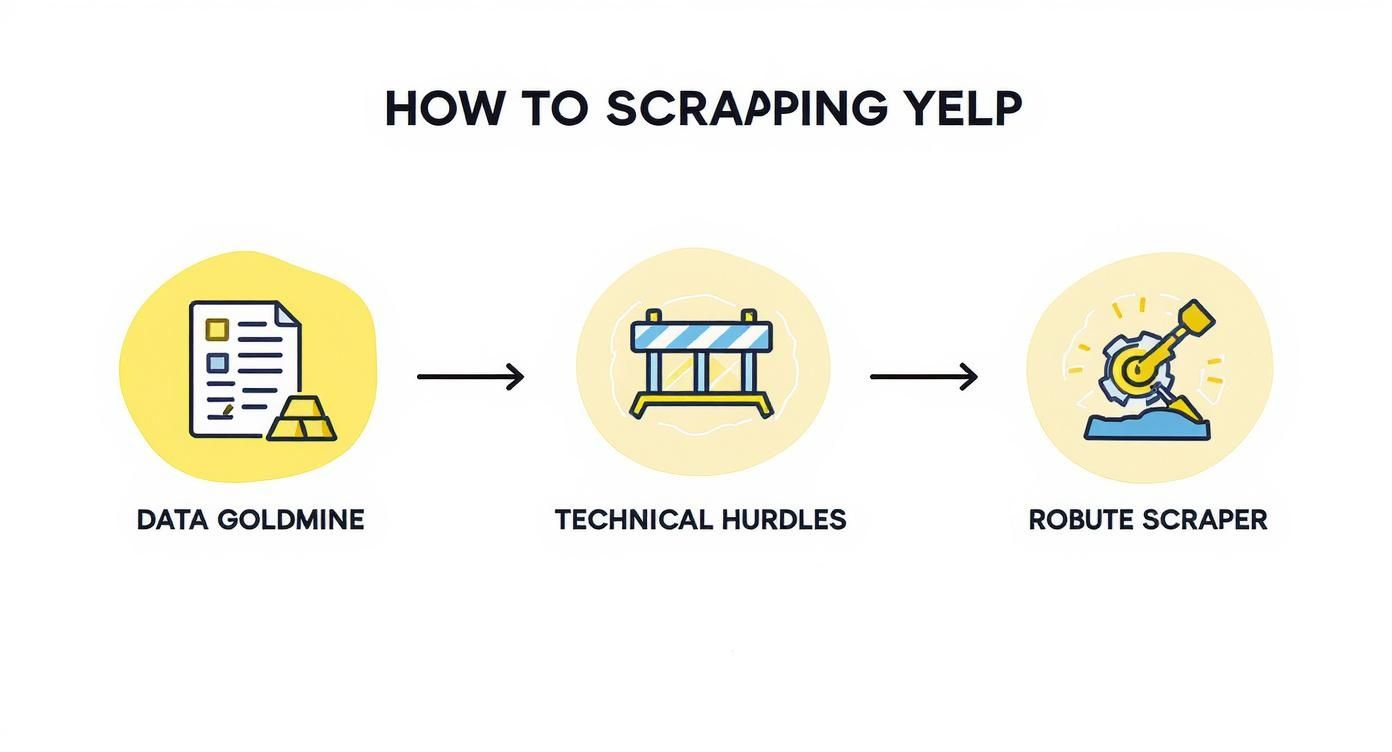
The key takeaway here is that a successful project anticipates the challenges from the get-go and is built specifically to handle them.
Choosing Your Rendering Engine
One of the first big decisions you'll make is how you're going to handle page rendering. Yelp's pages are notoriously dynamic. This means a ton of the good stuff—like reviews, business hours, and photos—is loaded with JavaScript after the initial page loads. This reality puts you at a fork in the road.
You could go the simple route with an HTTP client like Python's library. This approach is blazing fast and uses very few resources because it just downloads the raw HTML source. The problem? It completely misses anything generated by JavaScript, which makes it pretty much useless for scraping most of Yelp's valuable data on its own.
The other path is to use a headless browser controlled by a tool like Playwright or Puppeteer. This method fires up a real browser instance behind the scenes, letting it execute all the JavaScript just like a person would. You get the fully rendered page this way, but it comes at a cost: it’s significantly slower and eats up way more memory.
My Experience: The choice between a simple HTTP client and a headless browser really boils down to speed versus capability. For a site like Yelp, where dynamic content is king, a headless browser isn't just a nice-to-have; it's almost always a necessity for getting the complete picture.
Comparing Rendering Strategies for Yelp
To make this choice crystal clear, let's look at a head-to-head comparison of these two strategies when you're targeting Yelp specifically.
This table breaks down the pros, cons, and ideal use cases for each rendering method.
Strategy | Pros | Cons | Best For |
|---|---|---|---|
Direct HTTP Client | Extremely fast and lightweight. Low resource consumption. Simple to implement for static content. | Fails to render JavaScript-loaded content. Easily detected and blocked by anti-bot systems. | Very limited use cases, like scraping basic, static metadata from Yelp if you can find any. |
Headless Browser | Renders all dynamic content perfectly. Simulates real user behavior more effectively. | Slower and requires more CPU/RAM. More complex to set up and manage. | The standard, and often only, approach for accurately scraping reviews, ratings, and business details from modern Yelp pages. |
Ultimately, for serious Yelp scraping, a headless browser is the way to go if you're building it yourself. It’s the only reliable method to see the page exactly as a user does.
The Strategic Advantage of a Scraping API
There’s a third option that, in many cases, is the smartest path forward: using a dedicated scraping API. Services like ScrapeUnblocker are purpose-built to handle all the messy parts of web scraping for you. Instead of managing your own fleet of headless browsers or wrestling with proxy rotation, you just make a simple API call.
This approach lets you outsource the entire rendering and evasion layer of your architecture. The API takes care of everything—managing headless browsers, rotating residential proxies to avoid IP bans, solving CAPTCHAs, and even mimicking real browser fingerprints. Your job gets a lot simpler: send a target URL and get clean, fully rendered HTML or even structured JSON data back.
By integrating a service like this, your internal architecture slims down considerably. You can focus your energy on the business logic—what to scrape and how to use the data—instead of getting stuck in the never-ending arms race of anti-scraping measures. You're effectively shifting the burden of maintenance and resilience to a specialized provider, which lets you get to the data you need faster and more reliably.
This is where the real work begins. If you want to build a Yelp web scraper that doesn't get shut down in five minutes, you have to get serious about evasion. Yelp has some of the most aggressive anti-bot defenses out there, and simply hammering their servers with requests from one IP address is a recipe for a permanent block.
The game is all about mimicking real human behavior. You need to make your scraper look less like a robot and more like a crowd of individual users browsing the site.

Your first and most important line of defense is your scraper’s digital fingerprint—its IP address. This is why a top-tier rotating proxy network isn't just a nice-to-have; it's a non-negotiable requirement for any serious Yelp scraping project. Without one, you're a sitting duck.
The Power of Rotating Proxies
A rotating proxy service is your scraper's cloak of invisibility. It channels your requests through a massive pool of different IP addresses, effectively masking your server's true location. Each time your scraper asks Yelp for a page, it can appear to come from a completely different city or even country. This makes it incredibly difficult for Yelp's security systems to connect the dots and flag your activity.
When it comes to proxies, you've got a few options:
Datacenter Proxies: These are the cheapest and fastest, but they’re also the easiest to spot. Their IPs come from commercial data centers, and sites like Yelp have long lists of them ready to block on sight.
Residential Proxies: This is the sweet spot. These IPs belong to real home internet connections, assigned by providers like Comcast or Verizon. From Yelp's perspective, traffic from a residential IP looks completely legitimate, making it the gold standard for reliable scraping.
Mobile Proxies: These IPs come from mobile carrier networks (think AT&T or T-Mobile). They offer the highest level of trust but are also the most expensive. You probably don't need these for Yelp unless you're running into major roadblocks with residential proxies.
For scraping Yelp, residential proxies are the clear winner. They offer the perfect blend of stealth and performance, giving your scraper the best possible chance of flying under the radar.
Looking Human with Realistic Request Headers
Your IP address is just one part of your digital identity. Yelp also inspects the "headers" your scraper sends with every request. These little bits of metadata reveal your browser type, operating system, and more. A scraper sending the exact same generic header over and over is a dead giveaway.
To blend in, you need to randomize your User-Agent string. The User-Agent tells Yelp if you're using Chrome on a Mac, Firefox on Windows, or Safari on an iPhone. By keeping a list of current, common User-Agents and rotating them with each request, your traffic starts to look like it’s coming from many different people, not one persistent bot.
Key Takeaway: A smart scraper doesn't just change its IP; it changes its entire digital persona with every request. Combining rotating residential proxies with dynamic User-Agents is the foundational strategy for successful, long-term scraping.
This two-pronged approach is powerful, but it's also crucial to apply these techniques responsibly. To make sure your project stays on the right side of the line, you can learn more about how to ethically bypass website blocking.
Mimicking Human Browsing Habits
Think about how you use a website. You don't click through pages at lightning speed. You pause, you read, you scroll. A scraper that fires off requests every 100 milliseconds is an obvious machine.
Implement smart, randomized delays between your requests. A pause of a few seconds, with a bit of variability mixed in, makes your scraper's activity look far more natural and helps you avoid tripping rate-limit alarms.
Another subtle but critical detail is session management. Real users have cookies that maintain a consistent session. Your scraper should do the same by accepting and sending cookies back to Yelp. This helps maintain the illusion of a single, continuous browsing session for each proxy IP, which can be the difference between success and getting blocked.
The cat-and-mouse game with Yelp is always evolving. As of 2025, their anti-bot systems are more sophisticated than ever. Industry analysis shows that up to 70% of scraping attempts on major review sites fail due to inadequate evasion tactics, forcing developers to lean on more robust infrastructure.
Dealing with the Inevitable CAPTCHA
No matter how stealthy you are, you will eventually run into a CAPTCHA. These puzzles are designed specifically to stop automated scripts. When you hit that wall, you have two main paths forward:
Use a CAPTCHA-Solving Service: You can integrate an API from a service like 2Captcha or Anti-CAPTCHA. Your code sends the CAPTCHA challenge to their service, a human solves it, and the answer is sent back to your script, allowing it to continue.
Offload the Problem to a Smart API: The easiest approach is to use an all-in-one scraping service like ScrapeUnblocker. It handles proxy rotation, header management, and CAPTCHA solving behind the scenes. Your scraper just asks for the data, and the service deals with all the messy anti-bot challenges for you.
How to Pull Out and Structure Yelp Data
Okay, so you’ve managed to get your scraper past Yelp's defenses and can reliably fetch pages. That's a huge step, but now comes the real art: turning that chaotic mess of HTML into clean, usable data. This is where a good Yelp web scraper proves its worth. Think of it as sifting through digital sand to find gold nuggets of information.
Your first job is to identify the digital signposts—the CSS selectors or XPath expressions—that point directly to the data you need. This means popping open your browser's developer tools and inspecting the page source to find the unique tags, classes, or IDs that wrap around things like business names, addresses, and reviews.
Nailing Down Reliable Selectors
Here's the tricky part: Yelp's HTML is a moving target. The class name you rely on today could be gone tomorrow after a site update. Your challenge is to find selectors that are specific enough to grab only what you want but broad enough to survive minor design changes.
Fire up your browser's developer tools (just right-click an element and hit "Inspect") and start looking for patterns.
Business Name: This is usually a safe bet. Look for an tag; it's almost always the main heading for the business.
Address: This can be a bit more elusive. You're often looking for a tag with a descriptive class name, though these can look a bit cryptic, like .
Star Rating: This one is often hidden. Instead of visible text, the rating is frequently tucked away in an attribute inside a , something like .
Reviews: Each review is typically its own self-contained block, like a or an . The strategy here is to grab the parent container holding all the reviews, then loop through each child element to pull out the author, text, and date.
A classic rookie mistake is grabbing the first complex, machine-generated class name you see (e.g., ). These are brittle. A much better approach is to look for more stable, semantic markers. For instance, find the inside a that has a attribute. These tend to stick around longer.
You'll need the right tools for the job. If you're using Python, a library like BeautifulSoup is your best friend for parsing HTML. If you're just getting started, diving into a practical guide to BeautifulSoup for web scraping will get you up to speed fast.
Structuring Your Data as Clean JSON
Once you’ve successfully extracted the raw text, you need to organize it. JSON (JavaScript Object Notation) is the way to go. It’s lightweight, easy for humans to read, and plays nicely with just about any application you can think of. The key is to create a logical, nested structure.
For a single Yelp business listing, a solid JSON structure would look something like this:
{ "business_name": "Sushi Yasaka", "address": "251 W 72nd St New York, NY 10023", "phone_number": "(212) 496-8460", "rating": 4.2, "review_count": 3500, "website": "https://www.sushiyasaka.com", "reviews": [ { "author": "Jane D.", "rating": 5, "date": "2024-10-26", "text": "Absolutely the best sushi in the neighborhood! The fish was incredibly fresh and the service was impeccable. Highly recommend the omakase." }, { "author": "John S.", "rating": 4, "date": "2024-10-22", "text": "Great spot for a casual dinner. Prices are reasonable and the quality is consistent. It can get busy, so make a reservation." } ]}
See how everything is neatly organized? The main object holds the business info, and inside it, there’s an array of review objects, each with its own clean structure.
Zeroing In on Specific Geographic Locations
Let's be honest, you probably don't need data from every city on Earth. Most projects require focusing on a specific city, state, or even a single neighborhood. This is where geo-targeting becomes essential for an efficient scraper.
The easiest way to do this is by playing with the URL parameters in your requests. Yelp's search URLs are quite predictable.
Find the URL Pattern: Hop on Yelp and do a manual search for "restaurants in New York, NY." The URL in your browser will change to something like . That parameter is your target.
Make Your Scraper Dynamic: Design your code to plug different city and state combinations directly into that parameter.
Get Smart with Proxies: For top-tier precision, use a proxy service like ScrapeUnblocker that offers city-level proxy targeting. When your request comes from an IP address based in the location you're scraping, it looks far more natural to Yelp's servers and drastically reduces your chances of getting blocked.
By getting these three things right—extraction, structuring, and geo-targeting—you elevate your scraper from a simple page downloader to a serious tool for gathering market intelligence.
So, you want to build a Yelp scraper? You could absolutely build everything from the ground up. It’s a fantastic way to learn, but be warned: you’ll spend most of your time fighting a frustrating battle against IP blocks, CAPTCHAs, and ever-changing JavaScript traps.
Frankly, it's a maintenance nightmare.
This is where a dedicated web scraping API becomes your most valuable tool. Instead of wrestling with the entire anti-scraping stack yourself, you can hand off the messiest parts to a service like ScrapeUnblocker.
Think about it: no more managing proxy networks, figuring out CAPTCHA solvers, or faking browser fingerprints. You just make a clean API call, and in return, you get the fully rendered HTML. It’s ready to parse. This shift in approach slashes your code's complexity and pretty much eliminates the constant upkeep, letting you focus on what actually matters—using the data.
The Old Way: A Complex, Manual Scraper
Let’s get real about what a "manual" scraper actually looks like. You're not just sending a simple request. You have to juggle proxy services, rotate user-agent headers, and fire up a headless browser like Playwright just to make sure the JavaScript-heavy content even loads.
The code gets tangled fast. Here’s a rough sketch of what you'd be dealing with in Python:
A look at the 'before' - lots of manual work
from playwright.sync_api import sync_playwrightimport random
You're now in the business of managing proxy and user-agent lists
PROXY_LIST = ["http://user:pass@proxy1.com:port", "..."]USER_AGENTS = ["Mozilla/5.0 (Windows NT 10.0; Win64; x64)...", "..."]
def scrape_yelp_manually(url): # Randomly pick a proxy and user-agent for every single request proxy_server = random.choice(PROXY_LIST) user_agent = random.choice(USER_AGENTS)
with sync_playwright() as p:
    browser = p.chromium.launch(
        proxy={"server": proxy_server}
    )
    page = browser.new_page(user_agent=user_agent)

    # This is the tricky part. You need to build your own logic
    # for handling CAPTCHAs, connection errors, retries, and cookies.
    # This gets out of hand quickly.

    try:
        page.goto(url, wait_until="domcontentloaded")
        html_content = page.content()
        # ... and now you can finally start parsing ...
    except Exception as e:
        print(f"Scraping failed: {e}")
        # ... now you need to code your retry logic ...
    finally:
        browser.close()
And this example doesn't even touch on smart rate-limiting or CAPTCHA solving.
Even this simplified version is bloated with boilerplate code for managing proxies and browser sessions. Every time Yelp updates its anti-bot defenses, it's back to the drawing board for you.
The Smart Way: A Clean, API-Powered Solution
Now, let's see what this looks like when we offload the hard work. Using an API like ScrapeUnblocker, all that heavy lifting—the proxies, the JavaScript rendering, the block evasion—is handled behind a single, simple endpoint.
Your code becomes incredibly lean and focused.
The 'after' approach using ScrapeUnblocker
import requests
API_KEY = "YOUR_SCRAPEUNBLOCKER_API_KEY"YELP_URL = "https://www.yelp.com/biz/sushi-yasaka-new-york"
def scrape_yelp_with_api(url): api_endpoint = "https://api.scrapeunblocker.com/scrape"
# The API handles all the messy stuff.
# We just tell it what we want. We can even request proxies
# from specific cities if we're targeting local results.
params = {
    "api_key": API_KEY,
    "url": url,
    "render_js": "true", # Make sure all dynamic content is loaded
    "country": "US"
}

try:
    response = requests.get(api_endpoint, params=params)
    response.raise_for_status() # This will flag any bad HTTP responses

    # You get the clean, fully rendered HTML. Ready to go.
    html_content = response.text
    # ... now get straight to parsing the HTML ...

except requests.exceptions.RequestException as e:
    print(f"The API call failed: {e}")
All that complexity? Gone. It's just one reliable HTTP request.
The difference is night and day. The API-driven method pulls all the infrastructure management right out of your codebase. You're no longer playing a cat-and-mouse game with Yelp's anti-scraping tech. This means your scraper is not only easier to maintain but also far more resilient, letting you get to the valuable data faster and more reliably.
Navigating the Legal and Ethical Side of Scraping
Building a functional Yelp web scraper isn't just a technical challenge—it's also a walk through a tricky legal and ethical minefield. Before you even think about launching a scraper, especially for a commercial project, you absolutely have to understand the rules and potential fallout. This is about more than just dodging IP blocks; it's about being a responsible data citizen.
First stop: Yelp's own Terms of Service (ToS). Like pretty much every major platform, they explicitly prohibit automated data collection like scraping. When you ignore that, you're not just being sneaky—you could be seen as breaching a contract, which opens the door for Yelp to take legal action against you.
Understanding the Legal Landscape
The legality of web scraping is notoriously gray. While some court cases have leaned in favor of scraping publicly available data, the devil is always in the details. This whole area has become a legal battleground, with major lawsuits setting new precedents all the time.
And Yelp isn't shy about litigation. They have a history of legally pursuing companies that violate their terms. In a landmark 2019 case, Yelp won a major judgment against a data aggregator. This case was pivotal because it suggested that violating their ToS could potentially be viewed as a violation of the Computer Fraud and Abuse Act (CFAA). To get a better handle on the potential consequences, it's worth reading up on the legal risks of scraping Yelp data.
The takeaway here is crystal clear: blowing past a website's ToS, particularly for a commercial project, is a high-stakes gamble. It could lead to anything from a stern cease and desist letter to a full-blown, wallet-draining lawsuit.
Adopting an Ethical Scraping Framework
Legal questions aside, your scraping strategy should be built on a foundation of ethics. At its core, responsible scraping means getting the data you need without disrupting the website or harming its users. It’s all about respect.
Here are a few principles I always follow:
Only Scrape Public Data: This is non-negotiable. Never try to get behind a login wall or access anything that isn't already visible to the public. User privacy is paramount.
Keep a Considerate Pace: Don't hammer Yelp's servers with a firehose of requests. That can slow down the site for everyone else. Always build in polite, randomized delays to keep your footprint light.
Identify Your Bot: It's good practice to set a descriptive User-Agent string in your scraper's headers. A little transparency can go a long way in distinguishing your well-behaved bot from malicious ones.
Crucial Disclaimer: I'm a developer, not a lawyer. This information is purely for educational purposes and is not legal advice. If you're planning to scrape Yelp for any commercial reason, you should absolutely consult with a qualified legal professional to understand and manage your specific risks.
Got Questions About Scraping Yelp?
When you start a Yelp web scraper project, a few key questions always seem to pop up. Let's tackle some of the most common technical, legal, and practical hurdles you'll likely face.
Is Scraping Yelp Actually Legal?
This is the big one, and the answer falls into a legal gray area. While the data itself is public, Yelp's Terms of Service strictly prohibit scraping. If you ignore their rules, you're technically breaching a contract, which could open you up to legal challenges.
My advice? If you're planning to use this data for any commercial purpose, you absolutely need to consult a legal expert. They can help you navigate the risks specific to your project and jurisdiction. It's an investment that can save you a world of trouble down the line.
How Often Does Yelp's Website Layout Change?
Constantly. Yelp is always tweaking its site to improve the user experience and, just as importantly, to block scrapers like yours. These updates roll out without any warning and will almost certainly break your selectors.
Don't think of a Yelp scraper as a one-and-done project. It requires a commitment to ongoing maintenance. The best scrapers are built from the ground up to be flexible, making it easy to adapt when—not if—the site's structure changes.
What’s the Best Programming Language for Building a Yelp Scraper?
You've got options, but one language clearly leads the pack.
Python: This is the go-to for most web scraping projects. It has a massive community and an incredible ecosystem of libraries like BeautifulSoup, Scrapy, and browser automation tools like Playwright. It's relatively easy to learn and powerful enough for any task.
Node.js: This is another fantastic choice, especially if you're dealing with a JavaScript-heavy site like Yelp. With libraries like Puppeteer and Cheerio, you can handle dynamic content with ease. It's a solid contender, particularly if your team is already comfortable in the JavaScript world.
Stop wrestling with IP blocks and CAPTCHAs. ScrapeUnblocker handles the entire anti-bot stack, delivering clean HTML so you can focus on the data. Try it for free today.
Comments