
Amazon Scraper API: Master the amazon scraper api for Reliable Data
- John Mclaren
- Jan 15
- 13 min read
At its core, an Amazon scraper API is a tool built to automatically pull public data from Amazon’s pages. Think product prices, customer reviews, inventory levels—all that good stuff. It’s designed to handle the messy parts, like getting around blocks and managing different IP addresses, so you get clean, structured data fed right into your system. This lets you focus on what to do with the data, not on the headache of getting it.
Why Your E-commerce Strategy Needs an Amazon Scraper API

Let's get practical. Why would a growing e-commerce business even need something like this? Imagine you’re trying to keep tabs on a hundred competitors’ prices or sift through thousands of reviews for a new product line. Doing it by hand is a non-starter. You’d end up with outdated spreadsheets and a ton of missed opportunities.
This is where the sharpest e-commerce businesses gain their edge. Instead of getting bogged down in manual data collection, they use an Amazon scraper API to automate everything. It becomes their secret weapon, piping in real-time data that fuels smarter, faster decisions.
Overcoming Common E-commerce Frustrations
If you're running an online store, some of these frustrations probably sound familiar. An API is built to solve them almost instantly.
Scaling Data Collection: Your team is burning hours every week copying and pasting information. It’s not just slow; it’s a recipe for human error.
Rapid Price Changes: A competitor drops their price, and you don't find out for a day or two. By then, you've already lost sales. Manual tracking just can't keep pace.
Market Blind Spots: You’re flying blind on new product trends or what customers are really saying about your competition until it’s too late to react.
A dedicated API makes these problems disappear. It's like having a market intelligence team working for you around the clock, delivering a constant stream of information right from the source.
By automating data gathering, you shift your team's focus from tedious collection to strategic action. The goal isn't just to have more data; it's to make faster, more informed decisions that drive revenue and growth.
Turning Data Into a Competitive Edge
Ultimately, using an Amazon scraper API is about building a more nimble and intelligent e-commerce strategy. An Amazon scraper API is essential for competitive analysis and acts as one of the top Amazon product research tools you can have in your arsenal.
Once that consistent, accurate data starts flowing, you can really start making moves.
Optimize Product Listings: See what titles, descriptions, and keywords top competitors are using and learn from them to boost your own visibility and conversion rates.
Implement Dynamic Pricing: Don’t just set a price and forget it. Adjust your pricing on the fly based on what the market is doing, what your rivals are charging, and your current stock levels.
Uncover New Opportunities: Spot underserved niches, find trending products before they blow up, and identify gaps in the market that you can fill.
This isn't just about tweaking a few things here and there. It’s about shifting your entire business from being reactive to being proactive, laying the groundwork for real growth in a seriously competitive marketplace.
Choosing the Right Amazon Scraper API for Your Project

Picking the right Amazon scraper API is one of those decisions that can make or break your entire data project. It's not just about getting data; it's about getting reliable data, and not all APIs are built the same. If you just jump in without knowing what to look for, you're setting yourself up for a lot of technical debt and a budget that evaporates faster than you can say "CAPTCHA."
First, think about what you actually need to do with the data. Do you want clean, structured JSON that you can immediately plug into your database, or are you prepared to parse raw HTML yourself? JSON is almost always the easier path and gets you to your goal faster. But if you have very specific, niche data points to extract, raw HTML gives you ultimate flexibility.
What Really Matters in an API
Once you've decided on the data format, you can get into the features that separate the genuinely useful APIs from the basic ones. Scraping a site as sophisticated as Amazon throws a lot of curveballs, and you need a tool that's ready for them.
Geographic Targeting: Can you make a request look like it’s coming from Germany? Or even a specific ZIP code in Ohio? For tracking international prices, local inventory, or regional search results, this is absolutely essential.
Anti-Bot Handling: This is the big one. How well does the API handle Amazon's defenses like CAPTCHAs, IP bans, and browser fingerprinting? A great API makes all of this invisible to you. It just works in the background.
JavaScript Rendering: So much of an Amazon page—prices, stock levels, "buy box" winners—loads with JavaScript after the initial HTML. If your API can't render JS, you're missing the most important data. An API like ScrapeUnblocker, which uses real browsers, sees the page exactly as a human does.
An Amazon scraper API should be a silent partner. Its job is to handle the messy business of proxies and blockades so your team can focus on what to do with the data, not how to get it.
Amazon Scraper API Feature Comparison
To make an informed decision, you need a clear-eyed view of what different providers offer. The table below breaks down the essential features to look for, why they are critical for scraping Amazon, and how ScrapeUnblocker addresses each one. It's a practical checklist for evaluating any API you're considering.
Feature | What to Look For | Why It Matters | ScrapeUnblocker's Approach |
|---|---|---|---|
Success Rate | A consistent rate above 97% | Guarantees a reliable data flow and minimizes the costs associated with failed requests. | Achieves industry-leading success rates through its robust infrastructure. |
Response Time | An average under 4-5 seconds | Crucial for applications that need fresh data, like real-time price tracking. | Optimized for speed, delivering data quickly without sacrificing accuracy. |
Pricing Model | Straightforward per-request or subscription | Gives you predictable costs without confusing "credit" systems that obscure the real price. | Offers simple, transparent per-request pricing, so you only pay for successful scrapes. |
CAPTCHA Solving | Fully automated and built-in | Removes the single biggest hurdle in large-scale scraping, saving immense development time. | Manages all CAPTCHAs automatically behind the scenes; it's completely hands-off. |
JavaScript Rendering | Full browser rendering capability | Ensures you capture dynamic content like prices, reviews, and availability accurately. | Uses real, headless browsers to render pages just as a user would see them. |
Proxy Management | Large, rotating residential/mobile proxy pool | Prevents IP blocks and allows for effective geo-targeting from any country or city. | Leverages a massive, rotating proxy network to bypass geo-restrictions and blocks. |
This comparison highlights that the best tools don't just solve one problem; they provide a comprehensive solution to the entire challenge of web scraping at scale.
Performance and Pricing
When it comes down to it, success rate and response time are your key performance indicators. The best APIs on the market consistently hit success rates over 97% and keep response times under four seconds. This isn't magic; it's the result of smart engineering, like automatic CAPTCHA solving and huge, constantly rotating proxy networks.
This is where a service like ScrapeUnblocker really shines. It's built to deliver high success rates and uses real browser rendering to handle all that dynamic content. Plus, its pricing is simple: you pay per successful request. You’re not trying to figure out how many "credits" a single Amazon search page costs, which is a common headache with other providers. If you're looking for more context on the technical side of things, this guide on mastering Amazon integration is a fantastic resource.
By focusing on these core criteria—data format, essential features, performance, and clear pricing—you can cut through the marketing noise and choose an API that truly fits your project's needs.
Getting Your Hands Dirty: The First API Request
Alright, let's put the theory aside and actually pull some data. This is where you see the magic happen. We're going to grab the details from a live Amazon product page, but without any of the usual headaches like managing proxies, solving CAPTCHAs, or parsing messy HTML.
A good Amazon scraper API like ScrapeUnblocker does all the heavy lifting for you. Your job is just to ask for the data you want.
We'll run through a quick example to fetch a product's details and get it back as clean, usable JSON. It doesn't matter if you're a Python person or live in the JavaScript world; you can be up and running in minutes.
Building the Request in Python
Python is the bread and butter for most data-focused tasks, and the library makes firing off API calls a breeze. The snippet below targets a specific Amazon product by its URL.
If you're looking to get more out of the library, our guide on mastering API calls with Python covers some more advanced tricks.
Here’s what a real-world call looks like using ScrapeUnblocker:
import requestsimport json
Your ScrapeUnblocker API key
api_key = 'YOUR_API_KEY'
The Amazon product URL you want to scrape
product_url = 'https://www.amazon.com/dp/B09B8V2T2V'
Construct the API endpoint
Make the GET request
response = requests.get(api_url)
if response.status_code == 200: # Print the clean JSON data print(json.dumps(response.json(), indent=2))else: print(f"Request failed with status code: {response.status_code}") print(response.text)
See how simple that is? You just plug in your API key and the URL you want to scrape. The API's backend handles everything else—IP rotation, browser fingerprinting, and parsing—and sends you back structured JSON with the product title, price, reviews, and more.
Structuring the Call in JavaScript (Node.js)
For those working in a Node.js environment, the process is just as straightforward. Using a popular library like Axios (or the native API), you can get the same results with very little code. This is perfect for backend services or serverless functions that need Amazon data on demand.
Here’s the JavaScript equivalent:
const axios = require('axios');
async function fetchAmazonProduct() { // Your ScrapeUnblocker API key const apiKey = 'YOUR_API_KEY';
// The target Amazon product URL const productUrl = 'https://www.amazon.com/dp/B09B8V2T2V';
// Construct the ScrapeUnblocker API endpoint const apiUrl = ;
try { const response = await axios.get(apiUrl);
// Log the structured JSON data
console.log(JSON.stringify(response.data, null, 2));
} catch (error) { console.error('Error fetching product data:', error.response ? error.response.data : error.message); }}
fetchAmazonProduct();
The Big Picture: This is the core benefit of a dedicated scraper API. Instead of writing and maintaining hundreds of lines of code to babysit browsers and proxies, you make a single, clean API call and get structured data back in seconds.
Both of these examples do the exact same thing: pull detailed product information without any of the scraping logic. By outsourcing the hard parts, you can get straight to work on the data itself, building the features your business actually needs. That efficiency is what a professional-grade API is all about.
How a Smart API Gets Around Anti-Scraping Defenses
If you’ve ever tried to scrape Amazon directly, you know the drill. You send a handful of automated requests, and BAM—you’re greeted by a CAPTCHA or a error. It’s a frustrating game of cat and mouse, and Amazon has poured a ton of resources into anti-bot systems designed to make sure you lose.
This is where a smart Amazon scraper API completely changes the game. Instead of you fighting those defenses head-on, the API does all the heavy lifting behind the scenes. Think of it as your shield; it manages all the complex evasion tactics so you can focus on the data, not on getting blocked. A service like ScrapeUnblocker isn't just firing off simple requests—it’s running a sophisticated, multi-layered strategy for you.
The Power of a Massive Proxy Network
Your IP address is the first thing that gives you away. Send too many requests from a single IP, and you might as well be waving a giant red flag. A top-tier API sidesteps this entirely by using a massive, global pool of residential proxies. These are IP addresses from real user devices, making each request look like it’s coming from a different person browsing from home.
This constant rotation is the secret sauce. Before one request has a chance to look suspicious, the next one is already coming from a new IP, maybe even in a different country. This makes it incredibly difficult for Amazon's systems to separate your scraper from the flood of real, organic traffic.
The strategy is simple but incredibly effective: blend in by mimicking real user behavior at scale. By cycling through millions of residential IPs, an API makes your scraping activity look just like regular shopping, neatly avoiding the IP-based blocks that derail most scrapers.
Simulating Real Browser Behavior
But these days, websites like Amazon are looking at a lot more than just your IP. They analyze your browser's "fingerprint"—a unique mix of your OS, browser version, screen resolution, and even your plugins. On top of that, they use JavaScript to load critical data like prices and stock levels.
A simple scraper that just pulls raw HTML will miss all that dynamic content, and its fingerprint will scream "bot." This is why a service like ScrapeUnblocker uses real, headless browsers to render every single page.
Here’s what that actually means in practice:
It Executes JavaScript: The API renders the page just like Chrome or Firefox would, so you get all the content that loads dynamically after the initial HTML.
It Generates Human-like Fingerprints: For each request, it creates a realistic browser fingerprint, making your scraper look like a genuine user.
It Handles Cookies and Sessions: The API automatically manages cookies and session data, which is crucial for maintaining the appearance of a legitimate browsing session.
By pairing a huge proxy network with true browser rendering, an Amazon scraper API systematically breaks down all the common anti-scraping measures. If you're curious to learn more about how proxies fit into this, check out this deep dive into finding the best proxy for web scraping in 2025. This integrated approach is what makes reliable, large-scale data collection possible.
Turning Raw Data Into Actionable Insights
Pulling data from an Amazon scraper API is really just the starting line. The real magic happens when you transform that raw output into something your business can actually act on. Whether the API hands you neatly structured JSON or a wall of HTML, your job is to slice and dice it to pull out the golden nuggets—prices, review counts, seller info, you name it.
But it’s not about making just one successful request. It’s about making thousands, or even millions. That’s where the real challenge begins. You need a rock-solid game plan for handling multiple requests at once, smartly retrying the ones that fail, and cleaning up the data so it’s consistent and ready for analysis.
This whole process is about letting the API do the heavy lifting. A good one will wrestle with Amazon's defenses so you don't have to.
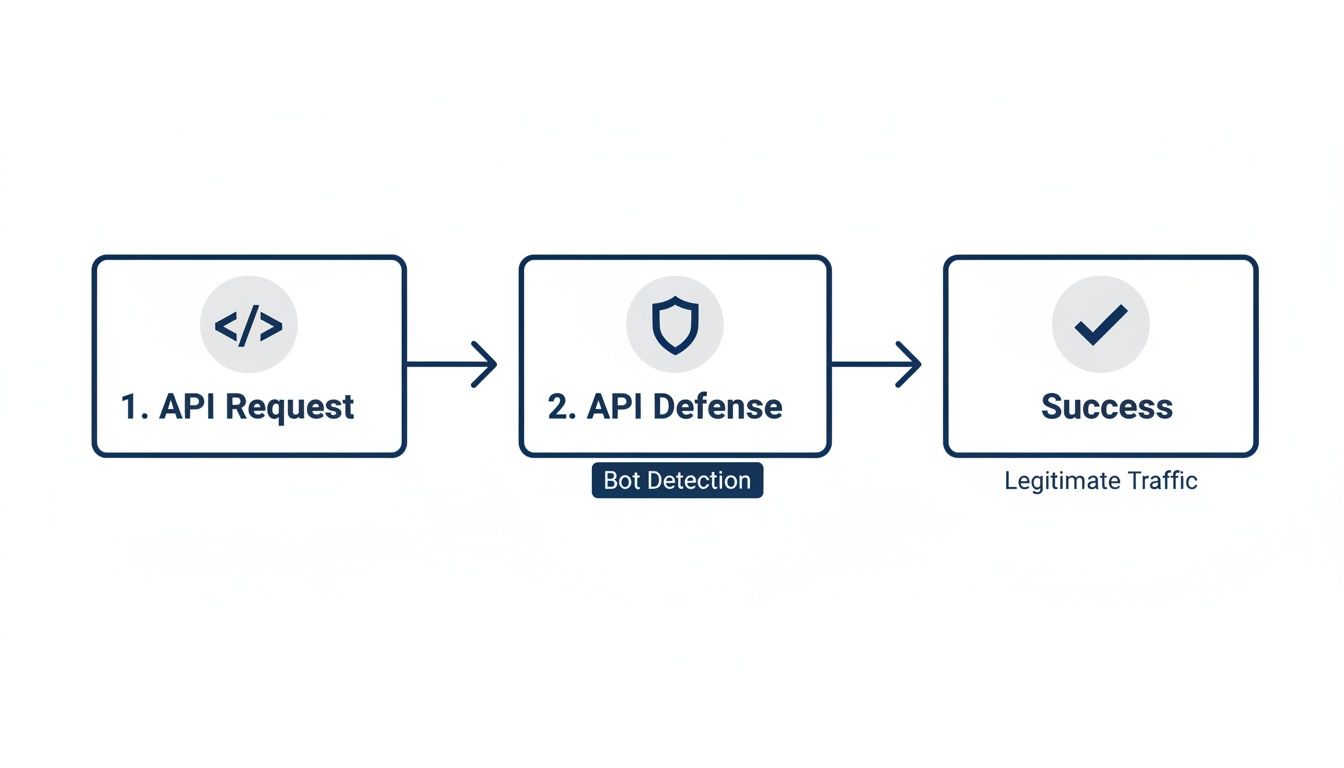
As you can see, a well-designed API sits in the middle, taking the punches from anti-bot systems to deliver clean data back to you.
Parsing Different Response Types
How you tackle parsing comes down to what your API gives you. Ideally, a service like ScrapeUnblocker will serve up pre-parsed JSON, which makes life incredibly easy.
Structured JSON: This is the dream scenario. The data is already organized into key-value pairs. Need the price? Just grab . Want the review count? It’s right there in . No complex parsing logic needed. It's basically plug-and-play.
Raw HTML: If you get raw HTML, you'll need to roll up your sleeves and use a parsing library. For Python folks, Beautiful Soup is the classic choice. It lets you navigate the HTML structure and pinpoint data using CSS selectors or element tags. It’s definitely more work, but it gives you total control.
For instance, pulling a product title from raw HTML might look something like . With JSON, it’s a simple . Your choice here directly impacts how fast you can develop and how much maintenance you’ll have down the road. For big projects like price tracking, our guide to Amazon price scraping breaks down why starting with clean, structured data is a huge win.
The less time you spend cleaning and parsing, the more time you can invest in analysis and strategy. Prioritizing an API that delivers structured JSON is one of the biggest efficiency gains you can make.
Building a Reliable Data Pipeline
As you scale, you move from making single requests to managing a continuous flow of data. A reliable pipeline isn't just nice to have; it's essential for keeping your data accurate and your operations stable. This is truer than ever as web scraping becomes a core part of modern business intelligence.
The global web scraping market is exploding, projected to hit between $2.2 billion and $3.5 billion by 2026. That’s a massive leap from its 2024 market size of roughly $718.9 million to $1.01 billion. This isn't just a niche tool anymore; it's a foundational technology for e-commerce, analytics, and AI.
To build a pipeline that can keep up, you need to focus on a few key practices.
Manage Concurrency: Don't send requests one after the other in a single file line. Fetch data in parallel using concurrent requests to speed things up, but always keep an eye on your API's rate limits. A great API provider won't hold you back on concurrency.
Implement Smart Retries: Things go wrong. Network errors and temporary blocks are just part of the game. Your code needs to be smart enough to automatically retry failed requests, preferably with an exponential backoff strategy. Think: wait 1 second, then 2, then 4, and so on. This prevents you from hammering a server that’s already struggling.
Normalize Your Data: Consistency is king. Make sure all your data follows the same rules. Convert all prices to a standard format (like USD, without currency symbols), standardize your date formats, and strip any extra whitespace from text. This tiny step makes your final dataset infinitely easier to query and analyze.
Got Questions? We've Got Answers
If you're wondering about the ins and outs of using an Amazon scraper API, you're in the right place. We get these questions all the time, so let's clear up some of the most common ones.
This isn't just about technical specs; it's about understanding the legal landscape, what's possible to collect, and how a professional tool simplifies the whole process. Let's dive in.
Is Using an Amazon Scraper API Actually Legal?
This is the big one, and the short answer is yes—when done right. Scraping publicly available data from Amazon is generally legal. The key is to stick to information that anyone can see without logging in.
Think of it this way: you're automating the collection of public information, not breaking into private accounts. It’s crucial to steer clear of personal data to stay compliant with privacy laws like GDPR and CCPA. A service like ScrapeUnblocker is built for this very purpose, focusing only on the responsible collection of public web data.
What Kind of Data Can I Realistically Get from Amazon?
You can get your hands on a treasure trove of public data that can seriously power up your business strategy. We're not just talking about a product title here and a price there. A solid API gives you a complete view of the market.
People are constantly pulling data like:
Core Product Info: Titles, prices, detailed descriptions, and unique ASINs.
Customer Sentiment: Star ratings and the total number of reviews.
Supply Chain Details: In-stock status, seller information, and fulfillment methods.
Competitive Intelligence: Search result rankings for specific keywords and entire category breakdowns for trend analysis.
This is the kind of information that helps you build a truly detailed picture of what’s happening in your niche.
An Amazon scraper API is about more than just grabbing basic data. It’s about accessing the same public information that dictates market trends, which lets you build a smarter, more agile e-commerce strategy.
How Do I Deal with Different Amazon Country Domains?
Selling or competing internationally means you need data from different Amazon marketplaces, and a good API makes this incredibly straightforward. With a powerful Amazon scraper API like ScrapeUnblocker, you simply tell it which country you want to target.
Usually, it's as simple as adding a country code parameter—like for Germany () or for the United Kingdom ()—to your request. This one feature is a game-changer for monitoring prices, checking stock, and tracking search rankings across the globe without getting bogged down in custom code for every single domain.
Do I Need to Bring My Own Proxies?
Nope, and that’s one of the biggest reliefs for anyone who’s tried to do this on their own. When you use a comprehensive scraping API like ScrapeUnblocker, a massive, professionally managed pool of rotating residential proxies is already built in.
The API takes care of all the tricky stuff—IP rotation, geotargeting, and sidestepping blocks—behind the scenes. This doesn't just make your life easier; it dramatically increases your success rate and frees you from the headache and expense of managing your own proxy network.
Comments