
A Developer Guide to Amazon API Scraping
- John Mclaren
- 3 days ago
- 15 min read
When you need data from Amazon, you're faced with a fundamental choice: use their official Product Advertising (PA) API or build your own web scraping solution. The official API is the sanctioned route, offering structured data, but it's often boxed in by strict rate limits and policies that can quickly become a bottleneck for any serious project.
On the other hand, Amazon API scraping gives you the freedom to pull real-time pricing, competitor data, and customer reviews directly from the product pages themselves. It's a more flexible and powerful approach.
Choosing Your Path to Amazon Data

This decision between the official API and a custom scraping setup isn't just a technical one—it's strategic. The path you choose will dictate the scope, scale, and flexibility of what you can build.
For small-scale apps or basic affiliate sites that just need a bit of product info, the PA API can be a decent starting point. It's reliable and fully compliant with Amazon's terms, so you don't have to worry about the legal gray areas. But for many developers, the limitations quickly become a major headache.
You'll likely run into issues like:
Strict Rate Limiting: The API caps how many requests you can make. This is a huge problem when you need to gather large amounts of data quickly.
Limited Data Points: You only get what the API decides to give you. Crucial details like Buy Box ownership, specific seller variations, or the full texture of customer reviews often aren't available.
Usage Policy Hurdles: Your API access is frequently tied to how many sales your affiliate account generates. If you don't hit their targets, your access could be cut off.
This is exactly where the power of web scraping comes into play.
When Scraping Becomes a Necessity
If your project is built around competitive analysis, dynamic pricing, or deep market research, scraping isn't just an option; it's practically a requirement. It lets you capture data exactly as a user sees it on the live site, giving you a real-time snapshot of the marketplace. That kind of direct access is indispensable on a platform as competitive as Amazon.
Just how competitive is it? Consider that 70% of Amazon customers never click past the first page of search results. To make matters worse, 64% of all clicks go to the first three products listed. This is why having up-to-the-minute price intelligence and product data is a must-have for sellers trying to stay ahead.
By building a custom scraping solution, you're the one in control. You get to decide what data to collect, how often to refresh it, and how to structure it. This control is essential for building sophisticated tools that can react to market shifts in minutes, not hours.
Amazon PA API vs Web Scraping A Head-to-Head Comparison
To make the decision clearer, let's lay out the key differences between the two approaches. The right choice for you really depends on what you're trying to accomplish.
Factor | Amazon PA API (Official) | Web Scraping (e.g., via ScrapeUnblocker) |
|---|---|---|
Data Freshness | Data can be cached, potentially leading to delays. | Real-time, reflecting the live website instantly. |
Data Scope | Limited to the data points exposed by the API. | Access to virtually any data visible on a webpage. |
Scalability | Heavily restricted by rate limits and usage policies. | Highly scalable, limited only by your infrastructure. |
Flexibility | Rigid structure; you get what the API provides. | Completely customizable to target specific HTML elements. |
Development Overhead | Low initial setup, but requires managing credentials. | High initial setup unless using a third-party service. |
Compliance Risk | Low, as it's the sanctioned method. | Higher; requires careful adherence to ethical practices. |
So, what's the verdict? If your needs are simple and you want to stick to the officially sanctioned path, the PA API can work. But if you're building a tool that needs robust, real-time, and comprehensive market intelligence, Amazon API scraping is the clear winner and often the only way forward.
For a more in-depth analysis, you can learn more about choosing the right Amazon scraping API in our detailed guide.
So, you want to scrape Amazon.
For developers new to the game, that first attempt can be a real wake-up call. This isn't your average static blog; you're squaring off against a global retail powerhouse that has poured immense resources into defending its data. Amazon has built a sophisticated, multi-layered system specifically to detect and shut down bots like yours.
Their goal is simple: keep the experience flawless for real shoppers and make life a nightmare for automated scripts. That means your scraper isn't just downloading some HTML—it's trying to sneak past the guards of a digital fortress. Getting a handle on these defenses is the first, most critical step to building something that actually works.
You're Going to Get Blocked (A Lot)
The first wall you'll hit, and probably the most frustrating, is Amazon's aggressive IP rate-limiting. Send too many requests from one IP address too quickly, and you're done. Blocked. It’s a simple but brutally effective defense. Amazon's algorithms are tuned to spot any pattern that doesn't look like a real person casually browsing the site.
This is why your standard-issue datacenter proxies are often dead on arrival. Amazon knows the IP ranges of major cloud providers and proxy services by heart and keeps them on a blacklist. You might get a few successful requests, but it's only a matter of time before your entire pool of IPs is completely burned.
My Takeaway: If you're relying on a small batch of static or datacenter IPs, you're setting yourself up for failure. Your scraper will get flagged almost instantly, grinding your data collection to a halt before it even begins.
The only way around this is to use a massive, constantly rotating pool of high-quality proxies. We're talking residential or mobile IPs that make your requests look like they're coming from legitimate home internet connections.
The CAPTCHA and Fingerprinting Gauntlet
Let's say you nail your IP rotation strategy. Great. But Amazon has more obstacles waiting for you. You've undoubtedly seen the "Are you a robot?" CAPTCHA. It's a classic gatekeeper, designed to be trivial for humans but a major headache for automated scripts.
But the real challenge lies in Amazon's more advanced techniques, like browser fingerprinting. The platform analyzes dozens of data points to create a unique signature for every visitor. Think of it like a digital ID card. This signature includes things like:
Your User-Agent: The string that announces your browser, its version, and your OS.
Screen Resolution: The size of your display.
Fonts & Plugins: The specific list of fonts installed and browser extensions you use.
Canvas Fingerprinting: A clever trick where your browser is asked to draw a hidden image. The result varies slightly depending on your hardware and software, creating a highly unique identifier.
If Amazon sees the same fingerprint coming from multiple IPs, or if the fingerprint itself looks suspicious (like a Linux server trying to mimic a mobile user), it's game over. You're flagged as a bot.
The Ever-Shifting Landscape of Page Layouts
Here’s where things get truly maddening. The structure of Amazon's product pages is in constant flux. The company is legendary for its non-stop A/B testing, showing slightly different versions of a page to different users to see what drives more sales.
What does this mean for you? The bulletproof CSS selector you wrote yesterday to grab the product price—say, —could vanish without a trace by tomorrow. Your parser breaks, and your data turns to junk. To make matters worse, Amazon uses a ton of JavaScript to render essential information, so a simple request often won't even give you the complete data.
Amazon puts these anti-scraping measures in place to guard its ecosystem. Their defenses range from IP rate limits to complex session tracking, which makes something like scraping reviews a monumental task if you don't have valid session data. For a deeper dive, check out this excellent breakdown of Amazon's anti-scraping tactics on liveproxies.io. This constant cat-and-mouse game is what makes maintaining a reliable Amazon API scraping solution such a full-time job.
Building a Scraper That Actually Works
Jumping into Amazon API scraping without a solid plan is a recipe for getting blocked, fast. If you think a simple script running from your server's IP will last, you're in for a rude awakening. It probably won't survive more than a handful of requests. To build something that reliably pulls data, you have to stop thinking like a script writer and start thinking like an architect designing a resilient, stealthy system.
This isn't about just making basic GET requests. It’s about building an entire infrastructure that can intelligently navigate Amazon's sophisticated defenses. The absolute foundation of this system is your proxy strategy. A small list of datacenter IPs won't cut it—they're low-hanging fruit for Amazon's anti-bot systems and are often blocked before you even start.
This is what happens to an unprepared scraper when it hits Amazon's defenses. It's not a pretty picture.
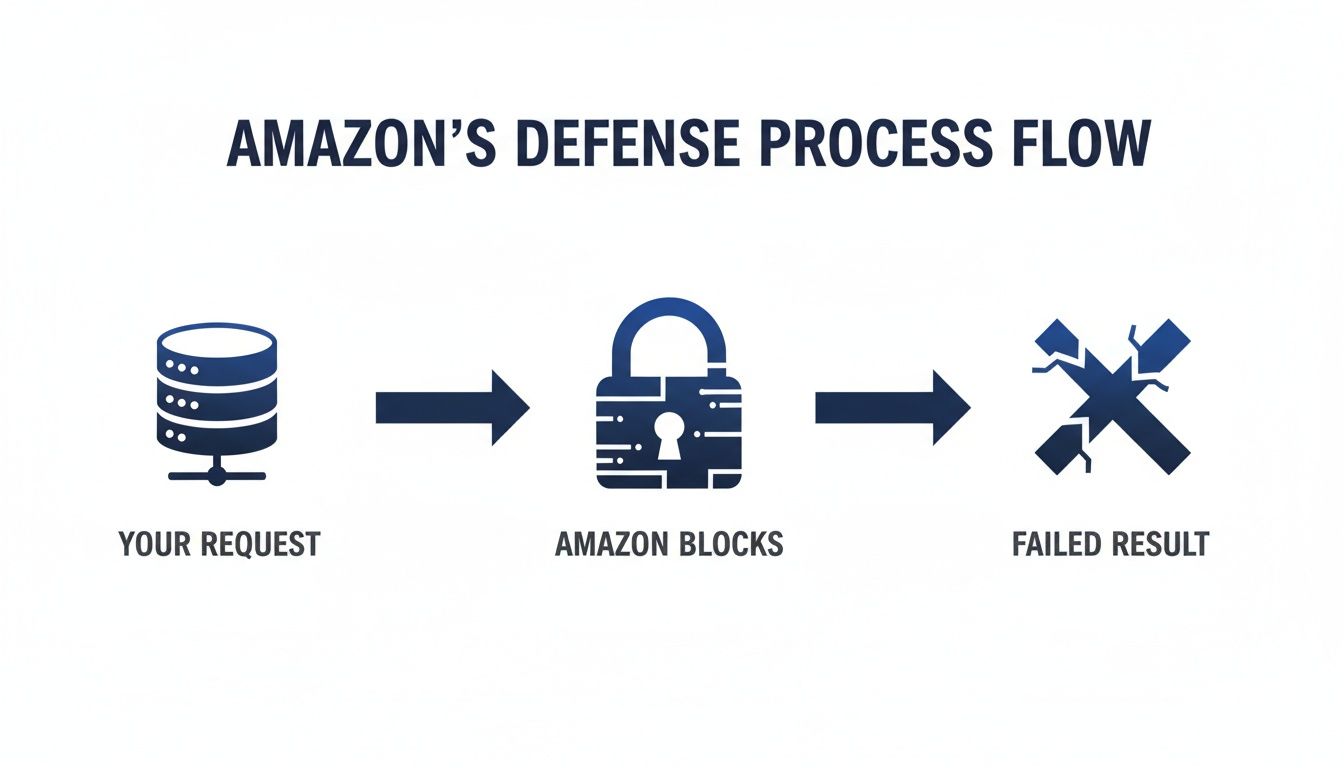
As you can see, a direct, unsophisticated request gets identified and shut down almost immediately. The result? A failed attempt, every single time.
Mastering Proxies and Fingerprints
To get past the first line of defense—the IP block—a massive, rotating pool of residential proxies is non-negotiable. These are IP addresses from real internet service providers, which makes your scraper’s traffic look like it's coming from a regular person shopping at home. The key is to rotate the IP address for every single request, which prevents you from building up a suspicious request history from any one location.
But a good proxy is only half the battle. Amazon's systems are smart; they look beyond the IP. They analyze the "fingerprint" of every connection, checking things like HTTP headers, user-agent strings, and how cookies are handled.
Your scraper has to act like a real browser. That means:
Varying User-Agents: Don't just stick with one. Cycle through a list of legitimate, current user-agents for browsers like Chrome, Firefox, and Safari running on different operating systems.
Managing Cookies and Sessions: A real browser accepts and sends back cookies. Your scraper needs to do the same to maintain a session that looks authentic.
Customizing HTTP Headers: Make sure your request headers (like , ) are consistent with what a real browser would send.
A pro tip from my own experience: never hardcode these values. The best approach is to build a system that can randomly pull from a large pool of realistic headers and user-agents for each request. It's this randomness that helps you fly under the radar and avoid detection based on repetitive, bot-like patterns.
Rendering JavaScript with Headless Browsers
Here’s something that trips up a lot of new scrapers: just downloading the initial HTML of an Amazon page isn't enough. So much of the critical data—pricing, stock levels, seller info, you name it—is loaded dynamically with JavaScript after the page's initial load. A simple call in Python will miss all of it.
This is where headless browsers come in. Tools like Puppeteer or Playwright let you control a real browser programmatically, just without the graphical user interface. With them, you can:
Navigate to a URL.
Wait for the page to fully render, including all the JavaScript-driven content.
Execute custom scripts on the page if you need to.
Extract the complete, final HTML.
This approach guarantees you’re seeing the exact same content a human user sees. If you're trying to pick a tool, our guide comparing Puppeteer vs. Playwright offers a detailed breakdown that can help you decide which is right for your project.
As you're building, get comfortable with your browser's developer tools. Digging into a developer's guide to the Chrome HAR file can be a game-changer for understanding exactly how data is loaded and for sniffing out the hidden API endpoints that fetch the dynamic data you're after.
Honestly, building and maintaining this kind of infrastructure yourself is a massive job. You’re on the hook for managing a huge proxy pool, rotating browser fingerprints, solving CAPTCHAs, and constantly updating your parsers every time Amazon tweaks its page layout. This is precisely why many developers eventually turn to a scraping API like ScrapeUnblocker. It bundles all of this complexity into a single API call, saving an incredible amount of development and maintenance headaches.
Putting It All Together with ScrapeUnblocker
Let's be honest: building and maintaining a good scraping setup is a full-time job. You're constantly juggling proxy networks, figuring out how to solve the latest CAPTCHA, rendering JavaScript, and scrambling to update parsers every time Amazon tweaks its layout. What if you could just skip all that and get right to the data?
That’s exactly where a service like ScrapeUnblocker comes in. Instead of sinking months into engineering a brittle, in-house system, you can offload all the hard parts to a dedicated API. The idea is wonderfully simple: you make one clean API call, and the service handles all the anti-bot magic behind the scenes.
This is the core promise of a managed scraping API—turning a complex, multi-stage problem into a single, reliable step.

As you can see, a single API request effectively replaces the entire stack of proxies, browser rendering, and CAPTCHA solvers. This completely changes the workflow for developers who need Amazon data.
From a Complicated Stack to One API Call
Okay, enough theory. Let's see what this looks like in practice. Say you need to grab the product details for a specific ASIN. If you were building this yourself, your pre-flight checklist would be painfully long. With ScrapeUnblocker, your entire focus narrows down to just the API request.
Here’s a simple cURL command to fetch the raw HTML for a product page. All you do is send the target URL to the ScrapeUnblocker endpoint, along with your API key.
curl "https://api.scrapeunblocker.com/scrape" -H "Authorization: Bearer YOUR_API_KEY" -d '{ "url": "https://www.amazon.com/dp/B09B1V7M32" }'
What’s happening behind that one request is pretty incredible. ScrapeUnblocker is:
Picking a high-quality residential proxy from a massive, rotating pool.
Spinning up a real browser instance to render all the dynamic JavaScript content.
Using a valid, rotating browser fingerprint to look like a legitimate user.
Automatically solving any CAPTCHAs Amazon throws in the way.
The result? You get the clean, fully rendered HTML of the product page delivered straight back to you. No blocks, no errors. This move alone can save you weeks of development time and eliminates the constant headache of maintenance.
Getting Structured JSON Data (The Easy Way)
Raw HTML is great, but let's face it, parsing it is a nightmare. It’s brittle, and a tiny layout change by Amazon can break your entire script. The smarter, more efficient route is to request structured JSON directly.
Many top-tier scraping APIs, ScrapeUnblocker included, can do the parsing for you and hand back a clean JSON object. This is a massive time-saver. You just have to tell it what kind of data you're looking for.
Check out this Python example using the library to get structured product data.
import requestsimport json
api_key = 'YOUR_API_KEY'product_url = 'https://www.amazon.com/dp/B09B1V7M32'
headers = { 'Authorization': f'Bearer {api_key}', 'Content-Type': 'application/json',}
payload = { 'url': product_url, 'type': 'product' # Telling the API we want structured product data}
response = requests.post('https://api.scrapeunblocker.com/scrape', headers=headers, json=payload)
if response.status_code == 200: product_data = response.json() print(json.dumps(product_data, indent=2))else: print(f"Request failed with status code {response.status_code}") print(response.text)
The response will be a perfectly organized JSON object with everything you need: product title, price, star rating, review count, ASIN, and more. You just skipped the entire parsing stage.
By requesting structured JSON, you're essentially outsourcing the most fragile part of your scraper. When Amazon updates its site, the scraping service updates its parsers. Your code just keeps working.
Geo-Targeting for Pinpoint Accuracy
One of the most powerful features of a professional scraping service is the ability to geo-target your requests. Amazon's pricing, shipping options, and even product availability can vary wildly from one country to another.
To get accurate, localized data, you can simply specify a country code in your API call. This tells the service to route your request through a proxy in that specific region, so you see the page exactly as a local shopper would.
Let's tweak our cURL example to look at a product on the German store () from a German IP.
curl "https://api.scrapeunblocker.com/scrape" -H "Authorization: Bearer YOUR_API_KEY" -d '{ "url": "https://www.amazon.de/dp/B09B1V7M32", "country": "de" }'
Adding that one parameter is all it takes. Now you'll get pricing in Euros and see availability specific to Germany. For anyone doing international e-commerce intelligence or price monitoring, this is an absolute game-changer. It’s also a feature that is incredibly difficult and expensive to build yourself.
Turning Raw Data into Usable Intelligence
Getting your hands on the raw HTML or JSON from Amazon is a great first step, but it's really only half the battle. That raw output is a tangled mess. The real magic happens when you clean, structure, and transform it into reliable data you can actually use for analysis or in an application. This post-processing work is what makes your entire data pipeline robust and accurate.
The very first thing you need to nail down is a solid error-handling system. Your scraper will run into problems—everything from a temporary network glitch to Amazon outright blocking you. A simple script will just crash and burn at the first sign of a non-200 status code, but a resilient one knows how to handle these bumps in the road.
Building Intelligent Retry Logic
A basic "try again" loop won't cut it. Your retry logic needs to be smart enough to react differently depending on the type of error you get. This is key to avoiding wasted resources and, more importantly, preventing your IPs from getting blacklisted for hammering a server that’s already put up a wall.
I usually think about it in tiers:
5xx Server Errors: These are almost always temporary hiccups on Amazon's side. Your best bet here is an exponential backoff strategy. Wait a couple of seconds before the first retry, then double that wait time for each subsequent attempt.
404 Not Found: The product page is gone. There's no point in trying again. Just log the dead link and move on to the next target.
403 Forbidden or 429 Too Many Requests: This is a big red flag—you've been identified as a bot. Stop immediately. Hitting the server again from the same IP is a surefire way to get a permanent ban. This is your cue to rotate to a fresh proxy and a new browser fingerprint before even thinking about retrying the request.
A personal rule I stick to: never retry a single request more than three times. If it's still failing after rotating proxies and headers, something more fundamental is wrong. Continuing to push is just burning through your proxy budget for no reason.
Validating and Normalizing Your Data
Okay, so you’ve got a successful response. What now? Data validation. Never, ever assume the data you're looking for is actually there or in the format you expect. Your parsing code needs to be defensive, always checking if a critical field exists before you try to use it. You're looking for essential data points like:
Price
Stock status (e.g., "In Stock," "Only 5 left")
Seller information
ASIN
Customer review count
If a crucial field like is missing, you should flag that entire record as incomplete. Don't let a null value sneak into your dataset and cause problems down the line. You can see how this plays out in real-world use cases in our guide on how to monitor competitor prices.
Finally, it's time to normalize everything for consistency. This means stripping out currency symbols like or , converting price strings into proper floating-point numbers, and parsing any dates into a standard format (like ISO 8601).
Once your data is clean and consistent, you need to store it somewhere you can query it effectively. This often means dealing with huge volumes of information, which makes a solid understanding of database performance optimization absolutely essential for managing everything at scale. This last part of the process is what turns a chaotic stream of text into a truly valuable asset.
Navigating the Legal Side of Web Scraping
When you're getting into Amazon scraping, you have to be smart about how you operate. While pulling publicly available data isn't illegal in most places, you’re still interacting with a private platform. And like most big players, Amazon's Terms of Service (ToS) explicitly forbid automated data collection, which puts scraping in a bit of a legal gray zone.
The clearest line in the sand is public versus private data. Never, ever try to scrape information that's behind a login wall. Think customer accounts, order histories, or anything else tied to a specific user. Crossing that line is a huge ethical and legal mistake. Stick strictly to the information any regular visitor can see without signing in.
Best Practices for Ethical Scraping
The best way to stay out of trouble is to adopt a "good neighbor" policy. Essentially, treat Amazon's infrastructure with respect. Your goal is to gather data without disrupting the shopping experience for actual human users.
Here are a few core principles I always stick to:
Scrape at a Respectful Pace: Don't hammer the site with requests. Build delays into your code to mimic how a person browses. This lightens the load on their servers and makes your scraper less likely to get blocked.
Identify Your Bot: It might seem counterintuitive, but using an honest user-agent string (like ) is a good practice. It shows you aren't trying to be deceptive.
Focus on Public Data: I can't stress this enough. Only collect data that is publicly available to anyone and everyone.
Following these guidelines won’t give you a legal get-out-of-jail-free card, but it does show responsible intent. It frames your project as considerate data gathering rather than a brute-force attack, which is crucial for long-term success.
This responsible mindset is more important than ever. The demand for structured Amazon data is exploding for all sorts of legitimate business reasons, from market research to competitive analysis. Modern scraping APIs are meeting this need by delivering real-time, accurate data without all the manual grunt work. If you're interested in the topic, there are some great articles about empowering AI with Amazon data on pangolinfo.com.
Frequently Asked Questions About Scraping Amazon
When you're first getting into an Amazon API scraping project, a handful of questions almost always pop up. Trust me, getting straight answers to these early on can save you a world of headaches later. Let's walk through some of the most common ones I've run into.
A major one is always about the legal side of things. Is this even allowed? Generally, scraping publicly available data from Amazon is fine in most places, but the key is to be ethical about it. That means you should absolutely never try to access personal data or anything hidden behind a login screen.
How Often Can I Hit a Page?
Another big question is how fast you can scrape. There's no single magic number here; the guiding principle is to be respectful and not hammer their servers. A good starting point is to limit requests to the same product page to once every few hours.
Of course, for fast-moving products, you might need quicker updates. If you do, make sure to build in randomized delays between your requests. This goes a long way toward making your scraper look more like a real user and less like an aggressive bot.
My personal rule of thumb is to set a baseline delay and then add a random jitter of a few seconds to every request. This simple step makes your traffic pattern much less predictable and bot-like, significantly reducing your chances of getting flagged.
What Data Is Actually Worth Collecting?
Finally, developers often wonder what data they should even be pulling. While it really depends on what you're trying to achieve, some data points are pretty much universally useful for any kind of market or competitive analysis.
Here's what I'd focus on first:
Price and Buy Box Ownership: This is the bread and butter for tracking competitor pricing strategies.
Stock Levels: Critical for figuring out product availability and even predicting how fast something is selling.
Customer Reviews and Ratings: Gold mines for understanding product quality and what customers are saying.
Seller Information: Helps you identify and keep an eye on the third-party sellers in your space.
Zeroing in on these key fields from the get-go ensures that the data you're collecting is actually valuable and can be put to work right away.
Comments