
How to Scrape a Website Without Getting Blocked
- Dec 29, 2025
- 16 min read
At its core, scraping a website means teaching a script to act like a human browsing the web, but with a laser focus on one thing: data. Your script sends a request to a server, gets back the site's raw HTML code, and then sifts through that code to pull out the exact information you need—be it product prices, contact details, or article text.
Understanding What Happens When You Scrape a Website
Before you even think about writing code, it’s crucial to understand the conversation happening behind the scenes. When you scrape a website, you're just automating what your browser does every day. It’s not magic; it’s a straightforward exchange governed by web protocols.
It all starts with a simple HTTP request. Your script, acting like a client such as Chrome or Firefox, politely asks a website's server for the content of a specific page. The server then sends back the page's source code, which is almost always a big block of HTML. This HTML file is the raw blueprint of the webpage.
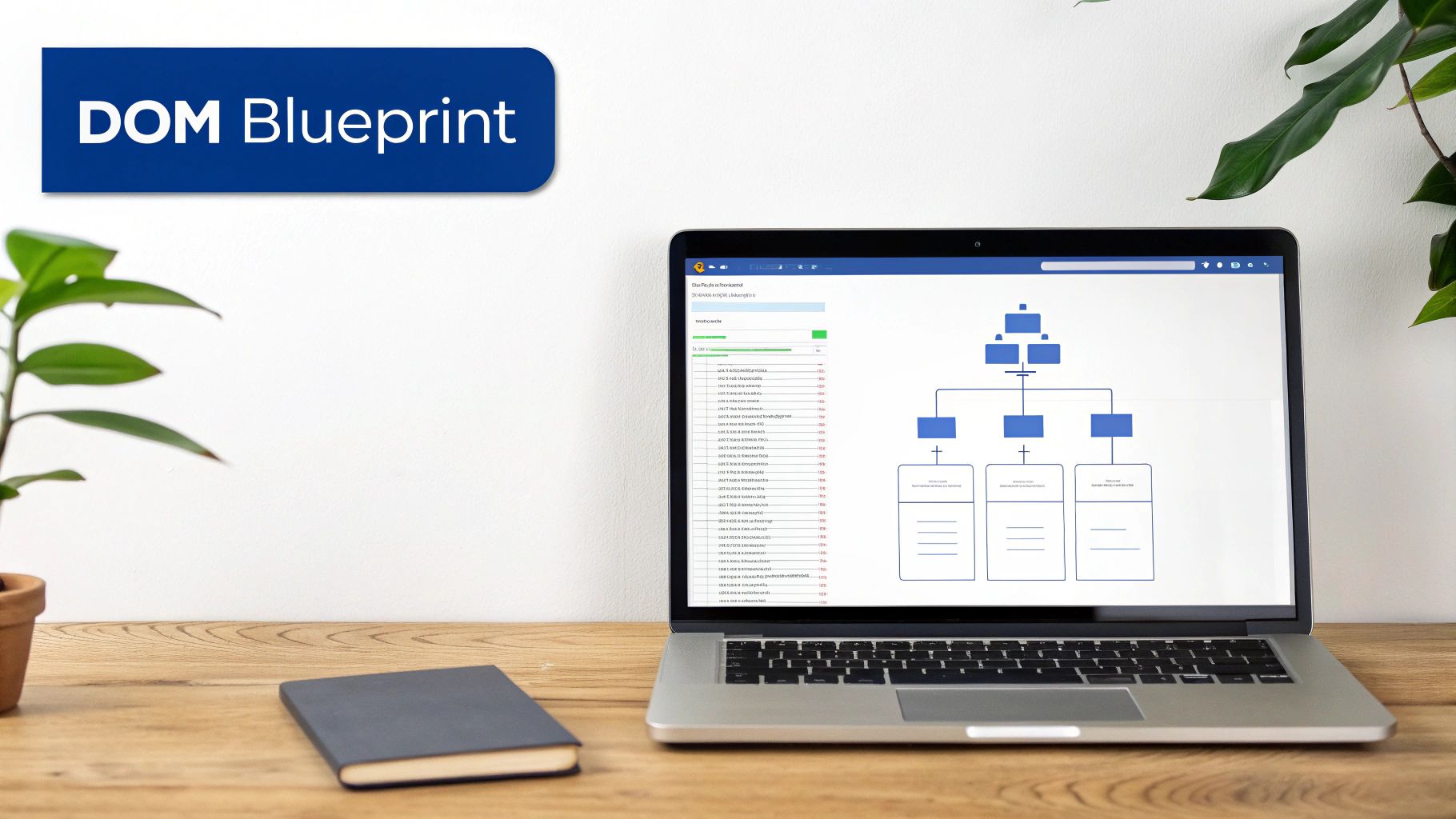
The Blueprint of a Webpage: The DOM
Now, you can't just grab text from that HTML file at random. It would be a mess. To do it right, you need to understand the page's structure, and that's where the Document Object Model (DOM) comes into play.
Think of the DOM as a family tree for the HTML document. Every element—a heading (), a paragraph (), or a link ()—is a "node" on this tree, with clear parent-child relationships. To scrape successfully, you have to learn how to navigate this tree, using tools to pinpoint the exact nodes that hold the data you're after. This gives you precision, allowing you to tell your script, "I want the text from every third paragraph that has this specific style."
Static vs. Dynamic Websites
Here’s a critical distinction that will shape your entire scraping strategy: not all websites are built the same. Some are static, meaning all the content you see is right there in the initial HTML file the server sends over. These are the easiest to scrape.
But many modern websites are dynamic. They use JavaScript to fetch and display content after the initial page has already loaded. If you just grab the initial HTML of a dynamic site, you might find an empty shell. Scraping these requires more advanced tools that can actually run the JavaScript, just like a real browser would.
Figuring out if a site is static or dynamic is arguably the most important first step in any scraping project. It dictates your tools, the complexity of your code, and the headaches you'll likely encounter.
To help clarify the difference, here’s a quick breakdown of what you're up against with each type.
Static vs Dynamic Websites: A Quick Comparison
Attribute | Static Website | Dynamic Website |
|---|---|---|
Content Loading | All content is in the initial HTML response. | Content is loaded by JavaScript after the page loads. |
Scraping Approach | A simple HTTP request is usually enough. | Requires a tool that can render JavaScript (like a headless browser). |
Tools | Libraries like and work well. | Tools like Puppeteer, Playwright, or Selenium are needed. |
Complexity | Low. The process is straightforward and fast. | High. Scripts are slower and more complex to write and maintain. |
Example | A simple blog, a personal portfolio site. | E-commerce sites, social media feeds, interactive dashboards. |
This distinction is fundamental. Choosing the wrong approach for a dynamic site will leave you with no data, while using a complex tool for a static site is overkill.
Locating Data with Selectors
So, you have the DOM. How do you actually tell your scraper what to grab? You use selectors. Think of them as a GPS for your data, pointing to the exact elements you want within the sprawling HTML structure.
You'll run into two main types of selectors:
CSS Selectors: These use the same syntax as CSS to target elements by their tag, class, or ID. For instance, will grab every element with the class "product-title." They're intuitive and perfect for most scraping tasks.
XPath (XML Path Language): This is a more powerful, though admittedly more complex, language for navigating the DOM. XPath lets you make incredibly specific queries, like selecting an element based on its position relative to another one.
Getting comfortable with selectors is non-negotiable. They are how you communicate your needs to your scraper, ensuring you pull exactly what you want and nothing more. This skill is increasingly valuable; the global web scraping market is projected to hit USD 2.00 billion by 2030, with e-commerce price monitoring accounting for nearly half of all use cases. You can find more insights about the state of web scraping from industry reports.
Building Your First Web Scraper with Python
Alright, let's roll up our sleeves and move from theory to actual code. We’re going to build a simple but functional web scraper. For this kind of work, Python is the go-to language for most people, and for good reason—it’s clean, readable, and has some fantastic libraries that do the heavy lifting for us. You don't need to be a Python guru; a basic grasp of the language is all it takes to get started.
Our mission is pretty simple: we'll write a script that fetches a webpage, hones in on specific bits of information, and pulls them out. To make this real, we’ll target a common task: scraping product names and prices from a fictional e-commerce page. This little project will give you a solid, repeatable workflow you can easily adapt for your own scraping goals.
Setting Up Your Scraping Environment
First things first, we need to get our toolkit ready. Two Python libraries are the bread and butter of most basic scraping jobs. They handle fetching the website's code and then making sense of it all.
Requests: This library is a lifesaver. It makes sending HTTP requests—the act of asking a server for a webpage—incredibly simple. Instead of getting bogged down in complex networking code, you can grab an entire page's HTML with a single, intuitive line of code. It’s the gold standard for this in the Python world.
BeautifulSoup: Once Requests brings back the raw HTML, you’re often looking at a messy wall of text. BeautifulSoup comes to the rescue by parsing that document into a clean, structured object. This makes it a breeze to navigate the page's structure and pinpoint the exact data you're after.
You can install both of them with pip, Python's package manager. Just pop open your terminal or command prompt and run these two commands:
pip install requests pip install beautifulsoup4
And that's it. Your environment is now ready. You've got the tools to knock on a website's door and understand the answer you get back.
Here's a quick look at the official Python Package Index (PyPI) page for BeautifulSoup. I always recommend checking these pages out.
This page is great because it confirms the package name is beautifulsoup4 and gives you a direct line to the official documentation—an invaluable resource when you’re figuring things out.
The Core Scraping Logic
Now for the fun part: the code. Our script will follow a logical three-part flow: send the request, parse the page we get back, and then pull out the data we want.
We'll start by importing the libraries and defining the URL we want to scrape. The method is what actually fetches the page. It's always a good idea to check the response status code right away. A 200 status code is the green light, meaning "OK, we got the page successfully."
import requests from bs4 import BeautifulSoup
The URL of the mock e-commerce product page we're targeting
Let's send an HTTP GET request to that URL
response = requests.get(URL)
First, check if our request was successful
if response.status_code == 200: print("Successfully fetched the page!") # We'll put the rest of our logic in here pass else: print(f"Whoops, something went wrong. Status code: {response.status_code}")
With a successful response in hand, the next step is to parse the HTML. We feed the (which holds all the raw HTML from the page) into the constructor. This creates a special object that we can easily search.
(Inside the if statement from the previous block)
Parse the HTML content using BeautifulSoup
soup = BeautifulSoup(response.text, 'html.parser')
Finding and Extracting Specific Data
This is where the rubber meets the road and your knowledge of the DOM and selectors pays off. Before writing this part, you'd use your browser's developer tools to inspect the page and figure out the unique selectors for the product name and price. Let's imagine you found the name is inside an tag with a class of , and the price is in a with a class of .
BeautifulSoup makes grabbing this data incredibly straightforward. The method is perfect for locating the first element that matches the tag and class you specify.
Look for the product title using its tag 'h1' and class 'product-title'
product_name_element = soup.find('h1', class_='product-title')
Do the same for the price, looking for a 'span' with class 'price-amount'
price_element = soup.find('span', class_='price-amount')
It's smart to check if we actually found them before trying to extract text
if product_name_element and price_element: # Use .get_text(strip=True) to pull out just the text and clean up whitespace product_name = product_name_element.get_text(strip=True) price = price_element.get_text(strip=True)
print(f"Product: {product_name}")
print(f"Price: {price}")
else: print("Couldn't find the product name or price. The site structure might have changed.")
The combination of and gives you a powerful, clean foundation for web scraping. This request, parse, find, extract pattern is the fundamental workflow you'll use for almost any basic scraping job on a static website.
Think of this script as your launchpad. From here, you could easily expand it to loop through a list of product pages, pull out more details like descriptions or SKUs, and save all that juicy data into a CSV file. You now have a working, hands-on example of how web scraping actually works.
How to Navigate Modern Anti-Scraping Defenses
Scraping websites at any real scale often feels less like a coding problem and more like a high-stakes cat-and-mouse game. Websites don’t just sit there waiting for you to grab their data; many are armed with a whole arsenal of defenses to stop you cold. The moment you move beyond a few test requests, you're almost guaranteed to hit a wall.
To succeed, you have to understand what you're up against. These anti-scraping measures can be anything from simple traffic cops to complex, dynamic fortresses that seem impenetrable. This is where your strategy has to get a lot smarter than just sending a basic request and parsing the HTML that comes back.
At its core, the process is straightforward: you request a page, parse what you get back, and pull out the data you need.
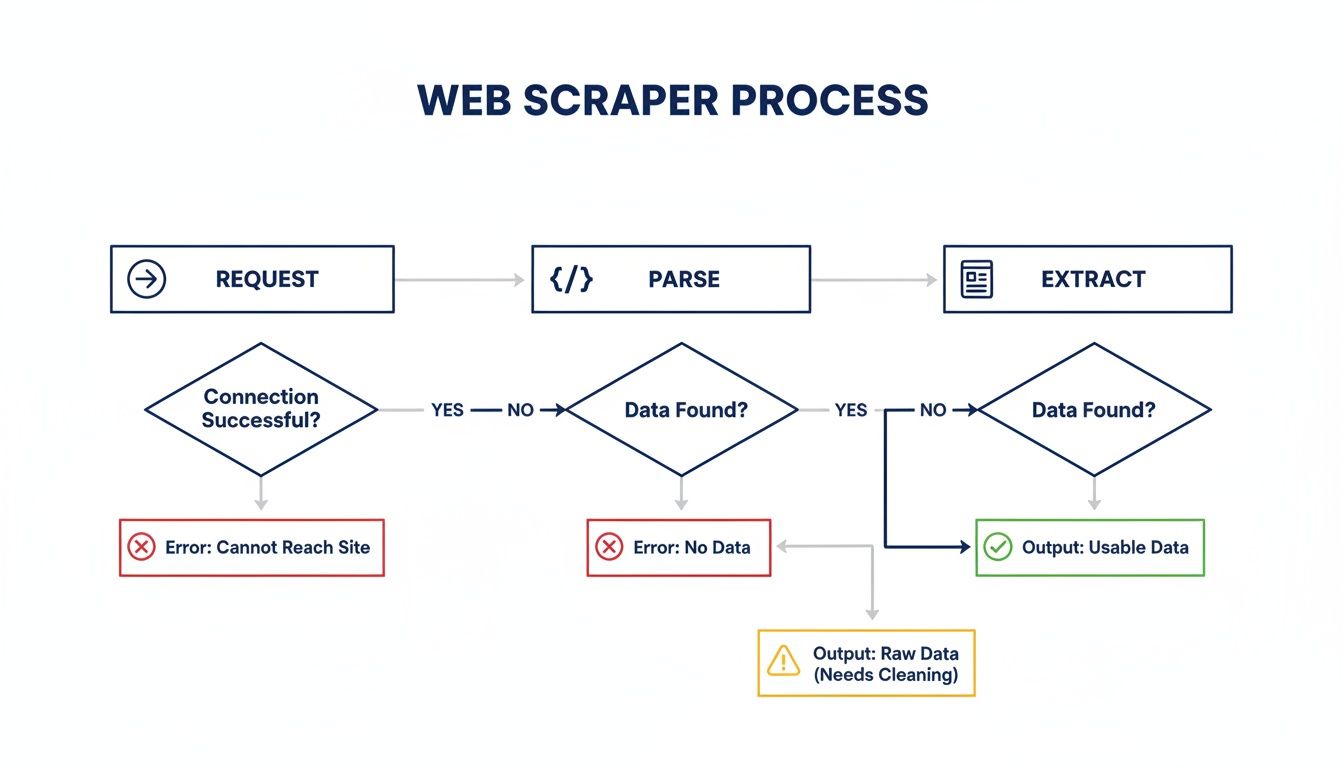
While this flow looks simple, modern anti-bot systems can throw a wrench into any of these stages. That means you have to be ready to adapt, or your data pipeline will quickly run dry.
Common Roadblocks and How to Beat Them
The first and most common defense you'll encounter is rate limiting. It’s a simple concept but brutally effective. The server just counts how many requests come from your IP address. Fire off too many in a short time, and you’ll find yourself temporarily—or even permanently—blocked. It's the server’s blunt way of saying, “A human doesn’t move this fast.”
Another dead giveaway is the User-Agent header. Every time your browser makes a request, it sends this little string of text identifying itself (like Chrome on a Mac). If your script shows up with a default library header like , you’ve just announced to the server that you’re a bot.
Fighting these basic checks is all about blending in:
Pace Yourself: Don't just hammer the server. Add random delays between your requests to break up the machine-like rhythm.
Change Your Disguise: Keep a list of real-world User-Agent strings from popular browsers and rotate them with every request.
These initial steps will help you fly under the radar for a while, but they're just the tip of the iceberg.
Advanced Anti-Bot Technologies
Once you start going after more valuable data, the kid gloves come off. You’ll run into sophisticated systems built specifically to distinguish between a real person and an automated script.
CAPTCHAs are the most in-your-face example. These puzzles are designed to be a breeze for humans but a nightmare for bots. While you can try to solve them with code, it’s a massive headache and usually requires farming the job out to specialized services.
But the real challenge these days comes from advanced security platforms like Cloudflare or Akamai. They don't just ask you to click on pictures of traffic lights. Instead, they use complex JavaScript challenges and browser fingerprinting to profile you. They analyze dozens of tiny details—your screen resolution, installed fonts, browser plugins—to build a unique signature.
If that signature screams "bot," you’re not getting in. A simple HTTP request from a script has zero chance of passing this kind of inspection.
The Power of Proxies and Headless Browsers
This is where you need to bring in the heavy artillery. To get around IP-based blocking and rate limits, you absolutely need proxies. A proxy server acts as a middleman, hiding your real IP. By using a large pool of rotating proxies for web scraping, you can spread your requests across thousands of different IPs, making it nearly impossible for a website to block you based on traffic volume from a single source.
For those tough JavaScript challenges and fingerprinting defenses, a headless browser is your secret weapon. Tools like Playwright or Selenium let you control a real browser (like Chrome) with your code. This means your scraper can actually render the page, run the JavaScript, and present a convincing browser fingerprint—it looks and acts just like a real user.
But let's be realistic. Juggling a massive proxy pool, integrating CAPTCHA solvers, and maintaining a fleet of headless browsers is a huge engineering lift. It becomes a full-time job that pulls you away from your actual goal: getting the data. That’s why so many developers eventually turn to a service like ScrapeUnblocker, which handles the entire anti-bot battle for you.
Tackling JavaScript-Heavy Websites with Smarter Tools
So, what happens when you make a request and the data you're after just... isn't there? It's a frustratingly common problem when you're up against a site built with a modern JavaScript framework like React or Vue. The initial HTML you get back is often just a bare-bones skeleton.
The good stuff—the product listings, flight prices, or user reviews—gets loaded in by JavaScript after your scraper has already moved on. Basic tools like Requests and BeautifulSoup only see that initial empty shell, leaving you with nothing to parse. This is where modern web scraping gets interesting.
Time to Bring in the Headless Browsers
To get around this, you need to upgrade your toolkit. The answer is a headless browser, which is just a real web browser like Chrome or Firefox that runs in the background, controlled entirely by your code. No graphical interface, just pure automation.
Tools like Selenium and Playwright are the heavyweights here. They don't just fetch a static HTML file; they fire up a full browser instance that can:
Render JavaScript: It executes every script on the page, building the content just like it would for a human visitor.
Wait for Content: You can tell your script to pause and wait for a specific element to appear, ensuring you only try to scrape data once it has actually loaded.
Simulate User Actions: Need to click a "load more" button or scroll down to trigger an infinite feed? A headless browser can do that, mimicking real user behavior to reveal hidden content.
Using a headless browser means you're working with the fully rendered DOM, giving you access to all the dynamic data that was invisible before. It’s the difference between looking at a building's blueprint and actually walking through the finished house.
A headless browser is your key to the modern web. It stops your scraper from acting like a simple bot and starts making it behave more like a real user, turning an impossible task into a manageable one.
While both Selenium and Playwright are fantastic, they have their own quirks and learning curves. For a deeper look at how they compare, check out our guide on Puppeteer vs. Playwright for modern web scraping.
The Next Step: AI-Powered Parsing
Even with a headless browser, traditional scraping has a major vulnerability: fragile CSS selectors. The moment a developer changes a 's class from to , your scraper breaks. Anyone scraping at scale knows the constant headache of this maintenance cycle.
This is where the next evolution of data extraction is coming from: AI-powered parsers. Instead of telling your scraper where to look with a rigid selector, you just tell it what you want. For instance, you can simply ask it to find "the price," "the author's name," or "all the product reviews" on the page.
The AI model understands the page's context and structure, zeroing in on the data you need regardless of the underlying HTML tags or class names. This makes your scrapers incredibly resilient to website layout changes.
This isn't just a futuristic concept; it's already having a massive impact. AI-driven web scraping is projected to add USD 3.15 billion to the market by 2029, with a staggering 39.4% CAGR. The reason is simple: AI models can achieve 30-40% faster data extraction with up to 99.5% accuracy because they can intelligently adapt to changes—something selector-based methods could never do. You can find more insights on the rise of AI in web scraping on groupbwt.com.
Using a Web Scraping API for Better Results
Sooner or later, every scraper runs into the same wall. Managing proxies, solving CAPTCHAs, and keeping headless browsers from getting flagged isn't just a hassle—it can quickly become a full-time engineering nightmare. The endless cycle of getting blocked, tweaking your code, and getting blocked again pulls you away from your actual goal: getting the data.
This is exactly why so many experienced developers turn to a dedicated web scraping API.
Instead of wrestling with your own complex infrastructure, you just make a simple API call. The service handles the entire cat-and-mouse game on its end—rotating through millions of residential proxies, rendering JavaScript, and solving CAPTCHAs automatically. It’s about letting specialists handle the blocking so you can focus on parsing clean HTML.
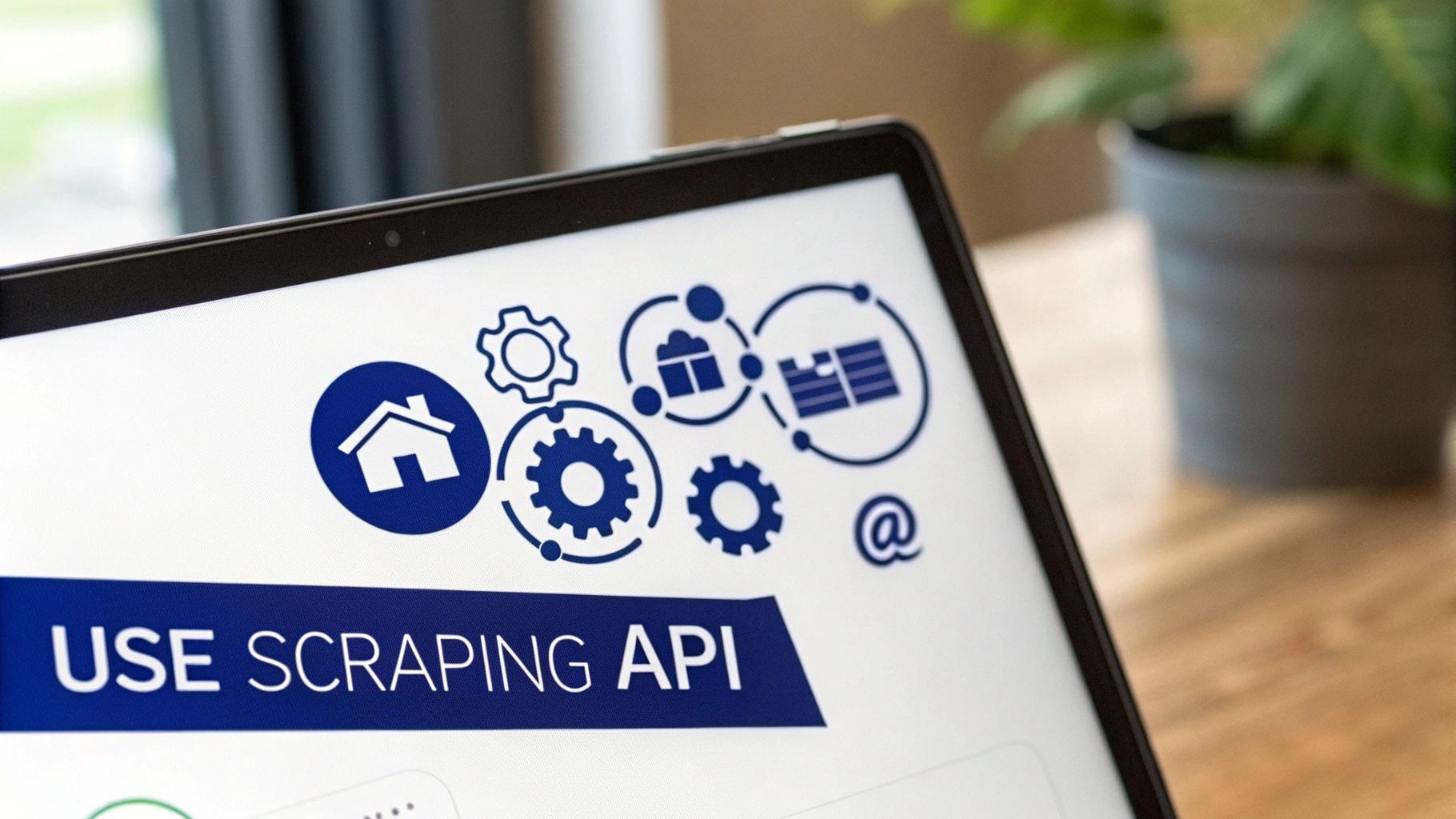
A good service like ScrapeUnblocker also provides a dashboard to track usage, costs, and job configurations, which makes managing the whole process much less of a headache.
Making Your First API Request
You'd be surprised how simple it is to integrate a scraping API into a Python script. The core idea is that instead of sending your HTTP request directly to the target website, you send it to the API's endpoint. The API then fetches the page on your behalf, deals with any blocks, and returns the clean HTML to you.
Here’s what that looks like in practice using Python's library.
import requests import json
Your ScrapeUnblocker API key and the website you want to scrape
API_KEY = 'YOUR_API_KEY' target_url = 'https://example.com/products'
The API endpoint and the data we'll send
endpoint = 'https://api.scrapeunblocker.com/v1/' payload = { 'api_key': API_KEY, 'url': target_url }
Send the request to the API, not the target site
response = requests.post(endpoint, json=payload)
If it works, you get the page's HTML back
if response.status_code == 200: print(response.text) else: print(f"API request failed. Status: {response.status_code}") print(response.json()) Just like that, the heavy lifting is done. The contains the raw HTML, ready for you to parse with a tool like BeautifulSoup, and you never had to touch a proxy or headless browser.
Customizing Requests for Tougher Targets
The real magic happens when you need more control. Modern websites are tricky; they might load data with JavaScript or show different prices based on your location. A powerful scraping API lets you handle these situations with a few simple parameters in your request.
For instance, you can easily tell the API to:
Render the page with a real browser: Just add a parameter. The API will load the page in a headless browser, execute the JavaScript, and return the final HTML.
Scrape from a specific country: Need to see prices in Germany? No problem. Add , and the API will automatically route your request through a German proxy.
Maintain a consistent session: For navigating multi-page workflows like a shopping cart, a parameter like tells the API to use the same proxy for a series of requests.
A good scraping API gives you the power of a massive, globally distributed infrastructure without the overhead. You get headless rendering and proxy rotation just by adding a few key-value pairs to your API call.
This level of control is what makes APIs so effective for scaling up your scraping projects. Of course, there are plenty of providers out there. It’s worth exploring the best web scraping API options to find a tool that fits your specific project and budget.
For a service like ScrapeUnblocker, knowing the key parameters is half the battle. This table breaks down some of the most common ones you'll use.
ScrapeUnblocker API Parameter Guide
Parameter | Purpose | Example Value |
|---|---|---|
The target website URL you want to scrape. | ||
Sets the geolocation for the outgoing proxy. | , , | |
Enables JavaScript rendering using a headless browser. | ||
Simulates a request from a desktop or mobile device. | or | |
Groups requests to use the same proxy IP. | ||
Specifies the response format. | or |
With these parameters, you can fine-tune your requests to mimic real user behavior and get past even the most stubborn anti-bot systems. The right tool can truly turn a frustrating, high-maintenance project into a streamlined and reliable data pipeline.
A Practical Guide to Ethical and Legal Scraping
Knowing how to scrape a website is only half the battle. The real mark of a pro is knowing when and if you should. This isn't just about dodging IP bans; it’s about being a good citizen of the web and understanding the ethical and legal boundaries that keep the internet open for everyone.
Think about it: when a scraper hammers a site with no regard for its rules or resources, it puts a strain on the server, disrespects the content creator's wishes, and pushes website owners toward more aggressive, lockdown-style bot protection. We all lose in that scenario.
First Stop: Read the Rulebook in
Before you write a single line of code for a new target, your first visit should always be to its file. You can usually find it right at the root of the domain, like . This is the website owner’s official instruction manual for automated bots, plain and simple.
The file will clearly state which directories or pages are off-limits (). Respecting these directives is the absolute baseline for ethical scraping. Some have pointed out that even major companies, like Perplexity, have reportedly used crawlers that sidestep these rules, but that's a practice that erodes the trust the web is built on.
Ignoring is the digital equivalent of walking past a "No Trespassing" sign. It's the quickest way to get your IP address blocked and immediately flags your activity as hostile.
Next, Check the Terms of Service
The file is a request, but a site's Terms of Service (ToS) or Terms of Use is a legally binding contract you implicitly agree to by accessing the site. Many of them contain clauses that explicitly prohibit any form of automated data collection.
While the exact legal precedent has been debated and tested in high-profile court cases, openly violating a site's ToS is a risky move that could open you up to legal challenges.
Before you start scraping, scan the ToS for language related to:
Automated access, data gathering, or data mining
Reproduction, distribution, or commercial use of content
Specific mentions of scraping or crawling
Master Responsible Scraping Etiquette
Being an ethical scraper is also about your technical footprint. A badly behaved scraper can easily feel like a denial-of-service attack to a small website, slowing it down or even crashing it for real human visitors.
Here's how to scrape politely and minimize your impact:
Identify Yourself: Don't hide behind a generic . Set a custom one in your request headers that clearly identifies your project and, ideally, includes a way to get in touch. Something like is far better than the default.
Slow Down: This is a big one. Never hit a server with rapid-fire requests. Always build delays into your code. Even a few seconds between requests can make a world of difference, making your traffic look much more like a human's and dramatically reducing server load.
Scrape During Off-Peak Hours: If your data doesn't need to be real-time, try running your scraper late at night or during hours when you know the site has less human traffic.
In the end, scraping carries a responsibility. By checking the rules, respecting the infrastructure, and being transparent, you not only keep your own project safe but also do your part to keep the web an open, accessible resource for years to come.
Comments