
Rotating Proxies for Web Scraping Unlocked
- Nov 6, 2025
- 17 min read
Think of rotating proxies as a master key of endless disguises for your web scraper. Instead of hitting a website with requests from a single, unchanging IP address, a rotating proxy system automatically swaps it out for a new one with every connection. This makes your scraper's activity look like it's coming from thousands of different people, not one persistent bot.
It’s the single most effective way to fly under the radar during large-scale data collection.
What Are Rotating Proxies and Why Do You Need Them?
Imagine you're trying to gather information at a huge, busy event. If you stand in the exact same spot all day, wearing the same outfit and asking questions, security will eventually notice you. You stick out. Your constant presence from a single, static location is a dead giveaway.
That’s exactly what happens when you try to scrape a website using just one IP address, like the one from your home or office. After a few hundred requests, the website's security system will almost certainly flag your IP for suspicious activity and block you. Just like that, your project is dead in the water.
This is the fundamental problem that rotating proxies for web scraping are designed to solve. Instead of sending all your requests from a single, static IP, a rotating proxy service gives you access to a massive pool of alternate IP addresses. For each new request your scraper sends, the service automatically assigns a different IP.
In short, a rotating proxy lets your scraper change its "disguise" for every single interaction. To the target website, your thousands of requests look like they're coming from thousands of individual, unrelated visitors, allowing your activity to blend in perfectly with normal traffic.
The Power of Anonymity at Scale
This constant cycling of digital identities is what makes large-scale web scraping possible. As more businesses rely on fresh data, the need for undetectable scraping has exploded. Rotating proxies work by switching IPs on every request or at timed intervals, spreading your scraper’s footprint across a huge number of unique addresses.
Think about a major e-commerce aggregator. They might need to scrape over 10,000 product pages per hour to keep their pricing data current. To do this, they'll use a pool of 5,000+ rotating residential proxies. By constantly changing IPs, their detection rate can drop below 1%, ensuring their data pipeline never stops. You can find more insights about the effectiveness of proxy rotation on how this technique works in the wild.
Key Benefits of Using Rotating Proxies
To quickly see why rotating proxies are the go-to solution for serious scraping, let's break down the main advantages.
Feature | Benefit for Web Scraping |
|---|---|
IP Rotation | Prevents you from hitting rate limits and getting your IP banned by distributing requests. |
Geo-Targeting | Lets you access content that's locked to specific countries or regions by using local IPs. |
High Anonymity | Hides your scraper's true IP address, making it nearly impossible to trace the activity back to you. |
Massive Scalability | Enables you to send millions of requests without interruption, which is impossible with a static IP. |
These benefits combined are what allow scrapers to operate reliably and at the scale modern data operations demand.
Beyond Simple IP Blocks
While avoiding IP bans is the most obvious benefit, rotating proxies also help you sidestep other common roadblocks.
Many modern websites use sophisticated systems that don't just look at the IP address; they analyze a user's entire session. If they see thousands of requests coming from one IP but with different browser fingerprints, they'll still get suspicious. A good rotating proxy service handles this by also managing session information, making each request appear unique and legitimate. This is crucial for navigating complex sites with advanced anti-bot measures.
Choosing the Right Proxy Type for Your Project
Picking the right kind of rotating proxy feels a lot like choosing the right tool for a job. You wouldn't use a sledgehammer to hang a picture frame, right? In the same way, the proxy you select needs to fit your web scraping project's specific goals, your budget, and, most importantly, the toughness of the target website's security.
Proxies aren't all cut from the same cloth. They come from different sources, carry different levels of trust with websites, and their costs can vary dramatically. Getting a handle on these differences is the first real step to building a scraping setup that actually works and doesn't constantly break.
Let's break down the three main flavors you'll come across.
H3: Datacenter Proxies: The Speedy Workhorse
Datacenter proxies are the most common and budget-friendly option out there. These IPs aren't tied to a home internet connection; instead, they're created in huge batches by cloud providers and commercial data centers. Their main selling points are speed and affordability, which makes them a great starting point for scraping sites with fairly basic security.
But here's the catch: their biggest strength is also their biggest weakness. Since these IPs all come from known commercial server blocks, they stick out like a sore thumb. A website with even moderately sophisticated security can easily spot and block entire ranges of datacenter IPs, bringing your scraper to a screeching halt. They're best for high-volume jobs where the target isn't putting up much of a fight.
This simple flowchart helps visualize why relying on a single IP is a dead-end, while rotating through a pool of proxies is the key to getting the data you need.
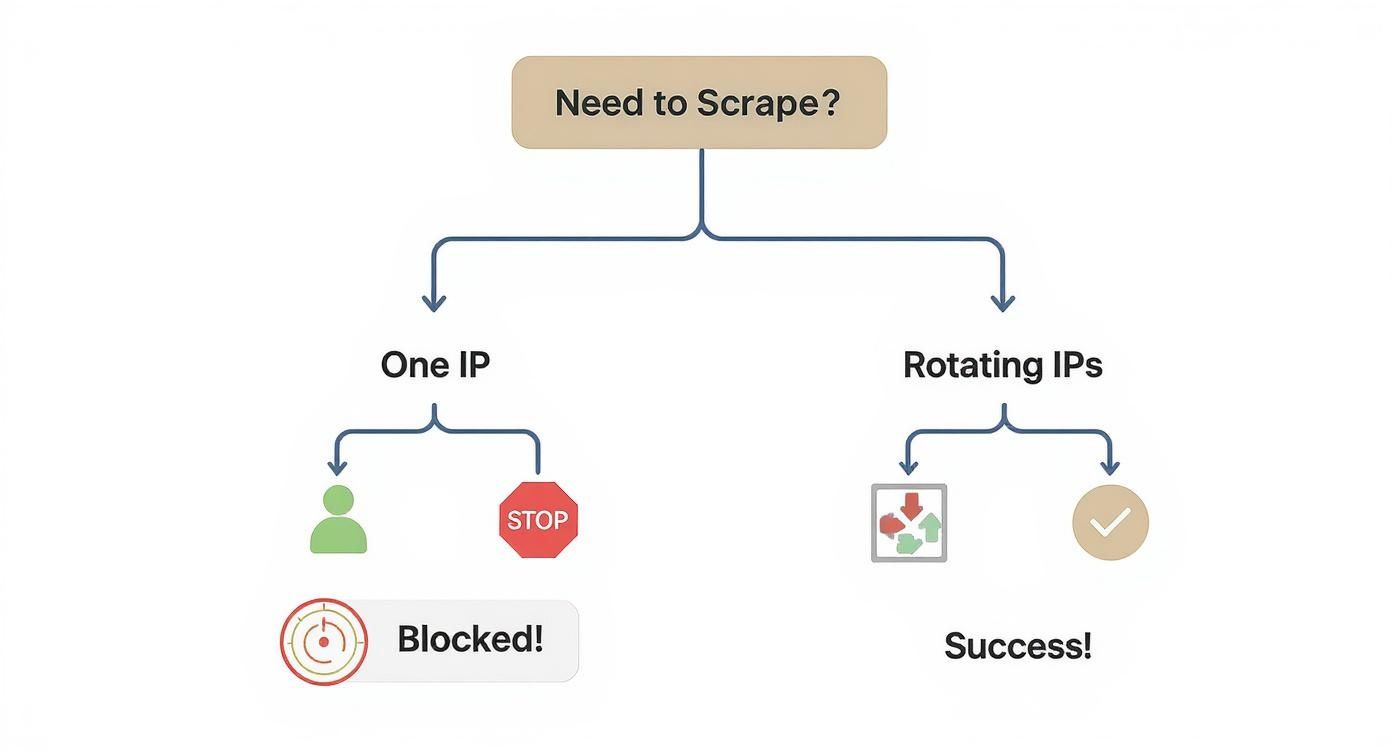
As you can see, the path to successful data extraction almost always involves rotation.
H3: Residential Proxies: The Gold Standard for Trust
When datacenter proxies just can't get the job done, you turn to residential proxies. These are legitimate IP addresses assigned by Internet Service Providers (ISPs) to real homes. When your scraper uses a residential proxy, its requests are funneled through an actual user's internet connection, making them look completely organic and trustworthy to the target server.
This high level of authenticity is exactly why they are the go-to solution for scraping tough targets like e-commerce giants, social media networks, and search engines.
Performance benchmarks tell a clear story: datacenter proxies can get blocked 40–60% of the time on major platforms, while rotating residential proxies cruise by with success rates often over 95%. That kind of reliability is what makes them essential for any serious data collection effort.
Of course, this premium performance comes at a higher price. Sourcing and maintaining a clean pool of real residential IPs is a complex business. Still, for projects that can't afford downtime or constant tinkering, the investment in residential proxies pays for itself with higher success rates and fewer headaches.
H3: Mobile Proxies: The Ultimate Disguise
At the very top of the proxy pyramid, you'll find mobile proxies. These are IPs assigned by mobile carriers (like Verizon or T-Mobile) to smartphones and tablets. Think about it—hundreds or even thousands of real people in a given area might be sharing the same mobile IP address at any one time.
Because of this, websites are extremely reluctant to block a mobile IP. Doing so could mean cutting off thousands of legitimate users, a risk they're simply not willing to take. This makes mobile proxies the ultimate weapon for hitting the most heavily-defended websites and apps.
If you're trying to perform large-scale web scraping on a target that's mobile-first or has iron-clad security, mobile IPs are your best bet. Their main downside is the cost; they are by far the most expensive option. For that reason, they're usually saved for those truly challenging scraping missions where nothing else works.
H3: Datacenter vs. Residential vs. Mobile Proxies
To make the choice clearer, it helps to see the key differences side-by-side. Each proxy type has its own set of strengths and weaknesses that make it suitable for different kinds of scraping tasks.
Proxy Type | Source | Anonymity Level | Cost | Best For |
|---|---|---|---|---|
Datacenter | Cloud servers & data centers | Low | $ | Low-security targets, high-speed tasks, budget-conscious projects. |
Residential | Real home internet connections (ISPs) | High | $$ | E-commerce, social media, search engines, and most protected sites. |
Mobile | Mobile carrier networks (3G/4G/5G) | Very High | $$$ | The toughest targets, mobile apps, and sites with extreme bot detection. |
Ultimately, choosing the right proxy is about balancing performance, cost, and the specific demands of your project. By understanding these core differences, you can build a more effective and resilient data extraction strategy from the ground up.
Making Your Rotation and Session Strategy Work for You
Having a pool of rotating proxies is one thing, but knowing how to use them effectively is what separates a successful scraper from a blocked one. Think of it like having a set of keys; you need to know which key opens which door. Simply cycling through IPs at random is a recipe for getting caught. To build a scraper that can stand up to modern web defenses, you need a smart approach to both proxy rotation and session management.
The two core strategies you'll be working with are high-frequency rotation and sticky sessions. The choice between them isn't arbitrary—it’s dictated entirely by the website you're targeting and what you're trying to achieve. Get this right, and you’ll blend in seamlessly; get it wrong, and you’ll stick out like a sore thumb.

When to Change Your IP on Every Single Request
Let's say your goal is to pull pricing data from thousands of product pages on a massive e-commerce site. Each request is a standalone mission—you visit a page, grab the data, and move on. There's no need to maintain a consistent identity.
In fact, a single "user" hitting thousands of pages in a few minutes is a huge red flag for any anti-bot system. This is where you want to rotate your IP address for every single request. By doing this, your scraping activity looks less like one suspicious bot and more like thousands of individual, unrelated shoppers briefly visiting the site.
This approach is perfect for:
Large-scale data collection: Scraping thousands of product listings, hotel prices, or search engine results.
Scraping public information: Gathering news articles, user reviews, or forum comments where you don't need to log in.
Staying under the radar: Spreading your requests across a huge IP pool makes your scraper’s footprint nearly impossible to trace.
The Power of Holding an IP with Sticky Sessions
Now, imagine a different scenario. You need to automate adding a product to a cart, navigating a multi-page checkout, or scraping data that's only visible after logging in. If your IP address changes between step one and step two, the server sees the second request as coming from a brand-new visitor. The cart will be empty, and your login session will be lost.
This is precisely where sticky sessions are a game-changer. A sticky session lets you use the same IP address for a continuous period of time, like 5, 10, or even 30 minutes. It perfectly mimics how a real human user browses a site—from a single, consistent IP address.
A sticky session is non-negotiable for any task that involves a sequence of actions. It ensures your scraper maintains its state, cookies, and context, allowing it to perform complex interactions that depend on what happened in the previous step.
You'll need sticky sessions for tasks like:
Navigating any kind of multi-step process, like a checkout or sign-up form.
Logging into user accounts to access protected data.
Scraping websites that are heavily reliant on JavaScript and session cookies.
Putting Rotation into Practice with Code
So, what does this look like in the real world? Let's say you have a list of proxies and you want to implement a basic random rotation in Python. The idea is simple: for each request, you'll pick a different proxy from your list.
Here’s a quick example using the library:
import requestsimport random
A list of your proxy IP addresses
proxy_list = [ "http://proxy1.com:port", "http://proxy2.com:port", "http://proxy3.com:port",]
target_url = "https://example.com/data"
Choose a random proxy from the list
random_proxy = random.choice(proxy_list)
proxies = { "http": random_proxy, "https": random_proxy,}
try: # Make the request using the randomly selected proxy response = requests.get(target_url, proxies=proxies, timeout=10) print(f"Success with proxy: {random_proxy}") print(response.text)except requests.exceptions.RequestException as e: print(f"Failed to connect with proxy: {random_proxy}. Error: {e}")
This script shows the fundamental logic. In a real-world scraper, you'd loop through your target URLs and run this logic each time to select a new proxy, preventing any single IP from getting flagged for overuse.
Of course, IP rotation is just one piece of the puzzle. To truly fly under the radar, you also need to rotate other request headers. A great place to start is by checking out our user-agent list for scraping to make your requests look even more like they're coming from a real browser.
Getting Proxies to Work in Your Code
Alright, let's move from theory to practice. Understanding why you need to rotate IPs is one thing, but actually making it happen in your scripts is where the rubber meets the road. This is where the real power of rotating proxies for web scraping comes to life.
We'll walk through the practical steps of plugging a proxy pool into your code. I'll include some error handling and best practices, too, because things will inevitably break. The goal is to make your scraper both effective and resilient.
I'll be using Python for the examples since it's the go-to language for most scraping work. Think of this as the blueprint for building a much smarter data collection engine.
The Basic Setup for Proxy Rotation in Python
The simplest way to get started is with the popular library. The core idea is pretty straightforward: you have a list of proxy addresses, and you just pick a different one for each web request you send. This little trick is usually enough to stop any single IP from getting flagged for sending too many requests too quickly.
Let's look at a basic example. Say you have a list of a few proxies. For each request, you just need to randomly grab one from your pool.
import requestsimport random
A simple list of your available proxy servers
Format is typically 'http://user:pass@proxy_ip:port'
proxy_list = [ 'http://user:pass@proxy1:port', 'http://user:pass@proxy2:port', 'http://user:pass@proxy3:port',]
target_url = "https://api.example.com/products"
Grab a random proxy from the list for this specific request
chosen_proxy = random.choice(proxy_list)
The 'requests' library needs the proxy formatted this way
proxies = { "http": chosen_proxy, "https": chosen_proxy,}
try: # Let's send the request through our chosen proxy print(f"Trying request with proxy: {chosen_proxy}") response = requests.get(target_url, proxies=proxies, timeout=10)
response.raise_for_status() # This will raise an error for bad status codes (4xx or 5xx)
print("Request was successful!")

# Now you can process the data from the response
# print(response.json())
except requests.exceptions.RequestException as e: # Catch any request-related error (proxy, connection, timeout, etc.) print(f"Request failed with {chosen_proxy}: {e}")This simple script is the foundation of proxy rotation. By wrapping the request in a block, you can start catching common problems like a dead proxy or a timeout. It's the first and most important step toward building a scraper that doesn't just fall over at the first sign of trouble.
Handling Errors and Retrying Requests (The Right Way)
In the real world, proxies fail. A lot. They get blocked, they become unresponsive, or they just time out for no apparent reason. A scraper that just gives up after one failed attempt isn't going to get you very far.
The solution is to build a retry mechanism. When a request fails, you don't just try again—you try again with a different proxy.
Here’s a smarter way to approach it:
Spot the Failure: If a request throws an error or you get back a bad status code (like a 403 Forbidden or 503 Service Unavailable), you know something went wrong.
Ditch the Bad Proxy: Mark that proxy as "bad" for now and grab a new one from your pool.
Try, Try Again: Send the exact same request but with the new IP.
Know When to Quit: To avoid getting stuck in an infinite loop of failures, always set a limit on how many times you'll retry a single URL. Three to five retries is a good starting point.
For any serious, large-scale project, a robust retry mechanism isn't optional—it's essential. This logic ensures that temporary proxy issues or network hiccups don't kill your entire scraping job, which dramatically increases your chances of getting all the data you need.
This approach makes your scraper way more resilient. Instead of crashing and burning, it intelligently navigates around temporary roadblocks, which is absolutely critical for any long-running task.

Scaling Up Your Proxy Management
As your scraping operation grows, trying to manage a list of proxies in a text file or a Python list just won't cut it. It quickly becomes a nightmare.
This is where modern proxy services have completely changed the game. Instead of you juggling thousands of IPs, you can use a single, smart endpoint. A 2025 industry report highlighted that the average enterprise-level scraping job now uses between 5,000 and 50,000 rotating proxies every month, with the biggest projects burning through over 100,000 IPs. You can dig into these numbers yourself by checking out the latest web scraping statistics.
At that scale, you need a different approach. Most premium providers, including consolidated services like ScrapeUnblocker, give you a single API gateway. You send all your requests to their endpoint, and they handle all the messy parts for you.
Here’s what that looks like in practice:
Automatic Rotation: The service automatically picks a fresh residential IP from its massive pool for every single request you send.
Built-in Retries: If an IP gets blocked or fails, the service transparently retries the request with a new IP before it ever returns an error to you.
Effortless Sessions: Need to maintain the same IP across several steps, like for a login or checkout process? You can request a "sticky" IP.
Geo-Targeting: You can easily specify which country you want your IP to come from by just adding a simple parameter to your request.
This model takes nearly all the complexity of proxy management off your plate. It lets your team focus on what actually matters—parsing the data you get back—instead of constantly babysitting a fragile network of proxies.
Evading Advanced Anti-Bot and Fingerprinting Systems
Simply cycling through a list of proxies isn't going to cut it anymore. Modern websites are armed with sophisticated anti-bot systems that have moved far beyond just checking IP addresses. They now build a unique "fingerprint" for every visitor, analyzing dozens of signals to tell humans and bots apart with frightening accuracy.
If you want to consistently pull data from these heavily guarded sites, your scraper needs a serious upgrade. It’s no longer just about changing your location—it’s about changing your entire digital identity with every connection. That means sweating the small stuff that these security systems are designed to catch.
More Than Just an IP Address
Think of your scraper's IP address like a license plate. It’s the most obvious identifier, sure, but it's only one part of the picture. A smart security system is also looking at the car's make, model, color, and even that tiny, faded bumper sticker. For a web scraper, these other details are tucked away inside its request headers.
This is where rotating more than just your IP becomes absolutely essential. To truly blend in with real traffic, you need to randomize other key identifiers on every single request:
User-Agents: This is the string that tells a server what browser and operating system you’re supposedly using. Firing off thousands of requests with the exact same User-Agent is a dead giveaway.
Accept Headers: These headers tell the server what kind of content your "browser" can accept (like or ). Real browsers have a very specific signature, and bots often get this combination wrong.
Referer Headers: This header shows which page you visited last. A scraper that just materializes on a deep product page out of thin air, with no referrer, looks incredibly suspicious.
By building a large, diverse pool of realistic headers and pairing each one with a fresh IP, you create the illusion that every connection is coming from a completely different person on a different device.
Defeating Browser Fingerprinting
The toughest nut to crack is browser fingerprinting. This is where websites collect a whole suite of very specific attributes from your browser to generate a unique signature. Even if you nail the IP and header rotation, a consistent fingerprint will expose your scraper instantly.
Fingerprinting pieces together a mosaic of tiny data points that, when combined, are unique to your browser. A website can identify you with over 99% accuracy just by looking at these seemingly insignificant details.
Some of the most common data points used for fingerprinting include:
Your list of installed fonts
Screen resolution and color depth
Browser plugins and extensions
Canvas and WebGL rendering outputs
Your specific browser version and build number
To get around this, you have to use a headless browser like Playwright or Puppeteer and meticulously configure it to randomize these traits. But let's be honest, managing all of that manually is a massive headache and incredibly easy to mess up.
This is where a service like ScrapeUnblocker comes in. It automates this entire process, making sure every request originates from a fully-rendered browser with a unique, legitimate-looking fingerprint. This is crucial for getting past modern CAPTCHAs, and our guide on how to bypass Cloudflare Turnstile explains exactly how to beat these advanced challenges.
Mimicking Human Behavior
Finally, your scraper has to act like a person. No real user clicks through 1,000 pages a second. People pause, they scroll, they move their mouse around before clicking on something. The most advanced anti-bot systems are actively tracking these behavioral biometrics.
When you’re using a headless browser, start introducing small, randomized delays between your actions. Make the cursor move to an element before you click it. Scroll down the page naturally. It will slow things down a bit, but your success rate on highly interactive sites will skyrocket.
By bringing all these elements together—smart proxy rotation, randomized headers, fingerprint management, and human-like behavior—you can build a scraper that can navigate just about anything the modern web throws at it.
Using Scraping APIs: The All-in-One Solution
Let's be honest: juggling proxy pools, writing custom rotation logic, solving CAPTCHAs, and trying to perfect browser fingerprints is a huge amount of work. It can easily become a full-time job for a dedicated team just to keep the lights on.
But what if you could just… not do any of that? This is exactly why all-in-one scraping APIs have become the go-to solution for so many developers.
Instead of building a complex, brittle system from scratch, you just send your target URL to a single API endpoint. That's it. The service takes care of everything else on the back end—it picks the right kind of proxy, rotates IPs and user agents, renders tricky JavaScript, and handles any anti-bot measures that pop up.
A Smarter Way to Scrape
This model completely flips the script on the economics of data collection. You're no longer on the hook for buying and managing thousands of rotating proxies for web scraping. The entire anti-bot infrastructure is handled for you, and that comes with some serious advantages:
Slash Development Time: Your team gets to focus on what actually matters—parsing and using the data—instead of getting bogged down in the mechanics of scraping.
No More Infrastructure Headaches: Forget about dealing with dead proxies, outdated browser fingerprints, or servers crashing at 3 AM. The API provider manages all of it.
Massively Improved Success Rates: These services have access to enormous, clean proxy pools and use incredibly sophisticated fingerprinting that's nearly impossible to replicate in-house.
By abstracting away the hardest parts of web scraping, these APIs turn data collection into a simple utility. You just ask for the data you need, and the service delivers it.
Effortless Scaling and Predictable Costs
Maybe the single biggest win here is how easy it is to scale. Need to jump from scraping a thousand pages a day to a million? With a service like ScrapeUnblocker, you just make more API calls.
There’s no frantic rush to provision new servers or buy more proxies. The infrastructure is built to handle it, giving you performance you can count on and costs that are easy to predict. This frees you up to focus on your actual business goals, not the gritty, frustrating details of data acquisition.
Got Questions About Rotating Proxies? We’ve Got Answers.
Jumping into the world of rotating proxies for web scraping can feel a little confusing at first. Let's clear up some of the most common questions you might have as you get started.
What's the Real Difference Between a Regular Proxy and a Rotating One?
Think of a standard proxy as a single disguise. It’s one static IP address that acts as your middleman online. It’s better than nothing, but if you send thousands of requests from that one IP, you'll stick out like a sore thumb and get blocked almost immediately.
A rotating proxy, on the other hand, is like having an entire wardrobe of disguises. It's not a single IP but a gateway to a huge pool of them. It automatically switches your IP address with every new request or on a set schedule, making it look like your activity is coming from hundreds or thousands of different, unrelated users.
How Often Should I Be Switching My Proxies?
This is a classic "it depends" situation, and the right answer really hinges on what you're trying to scrape.
For high-volume jobs, like pulling down thousands of product pages or search results, you'll want to rotate with every single request. This "high-frequency" approach spreads your requests over the largest possible number of IPs, making you incredibly difficult to track.
For multi-step tasks, like anything that requires a login or navigating a checkout process, you need a "sticky session." This keeps the same IP address for a specific period (say, 10 minutes) to ensure your session stays intact.
Can Websites Still Block Me if I'm Using a Rotating Proxy?
They can certainly try, but it becomes much, much harder for them. While a single IP from your proxy pool might get temporarily flagged, a good proxy service will have already swapped it out for a fresh one on your next request.
But here’s the thing: sophisticated anti-bot systems do more than just look at your IP address. They're analyzing your digital fingerprint—things like your browser type, headers, and even mouse movements. This is where a simple proxy rotator falls short, and a full-scale scraping API that manages all of it becomes a necessity.
At the end of the day, your best defense is using high-quality residential proxies from a provider you trust. This gives you the highest odds of success, even against the most heavily protected websites.
Ready to stop wrestling with proxy management and just get the data you need? ScrapeUnblocker takes care of IP rotation, CAPTCHAs, and browser fingerprinting for you. Give our powerful scraping API a try today.
Article created using Outrank

Comments