
Puppeteer vs Playwright A Guide to Modern Web Scraping
- Nov 17, 2025
- 15 min read
When you're choosing a browser automation tool, the main difference between Puppeteer and Playwright comes down to this: Puppeteer is a Google-led project built for deep control over Chromium browsers, while Playwright is a Microsoft fork engineered for true cross-browser automation across Chromium, Firefox, and WebKit. Your decision hinges on whether you need specialized integration with the Chrome ecosystem or broad compatibility for varied testing and scraping projects.
Choosing Your Browser Automation Tool

In the world of web scraping and automated testing, Puppeteer and Playwright are the two heavyweights. They actually share a common origin—Playwright was created by former Puppeteer engineers who moved from Google to Microsoft. Because of this shared DNA, their APIs have a familiar feel, but their core philosophies and features have diverged in important ways.
Puppeteer, first released by Google back in 2017, gives you a high-level API to control Chromium-based browsers over the DevTools Protocol. It's fantastic for tasks that demand tight integration with Chrome. Playwright, on the other hand, arrived in 2020 with a much broader vision. Microsoft built it to offer a single, unified API for controlling all major browser engines, making cross-browser automation feel seamless.
Puppeteer vs Playwright Quick Comparison
To get a clearer picture, let's start with a high-level comparison. This table breaks down the core differences that often guide the decision-making process.
Feature | Puppeteer | Playwright |
|---|---|---|
Browser Support | Primarily Chromium (Chrome, Edge); experimental Firefox support. | Excellent cross-browser support (Chromium, Firefox, WebKit). |
Language Support | JavaScript/TypeScript only. | Multi-language support (JS, TS, Python, Java, .NET). |
Primary Developer | Microsoft | |
Auto-Waiting | Requires manual and similar methods. | Built-in, automatic waiting for elements to be actionable. |
Built-in Tooling | Relies on third-party libraries for advanced testing. | Includes Codegen, Trace Viewer, and a dedicated test runner. |
As you can see, the choice often boils down to specific project needs like browser targets, your team's preferred programming language, or the need for out-of-the-box testing tools.
Market Adoption and Growth
Community support and momentum are huge factors when picking a library you'll depend on. As of March 2025, Puppeteer commands a massive following with over 87,000 GitHub stars and 9,000 forks, showing its maturity and deep roots in the JavaScript community.
At the same time, Playwright has seen explosive growth, quickly amassing nearly 64,000 stars and 3,000 forks. This impressive traction is a testament to its rich feature set and multi-language appeal. You can dig into more detailed comparisons of these tools' growing popularity on apify.com.
This guide will break down these differences in much greater detail. We're going beyond surface-level comparisons to give you practical insights into everything from API design and performance to anti-bot evasion, helping you confidently choose the right tool for your next web scraping or automation project.
Comparing API Design and Developer Workflow
Once you start writing automation scripts, you'll immediately feel the difference in API design between Puppeteer and Playwright. They might share a common ancestry, but their approaches to basic tasks reveal very different philosophies—philosophies that have a direct impact on your workflow, script reliability, and how much time you spend debugging.
Playwright’s API is built around a game-changing concept: auto-waiting. This feature automatically pauses the script until an element is actually ready to be clicked, typed into, or scraped. This one design decision wipes out an entire class of flaky tests and scraping errors that plague developers working with dynamic, JavaScript-heavy websites. Puppeteer, on the other hand, puts the onus on you.
The Auto-Wait Advantage in Playwright
With Puppeteer, you have to be explicit. You must tell your script to wait for an element to show up in the DOM before you can do anything with it, usually with the method. If you forget this step or get the timing slightly wrong, you're greeted with the classic error, especially on pages that load content on the fly.
Playwright flips this entire dynamic on its head. Its "actionability checks" are baked right into methods like , , and .
Playwright doesn't just check if an element exists. It confirms that the element is visible, stable, enabled, and not covered by another element before it even tries to interact. This built-in intelligence makes your scripts incredibly resilient to the chaos of modern web pages.
What does this mean for you? Your code is cleaner, easier to read, and far less likely to fail because of a simple timing issue. The need for manual waits all but disappears, simplifying the entire development process. You end up focusing on the actual scraping logic, not debugging race conditions.
A Practical Code Comparison
Let's look at how each tool handles a simple job: launching a browser, going to a page, and clicking a button.
Puppeteer Example: Manual Waiting// Puppeteer requires you to explicitly waitconst puppeteer = require('puppeteer');
(async () => { const browser = await puppeteer.launch(); const page = await browser.newPage(); await page.goto('https://example.com');
// You MUST wait for the selector to be available first await page.waitForSelector('#submit-button'); await page.click('#submit-button');
await browser.close();})();Playwright Example: Automatic Waiting// Playwright just waits for youconst { chromium } = require('playwright');
(async () => { const browser = await chromium.launch(); const page = await browser.newPage(); await page.goto('https://example.com');
// No need for waitForSelector; Playwright handles it await page.click('#submit-button');
await browser.close();})();This simple comparison gets to the heart of the Puppeteer vs Playwright debate. Playwright prioritizes a smoother developer experience and more robust scripts right out of the box.
Managing State with Browser Contexts
Another massive difference is how these libraries manage browser sessions. Puppeteer mostly works at the level. You can open multiple pages in one browser, sure, but they all share cookies, local storage, and session data by default. This gets messy fast when you need to simulate several independent users.
Playwright introduces a brilliant solution: Browser Contexts. Think of a browser context as a perfectly isolated, incognito-like session living inside a single browser instance. Each context gets its own cookies, cache, and storage, giving you a clean slate for every task without the performance hit of launching a whole new browser.
This architecture is incredibly useful for:
Parallel Scraping: Running multiple scraping jobs at once without them stepping on each other's toes.
Multi-User Simulation: Testing flows for different user accounts at the same time.
Clean State Management: Making sure every test or scrape starts fresh, with no data leaking from previous runs.
This approach gives you better resource management and much more reliable results for complex, concurrent jobs. If you're looking to implement this kind of advanced strategy, our guide on how to build a web crawler in JavaScript from scratch offers deeper insights into structuring these projects. Ultimately, Playwright’s thoughtful API design choices often lead to more stable and maintainable code for any serious automation task.
Analyzing Performance and Reliability at Scale
When you're running simple scripts, performance isn't a huge concern. But once you start scraping at scale, speed and reliability become everything. In the great puppeteer vs playwright debate, how each tool handles execution speed, memory usage, and long-term stability can be the difference between a successful project and a failed one. These differences aren't always obvious in small tests, but they become glaring when you're hitting thousands of pages.
At first glance, Puppeteer often feels faster. Its lighter architecture, which focuses exclusively on the Chrome DevTools Protocol, means less overhead. This gives it a slight edge for quick, single-page jobs like taking a screenshot or pulling data from a mostly static page.
But that speed advantage tends to dissolve as your scraping logic gets more complex. Once you start dealing with multi-page workflows, heavy navigation, and tricky JavaScript rendering, Playwright's more robust design really begins to pull ahead.
Execution Speed and Stability in Long-Running Tasks
Recent benchmarks put this trade-off into perspective. For workflows that involve a lot of page navigation, studies show Playwright can actually be a bit quicker, clocking in at around 4.513 seconds per task, while Puppeteer averages 4.784 seconds. On the flip side, for short, self-contained scripts, Puppeteer can be up to 30% faster.
The real story, however, is in stability over the long haul. In one large-scale test, Playwright maintained an impressive 96% success rate across more than 1,000 page scrapes. Puppeteer, under the same load, started to struggle, with its success rate dropping to just 75% before failures started to pile up. You can dig into the full numbers in this performance comparison between Puppeteer and Playwright on skyvern.com.
This infographic gives a great visual of how their APIs differ for a common task, showing just how much cleaner Playwright's approach is.
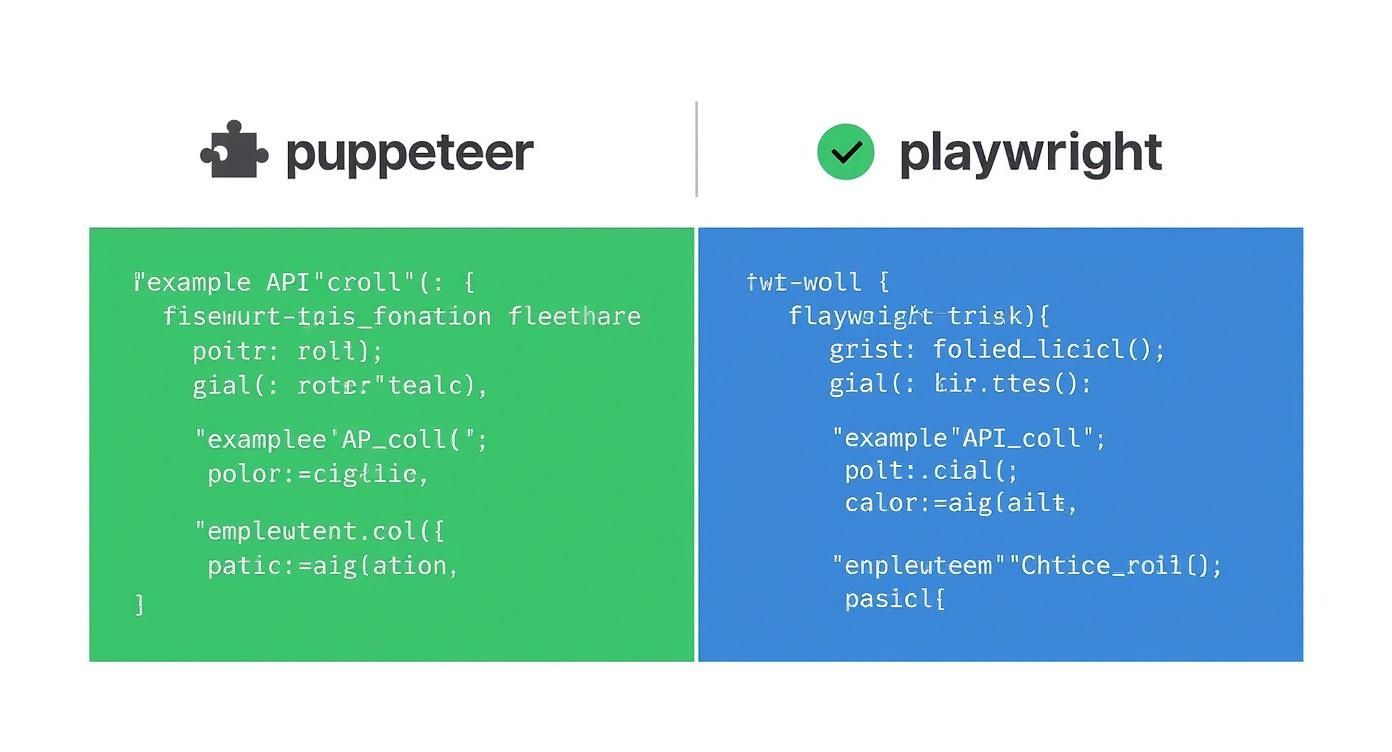
As you can see, Playwright's built-in auto-waiting mechanisms simplify the code, which in turn makes it more reliable when dealing with the unpredictable nature of live websites.
Memory Consumption and Resource Management
Memory is another make-or-break factor, especially for scrapers designed to run for hours or even days. Both tools are naturally memory-hungry because they're firing up real browser instances. But they handle resource management very differently, and this has a massive impact on reliability.
Puppeteer's approach is fairly straightforward, operating at the browser and page level. This works fine, but it can be prone to memory leaks if you aren't meticulous about closing pages or if you run into poorly built websites. Over a long scraping session, this can cause the browser process to bloat and eventually crash, forcing a restart and potentially losing a lot of work.
Playwright’s Browser Contexts are a game-changer for resource management at scale. By creating isolated, incognito-like sessions, Playwright makes it far easier to manage memory and prevent state leakage between tasks, leading to more stable and predictable long-running scrapers.
This architectural difference brings some huge advantages when you're trying to scale up:
Improved Isolation: Each browser context has its own cookies, cache, and local storage. This means your parallel scraping jobs can't contaminate each other.
Easier Cleanup: When you're done with a task, you just close the context. It's a clean, efficient way to release every resource associated with that session, which drastically cuts down the risk of memory leaks.
Efficient Parallelism: You can run many isolated contexts inside a single browser instance. This is far more memory-efficient than launching multiple, separate browser processes like you often have to do with Puppeteer.
For any serious data extraction project where you're scraping thousands of URLs at once, this kind of isolation is essential. It means one problematic task won't bring down your entire operation. Of course, managing this also requires a solid infrastructure, including smart IP management. Our guide on rotating proxies for web scraping unlocked is a great resource for making sure your scrapers fly under the radar.
So, while Puppeteer is a fantastic, nimble tool for quick jobs, Playwright’s robust architecture and superior resource management give it a definitive edge in performance and reliability when you need to operate at scale. It was clearly designed with the challenges of complex, long-duration scraping projects in mind, providing a more stable foundation from day one.
Evading Anti-Bot Defenses and CAPTCHAs

Let's be blunt: right out of the box, both Puppeteer and Playwright are sitting ducks for modern anti-bot systems. Headless browsers leave a trail of digital breadcrumbs—from inconsistent fingerprints to robotic behavior—that platforms like Cloudflare and Akamai are built to detect. If you just launch a default instance to scrape a protected site, you're going to get blocked or hit a CAPTCHA wall almost immediately.
This is where the debate shifts. It becomes less about the core features of Puppeteer vs Playwright and more about their surrounding ecosystems and philosophies on stealth. Neither tool is meant to be invisible on its own; your success comes down to how you tweak them and what you pair them with.
Puppeteer's Stealth Ecosystem
Puppeteer's biggest weapon in this fight is its mature and dedicated community. This has produced an incredibly effective third-party library called , and more specifically, its . This plugin is a game-changer, designed to systematically patch the very holes that make headless Chrome so obvious.
The stealth plugin applies a suite of evasions to make the browser look and act more human. It tackles the most common detection vectors head-on:
WebDriver Flag: It erases the flag, which is basically a giant "I'm a bot" sign.
User-Agent Consistency: It makes sure the user agent string looks real and matches across all the browser's internal properties.
Plugin and MimeType Spoofing: It adds fake browser plugins and mime types that are normally missing from a bare-bones headless instance.
WebGL and Canvas Fingerprinting: The plugin introduces tiny variations to throw off fingerprinting scripts that analyze graphics rendering.
The is really just a collection of dozens of small, clever fixes. When you put them all together, they make a headless browser look remarkably human. It’s the perfect example of a community coming together to solve one big, thorny problem.
This powerful, community-driven toolkit makes Puppeteer an excellent choice for getting past many bot detectors without having to become an expert in browser fingerprinting yourself.
Playwright's Native Approach and Its Limitations
Playwright goes in a different direction. It doesn't have a single, drop-in stealth plugin that has gained the same universal adoption as Puppeteer's. The core philosophy here is to give developers the low-level tools to build their own evasion strategies. You can manually set user agents, tweak launch arguments, and inject scripts to change just about anything.
This approach offers incredible control, but it also puts all the work on you. You have to figure out exactly how a target site is trying to detect you, then write the specific code to counter each method. It’s a powerful but much more demanding path than just installing a pre-made solution.
For many scraping projects, this makes getting Playwright "stealth-ready" a bigger challenge. While its API is fantastic for automation, the lack of a plug-and-play stealth ecosystem means you'll be spending a lot more time in the trenches, fighting bot detectors one by one.
The Role of a Third-Party Rendering Service
Ultimately, even the best local stealth tricks will hit a ceiling. Advanced challenges like Cloudflare's Turnstile or Google's reCAPTCHA v3 are playing a different game. They analyze signals far beyond your browser's configuration, including IP reputation, TLS fingerprints, and even mouse movement patterns—things that are nearly impossible to fake reliably on your own.
This is where a specialized service like ScrapeUnblocker becomes mission-critical. Instead of trying to keep up with the endless cat-and-mouse game of browser fingerprinting and CAPTCHA solving, you can just hand that entire problem off. ScrapeUnblocker takes care of it all:
Advanced Fingerprint Management: It maintains a massive pool of real, optimized browser fingerprints that are constantly updated to fly under the radar.
Intelligent CAPTCHA Solving: It automatically identifies and solves various CAPTCHAs, even the tricky modern ones. For a deeper dive, see our guide on how to approach a Cloudflare Turnstile bypass.
Premium Proxy Rotation: It routes your requests through a huge network of residential proxies, so you always appear to be a legitimate user coming from a real IP address.
By pairing either Puppeteer or Playwright with ScrapeUnblocker, you get the best of both worlds. You keep the fine-grained control of a local browser automation library while relying on a robust, managed infrastructure to handle the toughest parts of anti-bot evasion.
When you're choosing a browser automation tool, the core features are just one part of the story. The ecosystem around the tool—things like community support, third-party plugins, and debugging tools—can make or break your project. This is where Puppeteer and Playwright really show their different personalities.
Puppeteer has been around since 2017, and that head start matters. Over the years, a massive community has sprung up, creating a rich ecosystem of tutorials, plugins, and countless solutions on Stack Overflow. If you run into a problem, chances are someone else has already solved it.
Puppeteer and the Power of Community Plugins
This community strength is most obvious when you look at . It's an ecosystem of plugins that bolts on powerful new features, especially for web scraping.
The star of the show is , which is almost essential for avoiding bot detection. It bundles a collection of clever evasions that make a headless browser look more human. Because of its maturity, Puppeteer has a much larger library of these community tools, with over 20 puppeteer-extra plugins designed to solve very specific problems. You can find a great deep dive on Puppeteer vs Playwright at BrowserStack that explores these differences further.
Playwright’s All-in-One Tooling Philosophy
Microsoft took a different path with Playwright. Instead of relying on the community to fill in the gaps, they built many advanced features directly into the core library. It’s a "batteries-included" approach that aims for a smooth, cohesive experience right from the start.
This means you won't find as many third-party plugins for Playwright, but you often don't need them. Features like a native test runner, powerful network interception, and advanced tracing are all baked in. This is a huge plus in corporate environments where using officially supported tools is often preferred over pulling in multiple community packages.
Playwright’s built-in tooling suite—including the Codegen for recording scripts, the Inspector for live debugging, and the Trace Viewer for post-mortem analysis—creates a powerful, integrated debugging workflow that Puppeteer can only match with external libraries.
Having everything in one unified toolkit just simplifies the whole process. Everything is designed to work together perfectly from day one.
The Debugging Experience Compared
How you debug your scripts is a major point of difference. With Puppeteer, you're mostly using standard Node.js tools and the Chrome DevTools protocol. It's powerful, for sure, but it can feel a bit clunky. You can launch in headful mode or use to pop open a browser window, but it isn't a seamless, integrated experience.
Playwright, on the other hand, makes debugging a first-class feature. Its tools are a huge draw for developers:
Playwright Inspector: A GUI that lets you pause and step through your code, check selectors, and see exactly what Playwright is doing.
Trace Viewer: This is a game-changer. It records a complete trace of your script's run—DOM snapshots, network requests, console logs, and all. If something fails, you have a perfect, interactive replay to figure out why.
Codegen: A fantastic tool that watches you interact with a website and automatically writes the Playwright script for you.
So, which is right for you? If you lean on a mature ecosystem and need battle-tested, community-driven solutions for challenges like bot evasion, Puppeteer is a solid choice. But if you want a modern, all-in-one framework with outstanding, officially supported tools that just make you a more productive developer, Playwright has the edge.
So, Puppeteer or Playwright? Making the Right Call
We've been through the APIs, performance benchmarks, and anti-bot features. Now comes the real question in the puppeteer vs playwright debate: which one should you actually use? The truth is, there's no single "best" tool. The right choice hinges entirely on your project's specific needs, your team's skillset, and the websites you're targeting.
It really boils down to understanding where each library truly shines.
If your project lives and breathes in the Chromium world and your biggest headache is dealing with sophisticated anti-bot systems, Puppeteer often gets the nod. This isn't because of its core code, but because of its incredibly mature community.
The big draw here is . This single plugin is a game-changer, tackling dozens of common browser fingerprinting techniques right out of the box. For projects that need to look human without a ton of manual tweaking, this is a massive head start.
For JavaScript developers and smaller teams, this ecosystem provides a much faster on-ramp to bypassing those initial anti-bot roadblocks.
When Playwright Is the Obvious Choice
On the other hand, Playwright is built for a different scale. It's the go-to for enterprise-level projects, teams that work across multiple programming languages, and any scenario where rock-solid reliability and cross-browser testing are paramount. Its modern, all-in-one architecture is simply a stronger foundation for complex, large-scale scraping from day one.
You should lean heavily towards Playwright if your project involves:
Needing More Than Chrome: If you have to scrape or test sites that behave differently on Firefox or Safari (WebKit), Playwright’s native support isn't just a feature—it's essential.
A Multi-Lingual Team: With top-tier support for Python, Java, and .NET, Playwright slots neatly into almost any tech stack. Your Python data team can work just as effectively as your JavaScript frontend team.
Scraping Complex Apps: The built-in auto-waiting and isolated Browser Contexts make it fundamentally more dependable for tackling dynamic, JavaScript-heavy websites. It's also far better at running many tasks in parallel without them tripping over each other.
A Quick Framework to Help You Decide
To cut to the chase, ask yourself these four questions:
Are you only targeting Chromium-based sites? If yes, Puppeteer's stealth ecosystem is a powerful advantage. If no, Playwright is your only real option.
What language does your team use? If the answer is anything besides JavaScript or TypeScript, Playwright is the clear winner.
How important are the built-in debugging tools? Playwright’s Inspector and Trace Viewer are light-years ahead, offering a much smoother experience when you're trying to figure out why a complex script is failing.
Are you building a massive scraper that will run for a long time? Playwright’s architecture, especially its Browser Contexts, offers better stability and resource management. This is crucial for avoiding memory leaks and random crashes in long-running jobs.
At the end of the day, it's a trade-off. Puppeteer's strength is its community-driven stealth for Chrome-centric tasks. Playwright's advantage is its modern architecture, cross-browser reach, and superior tooling for building reliable, scalable scraping operations.
Frequently Asked Questions
When you're deep in the weeds comparing Puppeteer vs Playwright, a few key questions always seem to pop up. Let's tackle the most common ones that developers run into when deciding which tool is right for their project.
Can You Use Puppeteer with Firefox or Safari?
In short, not really. While Puppeteer is a champion for anything Chromium-based, its support for other browsers is limited. It does offer experimental support for Firefox, but I wouldn't bet a production workload on it. It’s just not as stable or complete as its main integration.
As for Safari? Puppeteer offers zero support for the WebKit engine. If you absolutely need solid, reliable automation across Chromium, Firefox, and WebKit, Playwright is your answer. That cross-browser capability is baked into its DNA and a core reason why many developers make the switch.
How Difficult Is It to Migrate from Puppeteer to Playwright?
For simple scripts, the jump from Puppeteer to Playwright is surprisingly smooth. You'll notice the APIs feel very familiar since Playwright was created by the original Puppeteer team. The core ideas are the same.
The real work isn't just swapping out function names. The bigger shift is in your mindset. Playwright’s built-in auto-waiting completely changes how you write automation scripts, making most of your old calls obsolete. You'll also want to start using features like Browser Contexts to better isolate your scraping jobs. It’s a worthwhile effort, as the resulting scripts are far more stable.
Migrating from Puppeteer to Playwright is less about changing syntax and more about adopting a new, more resilient automation philosophy. Embracing auto-waiting and browser contexts is key to unlocking Playwright's full potential.
Which Tool Is Better for Sites with Cloudflare or reCAPTCHA?
On their own, both Puppeteer and Playwright will get shut down fast by serious anti-bot systems. They just aren't built for stealth out of the box, and their default settings are a dead giveaway to bot detectors.
The Puppeteer community has a well-known ace up its sleeve: . This plugin does a great job patching many of the most obvious browser fingerprinting issues and can help you slip past basic security.
But when you're up against the big guns like Cloudflare's bot protection or reCAPTCHA, neither library alone will cut it. These systems look at everything—your IP reputation, browser fingerprint, and user behavior. To consistently get through, you really need to pair your script with a specialized service that handles all the hard stuff like proxy rotation, CAPTCHA solving, and managing browser fingerprints.
For scraping projects that can't afford to get blocked, ScrapeUnblocker handles the entire anti-bot puzzle for you. We manage the proxies, CAPTCHAs, and browser fingerprints so you can just focus on the data. Learn more about how ScrapeUnblocker can help.
Comments