
Choosing the Right Amazon Scraping API
- Nov 22, 2025
- 16 min read
An Amazon scraping API is essentially a specialized tool built to pull public data—think product prices, customer reviews, or inventory levels—directly from Amazon’s website without getting your IP address blacklisted. It's designed to automate the tricky process of getting around Amazon's anti-bot systems, juggling proxies and solving CAPTCHAs so you get clean, structured data delivered right to your application. This makes it a go-to tool for anyone serious about e-commerce analytics, price monitoring, and market research.
Why Your Business Needs an Amazon Scraping API

Trying to pull data from Amazon with a simple HTTP request is a losing battle. The e-commerce giant has sophisticated defenses to sniff out and shut down automated scrapers, which makes gathering data on your own a massive headache. A good Amazon scraping API acts as a powerful middleman, handling all the messy infrastructure for you.
Here’s what a solid API takes off your plate:
Dodging Anti-Bot Defenses: These services automatically rotate through huge pools of IP addresses, mimic real human browsing patterns, and solve CAPTCHAs as they appear.
Turning Web Pages into Usable Data: Instead of dumping raw, messy HTML on you, a quality API delivers clean, parsed JSON. This alone can save your developers dozens of hours.
Scaling Up Reliably: APIs are built to manage a high volume of requests at once, giving you the stable foundation needed for serious, enterprise-level data gathering.
Understanding the Core Technologies
Not all APIs are built the same. Under the hood, they use different technical stacks, and that choice directly impacts performance, reliability, and what you'll end up paying. Getting a handle on these differences is the first step to picking the right tool, whether you’re a small shop tracking a few products or a large firm analyzing entire market categories.
The real value of an Amazon scraping API is abstraction. It hides the brutal complexity of proxy management, browser fingerprinting, and CAPTCHA farms, letting you focus on using the data, not just fighting to get it.
This hands-off approach has been a game-changer, especially for smaller players. It turns out that over 75% of Amazon scraping API users are small to medium-sized businesses trying to get a leg up. They use these tools to keep tabs on competitor pricing, monitor stock levels, and dig into customer reviews. You can learn more about this trend in the e-commerce buyer landscape from hginsights.com.
To make a smart choice, it helps to group the options by their core architecture.
Let's break down the main technologies you'll encounter. Each has its place, depending on your project's specific demands.
Core Amazon Scraping API Technologies
A summary of the primary API architectures and their ideal applications.
Scraping Architecture | Core Technology | Best Suited For | Main Challenge |
|---|---|---|---|
Simple Request APIs | Datacenter Proxies + HTTP Clients | Basic, high-volume price checks on simple pages | Very easily detected and blocked by Amazon |
Headless Browser APIs | Puppeteer/Playwright + Proxy Pools | Scraping JavaScript-heavy pages at moderate scale | Can be fingerprinted and blocked by advanced anti-bot systems |
Real Browser APIs | Full Chrome Instances + Residential Proxies | Maximum reliability and avoiding blocks on complex pages | Higher computational cost and slightly slower response times |
Ultimately, the architecture you choose dictates the trade-offs between speed, cost, and the likelihood of getting blocked. Simple requests are cheap and fast but fragile, while real browser APIs offer a robust solution at a higher operational cost.
Comparing Headless vs. Real Browser Architectures
When you're picking an Amazon scraping API, one of the first and most important forks in the road is its core architecture. You're basically choosing between two main philosophies: headless browsers and real browsers. Each comes with its own set of trade-offs in speed, cost, and how well it can stay under the radar. Getting this choice right is crucial for your project's success.
A headless browser is essentially a web browser without the visible, graphical parts. It runs behind the scenes, processing scripts and rendering web pages programmatically, just like the browser you're using now, but without anything to look at. This stripped-down approach is its biggest asset, making it incredibly fast.
On the flip side, a real browser API spins up full-blown instances of browsers like Chrome, graphical engine and all. This approach is heavier and uses more resources, but it creates a nearly perfect imitation of a real human user, making it incredibly tough for anti-bot systems to spot.
The Speed and Efficiency of Headless Browsers
Headless browsers are all about speed and efficiency. By ditching the entire graphical user interface, they can chew through web pages much faster than a full browser. This makes them a fantastic choice for scraping at a massive scale, especially when the target pages aren't too complex.
Think about it: if you need to pull thousands of Amazon product prices every day from simple pages without a lot of interactive JavaScript, a headless browser API is your workhorse. It can juggle a huge volume of parallel requests without the heavy computational costs of running a full browser for each one. Frameworks like Puppeteer and Playwright are the go-to tools for building these kinds of scrapers. If you're stuck between those two, our detailed Puppeteer vs Playwright guide can help you make a more informed decision.
But this speed comes with a catch. Headless browsers leave behind subtle digital fingerprints that differ from standard browsers, and a sophisticated site like Amazon has systems designed to spot them.
The Unmatched Stealth of Real Browsers
When staying undetected is your number one priority, nothing beats a real browser architecture. These APIs launch an actual instance of Chrome or Firefox for every single request, meticulously replicating a genuine user's browser environment. We're talking about everything from the user-agent string and screen resolution down to the tiny quirks in how the JavaScript engine behaves.
This high-fidelity emulation is essential for getting past modern, dynamic websites. Amazon is known for using JavaScript challenges and analyzing user behavior to tell bots from people. A real browser can execute these scripts and even mimic human-like interactions, like mouse movements and scrolling, in ways that most headless browsers just can't.
The real power of a browser API is its resilience. It’s built for the toughest scraping jobs, where avoiding blocks is far more important than raw speed—like when you're trying to extract data from dynamically loaded product options or interactive review sections.
This makes real browser APIs the definitive choice for tasks that demand absolute reliability and data accuracy, even if it means waiting a little longer for each response.
Making the Right Architectural Choice
So, which one is for you? The decision really comes down to that classic tug-of-war between speed and stealth.
Go with a headless browser API if: * You need to collect a massive amount of data, fast. * The Amazon pages you're targeting aren't locked down with advanced JavaScript-based bot detection. * Keeping the cost-per-request low is a top priority.
Go with a real browser API if: * You're constantly getting blocked or hit with CAPTCHAs. * The data you need is hidden behind dynamic elements loaded by JavaScript. * Data accuracy and a near-perfect success rate are non-negotiable, and you don't mind a slightly slower pace.
At the end of the day, the best Amazon scraping API is the one that provides the right foundation for your specific goals, striking the perfect balance between performance and the ruggedness needed to get past Amazon's defenses.
Diving Into Proxy Networks and CAPTCHA Solving
Beyond the browser architecture, what really makes or breaks an Amazon scraping API is its proxy network and CAPTCHA-solving capabilities. These two elements are the unsung heroes working behind the scenes, making your requests look like they're coming from a regular shopper.
If you don't have a solid system for both, you're dead in the water. Even the cleverest scraper will hit a wall of blocks, failed requests, and patchy data. A good proxy network hides your scraper's true origin, while a smart CAPTCHA solver is your get-out-of-jail-free card when Amazon gets suspicious. You absolutely can't skimp on evaluating these features.
Residential vs. Datacenter Proxies
The type of proxy an API relies on has a massive effect on its success rate. Generally, you'll run into two main kinds: datacenter and residential.
Datacenter IPs are cheap and fast because they come from servers in a data center. The problem? They're also incredibly easy for Amazon to spot and ban in huge batches.
Residential IPs, however, are the real deal—actual IP addresses assigned to homes by Internet Service Providers (ISPs). When an API rotates through a pool of these, each request looks like it's from a different person browsing at home. That's the secret sauce for flying under the radar.
An API's most important job is to blend in. Rotating residential proxies are the gold standard for scraping Amazon because they make automated requests look just like human traffic, which drastically lowers your chances of getting blocked.
For any serious scraping project, you need an API with a large, diverse pool of residential proxies. It's also worth digging deeper into the different proxy types; our guide on the top proxies for web scraping is a great place to start.

As you can see, modern services are built around handling the tricky parts like JavaScript rendering and block bypassing. That all hinges on a top-tier proxy and CAPTCHA infrastructure working seamlessly in the background.
The Cat-and-Mouse Game of CAPTCHA Solving
Remember when CAPTCHAs were just fuzzy, distorted text? Those days are long gone. Today's challenges are sophisticated, interactive puzzles that analyze your mouse movements and browsing behavior. A modern Amazon scraping API needs an equally advanced system to beat them.
This ongoing arms race is a huge reason the market has grown so much. As Amazon's pages get more complex, the demand for tools that can reliably handle CAPTCHAs and IP blocks has shot through the roof. It’s why advanced proxy networks and browser emulation are now must-haves for anyone serious about e-commerce data.
When you're looking at different APIs, ask how they tackle this problem:
Basic Solvers: Some APIs still rely on simple optical character recognition (OCR) for image-based CAPTCHAs. This approach just doesn't cut it for Amazon's modern security.
Human-Powered Services: Others plug into third-party services where actual people solve CAPTCHAs for you. It works, but it can be slow and expensive.
AI-Powered Systems: The top-tier solutions use their own AI and machine learning models. These systems can solve complex puzzles like reCAPTCHA on their own, making them faster, more scalable, and ultimately cheaper.
An API's CAPTCHA-solving tech has a direct impact on its success rate and your total cost. If your API is constantly failing at this step, you're just burning through requests and money for nothing. Make sure your chosen tool has a state-of-the-art solver—it’s just as crucial as a high-quality proxy network.
Putting APIs to the Test: Speed and Accuracy Benchmarks
It’s easy to get lost in feature lists, but the true measure of an Amazon scraping API is how it performs in the real world. When you're pulling data at scale, three metrics really separate the best from the rest: success rate, data accuracy, and response time. These aren't just numbers on a dashboard; they directly impact your costs, the reliability of your data, and how fast you can act on it.
A high success rate is your baseline. It's the simple percentage of your requests that actually come back with data instead of being blocked or failing. You'll never see a perfect 100% when scraping a site as complex as Amazon, but a top-tier service should be hitting 95% or higher, consistently. Anything less, and you're just paying for failed attempts. Think about it: a 90% success rate on 10,000 requests means you've got 1,000 failures to deal with. That’s wasted time, money, and a lot of retry logic.

What "Accurate Data" Really Means
Getting a response is just the start. The real prize is the accuracy of the data that comes back. A so-called successful request that gives you a JSON object with mangled prices, missing fields, or jumbled product details is, for all practical purposes, a failure.
Before you commit to any provider, you have to benchmark their accuracy by comparing the API's structured output directly against the live Amazon page. Here’s what to look for:
Field Completeness: Is everything there? Check for the title, price, ASIN, review count, and all the key bullet points.
Parsing Integrity: Are numbers actually numbers? Prices and ratings should be clean numerical values, not strings with currency symbols still attached.
Data Freshness: Is the data current? You need to know if you're getting live information or if the API is serving you a stale, cached version of the page.
You can easily test this yourself. A quick script that pulls a few dozen varied product pages and cross-references the API output with the source HTML will tell you everything you need to know about a service's reliability.
It’s Not Just What You Get, But How Fast You Get It
Speed, measured by the average response time, determines how quickly you can gather your data. This is absolutely critical for time-sensitive projects like real-time price tracking or inventory monitoring. If your data is slow to arrive, it might be outdated before you can even use it.
When you're testing speed, make sure to request different types of pages. A simple product detail page should naturally return faster than a complex search results page loaded with dozens of listings. A truly robust API will deliver consistent, fast performance no matter what you throw at it.
The gold standard for performance is a powerful combination of all three metrics. You're looking for an Amazon scraping API that delivers a sky-high success rate (over 98%), surgically precise data, and an average response time that keeps your application snappy—usually just a couple of seconds.
The best services on the market are built for exactly this kind of balance. For instance, one leading provider published benchmarks showing a 98% success rate for e-commerce data extraction, proving it can handle Amazon's defenses with ease. Even more impressive, they achieved an average response time of under 1.2 seconds per request while supporting up to 100,000 concurrent requests. That’s the kind of highly optimized infrastructure that separates a professional-grade tool from a basic scraper.
You can dive deeper into these e-commerce collection benchmarks on ScraperAPI.com. By focusing on these concrete metrics during your evaluation, you'll find an API that provides a truly dependable and efficient data pipeline for your project.
Comparing API Performance and Pricing Models
Different scraping architectures naturally lead to different performance profiles and pricing. This table gives you a quick look at what to expect from common API solutions, helping you match the right tool to your specific job.
API Architecture | Typical Success Rate | Average Response Time | Common Pricing Model | Ideal Use Case |
|---|---|---|---|---|
Headless Browser API | 98-99%+ | 5-15 seconds | Pay-per-request (premium) | Scraping dynamic, JavaScript-heavy pages where accuracy is paramount. |
Residential Proxy API | 95-98% | 2-5 seconds | Pay-per-GB or per-request | High-volume scraping of standard product and search pages. |
Data Center Proxy API | 85-95% | 1-3 seconds | Pay-per-request (budget) | Cost-sensitive projects scraping less protected, static pages. |
DIY Scraper (Public Proxies) | < 60% | Highly variable | Self-hosted (time/infra cost) | Small-scale, non-critical hobby projects. Not for business use. |
Ultimately, the choice comes down to a trade-off between speed, success rate, and cost. While a headless browser approach offers the highest accuracy, its slower response time and higher price might be overkill for simpler tasks. Conversely, a data center-based solution is fast and cheap but may struggle with Amazon's more sophisticated anti-bot measures.
Putting an Amazon Scraping API into Practice
It's one thing to talk about how these APIs work, but seeing one in action is what really makes it click. Getting an Amazon scraping API plugged into your project is surprisingly straightforward—it really just comes down to making a simple HTTP request. The best services, like ScrapeUnblocker, are built to be dead simple, so you can spend your time working with the data, not wrestling with the messy infrastructure needed to get it.
Let's look at some practical, ready-to-use code examples. I'll walk you through fetching product data using Python and JavaScript, which are go-to languages for most scraping jobs. The logic is the same no matter what language you prefer: build a request URL with your API key and the target Amazon URL, then send it off.
Fetching Product Details with Python
Python is a massive favorite in the web scraping world, largely thanks to its fantastic library. Integrating an API like ScrapeUnblocker is as easy as making a single GET request. All you have to do is pass along your API key and the URL of the Amazon product you're interested in.
Here’s a quick script that grabs the details for a product using its ASIN (Amazon Standard Identification Number):
import requestsimport json
Your ScrapeUnblocker API key
api_key = 'YOUR_API_KEY'
The target Amazon product URL
product_url = 'https://www.amazon.com/dp/B098FKXT8L'
Construct the API request URL
Send the request to the API
response = requests.get(api_url)
if response.status_code == 200: # The API returns structured JSON data product_data = response.json() print(json.dumps(product_data, indent=2))else: print(f"Failed to fetch data. Status code: {response.status_code}") print(response.text)
What this little script does is hand off the target URL to the ScrapeUnblocker API. The API then deals with all the headaches—rotating proxies, mimicking real browsers, and solving CAPTCHAs—completely behind the scenes. What you get back is a clean JSON object packed with parsed data like the product's title, price, and rating, ready for your application. If you want to dig deeper into this, we have a whole guide on scraping Amazon product prices.
Scraping Search Results with JavaScript
If you're a JavaScript developer, you can get the exact same results just as easily. Using a library like in a Node.js environment is perfect for building backend services or serverless functions that need to pull data from Amazon's search results pages.
The approach is nearly identical to the Python example. You just build a request to the API endpoint, making sure to include your API key and the search URL you want to hit.
const axios = require('axios');
async function scrapeAmazonSearch(keyword) { const apiKey = 'YOUR_API_KEY'; const searchUrl = ; const apiUrl = ;
try { const response = await axios.get(apiUrl);
if (response.status === 200) {
  // The API returns an array of products found on the search page
  const searchResults = response.data;
  console.log(JSON.stringify(searchResults, null, 2));
}
} catch (error) { console.error(); if (error.response) { console.error(); console.error('Data:', error.response.data); } }}
// Example usage: scrape search results for "wireless headphones"scrapeAmazonSearch('wireless headphones');
The real magic of a managed Amazon scraping API is how much it abstracts away. As you can see from these examples, the code you write is minimal. You're not actually building a scraper; you're just hitting a data endpoint that does all the heavy lifting for you.
This simplicity is a game-changer. It means you can quickly spin up powerful tools for price monitoring, market research, or lead generation without needing to become an expert in bypassing anti-bot measures. Your job shifts from managing a complex scraping setup to simply using the clean, structured JSON data the API gives you.
Finding the Best API for Your Use Case
Picking the right Amazon scraping API isn't about finding one "best" tool. It’s about finding the right tool for the job. The perfect API for a startup just keeping an eye on a few competitor prices is completely different from what a large enterprise needs for massive market analysis. Your project’s specific demands for speed, data complexity, and budget should steer your decision.
For example, if you're doing high-frequency price tracking on a small list of products, speed and cost are your main concerns. An API with a lightweight architecture and datacenter proxies is likely your best bet. It will get you fast responses at a lower cost per request—ideal for high-volume, repetitive tasks on pages that aren't too complex.
Tailoring Your API to Your Project Scale
But if your goal is to conduct comprehensive global market research, the game changes entirely. Now, your priorities shift to robust performance and the ability to navigate the complexities of different Amazon domains and languages. This kind of project demands a real browser-based solution backed by a massive residential proxy network.
This flowchart gives you a simple decision tree to help map out the initial language choice for your scraping project.
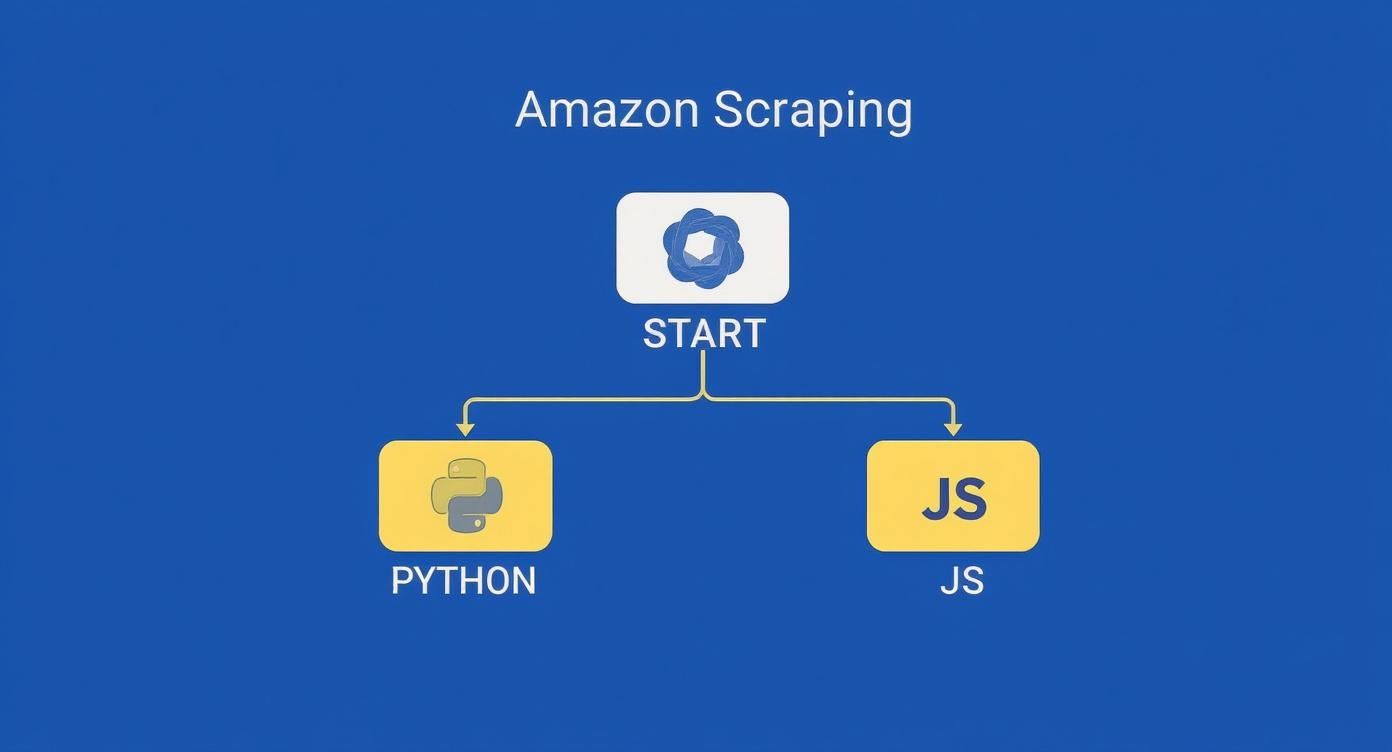
As the diagram shows, the path you take often comes down to your team's existing tech stack and expertise, whether that’s Python or JavaScript. The most sophisticated scraping APIs can pull data from over 195 localized Amazon stores, giving you access to markets from the US to Japan. These powerful tools can grab everything from product pages to search results, reviews, and best-seller rankings. For a deeper dive, you can find more insights on global data extraction capabilities at Oxylabs.io.
The core principle is alignment. A cheap API that works for a startup will crumble at enterprise scale. Likewise, a heavy-duty enterprise API is probably overkill for a simple price checker. Always start by clearly defining your project's scope, scale, and what you consider an acceptable failure rate.
Making the Final Decision
When it comes down to it, your selection process is a balancing act. You have to weigh the criteria we've been talking about.
For Startups and Small Projects: Look for a cost-effective API, especially one with a pay-as-you-go model. A solution that’s easy to integrate and has solid documentation will get you up and running fast, even without a dedicated infrastructure team.
For High-Stakes Data Accuracy: If your application can't afford errors—think financial analytics or training machine learning models—then you need an API that guarantees data quality. That means choosing one that uses a real browser architecture to render JavaScript correctly.
For Large-Scale, Global Scraping: If you're an enterprise-level user, your non-negotiables are extensive proxy networks, country-level targeting, and high concurrency limits. You need an API that can handle millions of requests without breaking a sweat.
By measuring your needs against these scenarios, you can confidently pick an Amazon scraping API that not only fits your technical specs but also delivers a solid return on your investment.
Frequently Asked Questions
Diving into Amazon data extraction can feel like navigating a maze. When you're dealing with a site as sophisticated as Amazon, questions are bound to pop up. Here are some straightforward answers to the things we hear most often about using an Amazon scraping API.
We’ll touch on the big topics: legality, the technical headaches like CAPTCHAs, and how to pull data from Amazon's international sites. The goal is to give you the clarity you need to get your project moving.
Is Using an Amazon Scraping API Legal?
Scraping public data generally falls into a legal gray area, but it's widely practiced. The key is to do it ethically. That means respecting Amazon's Terms of Service, never touching personal data, and making sure your scraping doesn't hammer their servers.
This is where a professional API service really helps. They are designed to make requests responsibly, minimizing any disruption. Still, for advice specific to your project and location, it's always a good idea to talk to a legal professional.
How Do Scraping APIs Handle Blocks and CAPTCHAs?
Frankly, this is the main reason you'd use a commercial Amazon scraping API in the first place. These services are built from the ground up to deal with Amazon's defenses so you don't have to.
The real magic of a managed API is that it makes the hardest parts of scraping disappear. It takes on the entire anti-bot fight, letting you focus on the data itself.
Here’s a look under the hood:
Rotating Residential Proxies: They use massive pools of real IP addresses from actual internet service providers. This makes each request look like it's coming from a regular person.
Real Browser Emulation: The API mimics everything about a real browser, from the user-agent string down to the tiny quirks in how JavaScript runs.
Integrated CAPTCHA Solving: When a CAPTCHA does pop up, advanced AI systems solve it automatically in the background. You never even see it.
Essentially, you're outsourcing the entire problem. The API manages the retries, IP cycling, and CAPTCHA solving, then hands you a clean JSON response.
Can I Scrape Data from Different Amazon Country Websites?
Yes, absolutely. Any good Amazon scraping API is built for global data gathering. They fully support targeting specific domains like , , or , which is critical for anyone doing international market research or price tracking.
Typically, you just add a country parameter to your API call. The service is smart enough to route your request through a proxy server in that geographic region. This gets you the correct localized data—including the right currency, language, and product availability for that market.
Ready to bypass blocks and get clean, structured data from any website? ScrapeUnblocker handles proxy rotation, browser fingerprinting, and CAPTCHA solving for you. Start building your data pipeline today at https://www.scrapeunblocker.com.


Comments