
How to Scrape LinkedIn Data The Right Way
- Nov 21, 2025
- 16 min read
Scraping LinkedIn is a delicate art, not a brute-force attack. To pull it off consistently, you need a setup that can truly mimic human behavior. That means combining a headless browser like Playwright with high-quality rotating residential proxies and, most importantly, smart session cookie management. Forget simple scripts; they'll get you blocked in minutes. A resilient, multi-layered architecture is the only way to navigate the platform's advanced defenses and get the data you need.
The Reality of Scraping LinkedIn Data Today
Let's be clear: scraping LinkedIn isn't what it used to be. It's now a strategic game that requires a solid plan from the start. Businesses still rely on this data for everything from market research and lead generation to recruiting top talent, but LinkedIn has built a fortress to protect it. The days of running a simple Python script to grab profile info are long gone. Today, you're up against a system that's incredibly good at spotting and shutting down automated tools.
This modern reality forces us to think differently. Before you write a single line of code, you have to understand the obstacles. Firing off direct requests from your server's IP address is a surefire way to get banned almost instantly. LinkedIn's security isn't just one big wall; it's a dynamic, layered defense system.
Understanding LinkedIn's Anti-Bot Systems
LinkedIn's defenses are both sophisticated and constantly evolving. The platform uses a complex mix of blocking mechanisms that look at everything from authentication patterns and behavioral cues to the unique fingerprint of your requests. It analyzes IP quality, browser headers, and even device characteristics to assign a "fraud score" to every visitor. This is precisely what makes it so tough for scrapers to stay under the radar. To get a deeper dive into these detection methods, the folks at Scrapfly.io have a great breakdown that covers the full scope of the challenge.
What this all means is that your scraper has to be a convincing actor. It can't just fetch data; it has to look and act like a real person.
This involves nailing a few key things:
Behavioral Analysis: LinkedIn watches everything. It tracks how you scroll, what you click, and how much time you spend between actions. Moving too fast or too predictably is an immediate giveaway.
IP Reputation: Not all IPs are created equal. Data center IPs stick out like a sore thumb and are quickly flagged. Residential IPs, which come from real user devices, are far more trustworthy.
Browser Fingerprinting: Every browser has a unique signature—its version, installed plugins, screen resolution, and more. LinkedIn analyzes this fingerprint to spot the tell-tale signs of an automated bot.
The name of the game in 2024 is mimicry. Your scraper’s real job isn’t just grabbing data; it’s about blending in so seamlessly with millions of other users that LinkedIn’s security algorithms don’t even notice you’re there.
Ignoring these systems is the single biggest reason most LinkedIn scraping projects fail. To succeed, you have to design your architecture with these challenges in mind from day one. It's less about raw power and more about playing a smart, strategic cat-and-mouse game.
Navigating this complex environment requires understanding the specific hurdles you'll face. Here's a quick look at the core challenges and the strategies needed to overcome them.
Core Challenges in LinkedIn Scraping
Challenge | Description | Strategic Approach |
|---|---|---|
Authentication & Session Management | LinkedIn requires a valid, logged-in session. Managing session cookies and avoiding account flags is critical. | Use legitimate accounts with established history. Implement sophisticated cookie management to persist sessions across requests. |
IP Blocking & Rate Limiting | The platform aggressively blocks IPs that send too many requests, especially from data centers. | Employ a large pool of high-quality, rotating residential proxies to distribute requests and appear as distinct users. |
Dynamic Content (JavaScript) | Profiles and search results are loaded dynamically with JavaScript, making them invisible to simple HTTP clients. | Use a headless browser (like Playwright) to render the full page, executing all JavaScript just as a real browser would. |
CAPTCHAs & Anti-Bot Checks | LinkedIn frequently presents CAPTCHAs or other challenges when it detects suspicious activity. | Integrate with third-party CAPTCHA-solving services and implement logic to detect and handle these interruptions gracefully. |
Complex HTML Structure | The site’s HTML is complex and changes often, breaking CSS selectors and XPath-based extractors. | Develop resilient, attribute-based selectors (e.g., using ) and build in monitoring to detect layout changes quickly. |
Ultimately, a successful scraping operation is one that's built for resilience. It anticipates failure, adapts to changes, and never underestimates the platform's defenses.
Building a Resilient Scraping Architecture
If you want to reliably scrape LinkedIn, you have to build a rock-solid technical foundation. Forget about simple scripts that just send basic HTTP requests—they don't stand a chance. LinkedIn's dynamic, JavaScript-heavy environment will shut them down before they even get started. Your entire operation hinges on getting two things right: proper page rendering and smart proxy management.
A lot of people make the mistake of trying to use libraries like or on their own. While these tools are great for simple, static websites, they can't actually run the JavaScript that builds a LinkedIn page. All you'll get back is the initial, empty HTML shell. The good stuff—the profiles, job details, and search results—is all loaded in later by client-side scripts.
This is exactly why headless browsers are non-negotiable.
Choosing Your Rendering Engine
A headless browser is basically a web browser like Chrome or Firefox, but it runs in the background without any visible interface. We can control these browsers with code using tools like Playwright or Selenium, which makes them perfect for scraping modern websites. They load every element and run every script, just like a real user's browser would.
Playwright: This is the modern go-to. It's fast, reliable, and has fantastic auto-wait features that automatically pause your script until elements actually appear on the page. This one feature solves so many of the timing headaches that plague older tools.
Selenium: The old guard and long-time industry standard. It can be a bit more clunky to write than Playwright, but its massive community and decades of documentation make it a seriously dependable choice.
The bottom line is simple: you have to use a tool that can fully render the page. If you don't, your scraper is flying blind.
This infographic breaks down the strategic flow you need to beat modern scraping defenses.
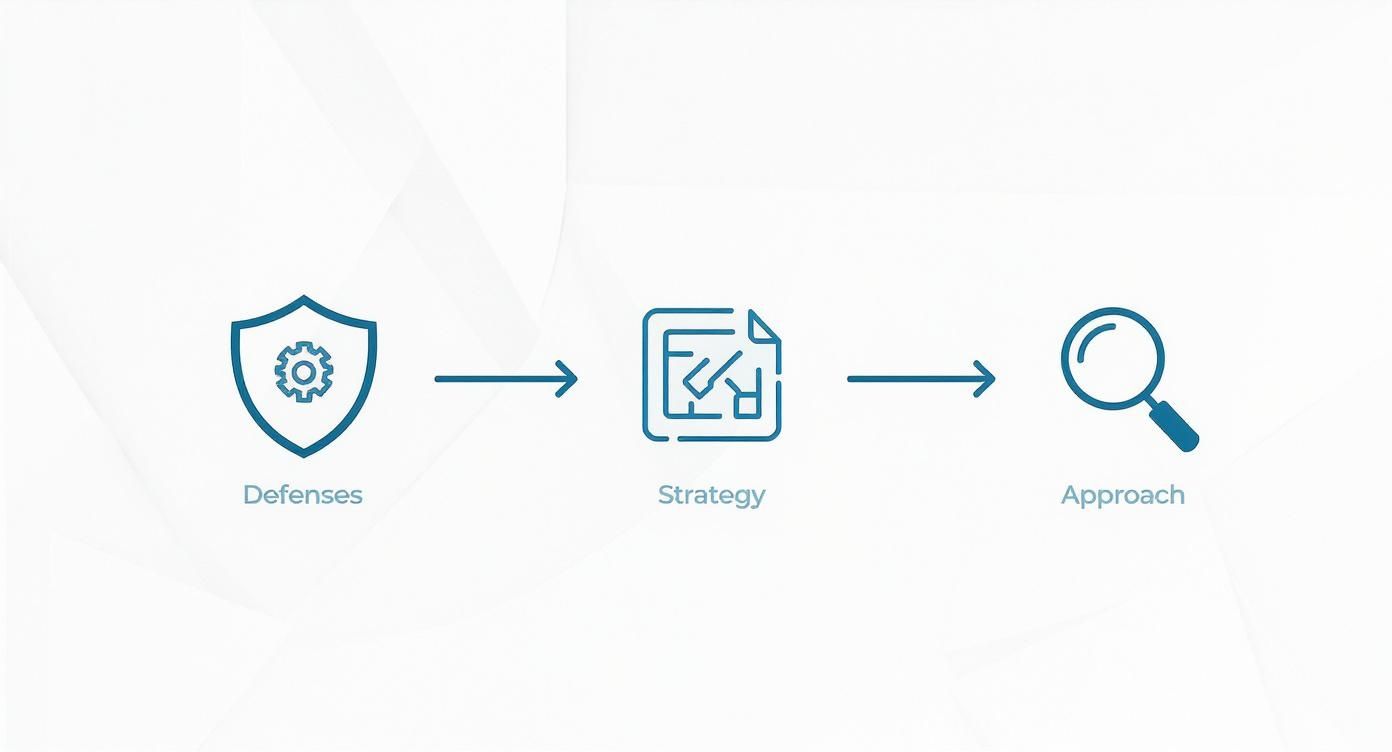
As you can see, a successful approach starts with understanding the defenses, then crafting a robust strategy, and finally executing with the right technical tools.
Mastering Proxy Management for Evasion
Even with the perfect rendering setup, sending all your requests from a single IP address is a rookie mistake. You'll be blocked in minutes. This is where proxies come in. A proxy server acts as a middleman, masking your real IP and making your requests look like they're coming from all over the place.
But here's the catch: not all proxies are created equal. The type you choose will make or break your scraper.
Key Takeaway: Using cheap, low-quality, or easily detectable proxies is the fastest way to get your scraper shut down. Investing in the right proxy infrastructure is just as important as the code you write.
Let's quickly go over the main options:
Datacenter Proxies: These are the cheapest and most common proxies out there. They come from servers in data centers, and their IP addresses are easily flagged as non-residential. LinkedIn's systems will spot these almost instantly, making them a terrible choice for this job.
Mobile Proxies: These IPs are assigned to mobile devices by cell carriers. They carry a very high trust score but are usually the most expensive option. For most projects, they're overkill.
Residential Proxies: This is the sweet spot. These are real IP addresses from actual Internet Service Providers (ISPs) assigned to home users. Because they look exactly like legitimate user traffic, they are the key to blending in and avoiding detection on a platform as sophisticated as LinkedIn.
For any serious project on how to scrape LinkedIn data, high-quality rotating residential proxies are mandatory. A rotation system automatically cycles through a huge pool of these IPs, assigning a new one to each request or session. This makes it incredibly difficult for LinkedIn to piece together your activity and flag it as a bot. You can dive deeper into this topic with this guide on rotating proxies for web scraping unlocked. Trust me, this strategy is fundamental to achieving any kind of scale and staying under the radar.
Mastering Authentication and Session Persistence
Getting past LinkedIn's login page is the first hurdle, but the real challenge is staying logged in without setting off alarms. If you're logging in with fresh credentials for every single scrape, you're practically waving a giant red flag that screams "I'm a bot!" to LinkedIn's security.
The secret to stable, long-term scraping is all about session persistence.
When you log in, LinkedIn gives your browser session cookies—think of them as your digital passport for that visit. The goal is to grab these cookies on your first successful login and then reuse them on every subsequent run. This lets you skip the username/password song and dance entirely, which dramatically lowers your scraper's visibility.
The Power of Reusing Session Cookies
A real person doesn't log in and out of their account every five minutes. They log in once and might stay that way for days, even weeks. Your scraper needs to do the same. By saving the session cookies after that initial login, you can just load them into your headless browser for future runs, making your activity look far more human.
Here’s a practical way to pull this off using Playwright in Python. This code shows how to log in once, save the session state to a file, and then simply load that file for all future scraping jobs.
from playwright.sync_api import sync_playwright
--- First Run: Log in and save the session ---
with sync_playwright() as p: browser = p.chromium.launch(headless=False) context = browser.new_context() page = context.new_page() page.goto("https://www.linkedin.com/login")
# --- Manual Login Step ---
# Manually enter your credentials in the browser window.
# After you're logged in, the script will save the state.
page.wait_for_selector("input[aria-label='Search']") # Wait for homepage to load

# Save authentication state to a file
context.storage_state(path="auth_state.json")
print("Authentication state saved successfully!")
browser.close()
--- Subsequent Runs: Reuse the session ---
with sync_playwright() as p: browser = p.chromium.launch() # Load the saved authentication state context = browser.new_context(storage_state="auth_state.json") page = context.new_page()
# Go directly to a page that requires login
page.goto("https://www.linkedin.com/feed/")
print("Successfully reused session!")
# Your scraping logic starts here...
browser.close()
This isn't just about efficiency; it makes your scraper much more resilient. By steering clear of the login form, you reduce your chances of running into CAPTCHAs and other checks that LinkedIn loves to throw at you during authentication. It's a fundamental step that many developers overlook. If you're new to this, it's worth getting a good handle on the basics—you can master dynamic data extraction with Selenium to really understand the underlying principles.
Warming Up Your Scraping Accounts
Just like an athlete needs to warm up, so do your scraping accounts. Firing up a brand-new account and trying to scrape hundreds of profiles on day one is a surefire way to get it banned. You have to build up a history of normal, human-like activity first to gain some trust with the platform.
This "warm-up" period involves simulating what a real user would do over several days, building a credible activity log for your account.
What does a good warm-up look like?
Connect with a few people: Send a handful of connection requests. Keep it small.
Browse some profiles: Click around and view a few profiles without scraping anything.
Engage a little: Like or comment on a couple of posts in your feed.
Scroll aimlessly: Spend some time just scrolling the main feed, like any normal user would.
Pro Tip: The whole point of a warm-up is to make your account look boringly human. A slow start is infinitely better than a high-volume blitz. Give this process at least 3-5 days before you even think about starting a major scraping task.
This methodical approach helps establish your account as legitimate in the eyes of LinkedIn's monitoring systems. When you combine persistent sessions with a smart warm-up strategy, you're building a solid foundation for reliable, low-detection scraping. It’s a game of patience, but it’s the only way to win.
Extracting Data While Avoiding Detection
Okay, so you've got a stable, authenticated session running. Now the real fun begins: the cat-and-mouse game of pulling data without setting off LinkedIn's alarms. This isn't about brute force or speed. It's about finesse. You have to move like a human, think like a human, and leave a digital footprint that looks completely natural.
Your first line of defense is building robust selectors. LinkedIn’s front-end developers can (and do) change class names on a whim, which will instantly break a scraper that's too rigid. To sidestep this, I always prioritize attribute-based selectors. Look for things like or stable ARIA labels—they're far less likely to change than a random CSS class. This simple shift in strategy will save you countless hours of maintenance down the road.
This has become even more critical lately. The game changed significantly in 2025 when LinkedIn hid detailed work history from most public profiles. This move essentially split scraping into two paths: you either scrape behind a login to get the rich, detailed data (and accept a much higher risk of getting your account banned), or you stick to the limited public data, which is safer but far less valuable. Understanding this distinction is key, and you can see a deeper dive into how this affects scraping strategies in 2025.
Mimicking Human Behavior to Stay Under the Radar
At its core, staying undetected is about one thing: acting like a person, not a script. Bots are predictable. Humans are messy and random. Your job is to build that convincing randomness right into your scraper's logic.
Randomize Your Delays: A fixed is a dead giveaway. Real people don't wait exactly two seconds between every action. Use a randomized delay, something like 2.5 to 5.8 seconds, between page loads. It’s far more believable.
Scroll Naturally: A bot will often just jump to an element. A person scrolls, pauses, maybe even scrolls back up a bit. You can easily script this with your headless browser by executing JavaScript that scrolls in uneven, randomized chunks.
Mix Up Your Actions: Don't just hammer profiles one after another. Throw in some "distraction" activities. Every so often, have your script navigate back to the homepage, click on a notification, or browse the feed for a moment. This breaks up the monotonous pattern of pure data extraction.
This philosophy of blending in is your best defense against modern anti-bot systems. We cover this in more detail in our guide on how to bypass website blocking ethically.
Smart Pagination and Rate Control
When you're staring down a search result with thousands of profiles, your first instinct might be to blaze through the pages. Don't. LinkedIn is watching, and an account that rips through 50 pages in under a minute is going to get flagged immediately. This is where you need to be smart about your rate control.
I’ve found the best approach is to break your scraping jobs into smaller, time-boxed sessions. Scrape maybe 10-15 profiles, then give it a rest. Take a longer, randomized break for a few minutes, just like a real user would to grab a coffee or answer an email.
Crucial Insight: Your scraper's biggest enemy is its own efficiency. The goal isn't to scrape as fast as possible; it's to scrape for as long as possible without getting caught. Slow, steady, and unpredictable wins this race every time.
Here’s a pagination strategy that has worked well for me:
Set a "Session Limit": Decide on a maximum number of profiles to hit in one go. Maybe it's 50, maybe it's 100.
Vary Your Pacing: Between each page load within that session, use a short, random delay of 3-7 seconds.
Take a "Cool-Down": Once you hit your session limit, put the scraper to sleep for a much longer, randomized period—think 15-30 minutes—before it kicks off the next batch.
This kind of methodical pacing makes your activity look so much more organic.
Handling Captchas as a Last Resort
Even with the best evasion tactics, you’ll probably hit a CAPTCHA eventually. Don't panic. Seeing one isn't a failure; it's a warning shot from LinkedIn telling you to back off. Your immediate response should be to stop everything, take a look at your scraping speed and patterns, and dial up your delays.
If you keep getting hit with them, integrating a third-party solving service is your final line of defense. These services can get your script past the challenge, but relying on them is a crutch. If you're constantly triggering CAPTCHAs, it means your core strategy isn't stealthy enough. Think of them as an emergency backup, not your go-to solution.
Ethical Data Handling and Responsible Scraping
Getting the raw HTML is really just the beginning. The real work starts when you turn that chaotic mess of code into clean, usable data, all while navigating the ethical and legal minefield that comes with web scraping. It's one thing to solve the technical puzzle of extraction; it's another entirely to use that information responsibly.
The first step is always structuring the data. Raw HTML is a nightmare to work with directly, so we need to parse it into a predictable format. For this kind of work, JSON (JavaScript Object Notation) is the undisputed king. It’s lightweight, easy for humans to read, and can be consumed by virtually any programming language or database out there.

Building a Clean Data Schema
Before writing a single line of parsing code, map out what you want to capture. A clear schema acts as a blueprint for your data, ensuring every record is consistent and complete. Without one, you'll end up with a messy, unreliable dataset.
For a typical LinkedIn profile, a solid starting schema might look like this:
fullName: The person's full name.
headline: Their professional title or tagline.
currentCompany: The name of their present employer.
location: Their listed city and country.
profileUrl: A direct link to their LinkedIn profile.
Defining this structure from the get-go sharpens your focus. It transforms your scraping logic from a vague "grab everything" approach to a precise extraction mission, making your final dataset infinitely more valuable.
Navigating the Legal and Ethical Tightrope
Alright, let's talk about the most critical part of this entire process: the rules of engagement. This is where so many scraping projects fall apart—not from a technical bug, but from a failure to respect the platform and its users.
The legality of scraping LinkedIn is a gray area, and your best defense is to operate with extreme caution. The safest path is to treat scraping as a harm-reduction exercise, not a growth hack. This means keeping your volume incredibly low, only operating on accounts you own, and always adding a layer of human review before using the data. If LinkedIn pushes back with CAPTCHAs, constant re-logins, or warnings, the only smart move is to stop. Trying to brute-force your way through is a losing game. To get a better handle on this, you can explore more insights on responsible scraping practices.
At its core, the principle is simple: you are a guest on their platform. Your activity should be invisible and never disrupt the service for anyone else. Aggressive, high-volume scraping is out of the question. Slow and steady wins the race here.
The golden rule is straightforward: Collect only what you need, use it only for its intended purpose, and never violate user privacy. Cutting corners isn't just unethical; it's the fastest way to get your IPs blocked, accounts banned, and potentially face legal action.
A Framework for Responsible Scraping
To stay on the right side of the line, you need a clear framework built on a few non-negotiable pillars. This isn't just about avoiding a ban; it's about building a data pipeline that's both sustainable and ethical.
Guiding Principles for Ethical Scraping
Principle | Actionable Advice |
|---|---|
Respect User Privacy | Stick exclusively to data that users have made publicly available on their profiles. Never even attempt to access private information. |
Minimize Your Footprint | Use slow, randomized request patterns to mimic human behavior. Your goal is to blend in, not trigger alarms with machine-like speed. |
Maintain Data Integrity | Use the collected data for legitimate business intelligence, like market research or identifying potential leads. Never resell raw data or use it for spam. |
Honor Opt-Outs | If a profile is set to private or has otherwise restricted access, that's a hard stop. Respect that choice and move on. |
Ultimately, successful LinkedIn scraping is as much about your ethical compass as it is about your code. By structuring data cleanly from the start and sticking to a strict ethical framework, you can build a system that’s not only effective but also responsible.
Common Questions About Scraping LinkedIn Data
When you start diving into LinkedIn data extraction, a lot of questions pop up, especially around the legal side of things, the right tech, and how to stay out of trouble. Getting straight answers is vital before you write a single line of code, since a wrong move can get your account flagged or your IP blocked.
Let's walk through the big questions I hear all the time to make sure your project starts on solid ground.
Is It Legal to Scrape Data from LinkedIn?
This is always the first question, and for good reason. The answer, frustratingly, isn't a simple "yes" or "no." It's complicated.
The legal side of things is a bit murky. While a U.S. court ruling indicated that scraping public data doesn't violate the Computer Fraud and Abuse Act (CFAA), that’s not the whole story. Scraping is almost certainly a violation of LinkedIn's Terms of Service—the very terms you agreed to when you signed up.
This puts you in a gray area. The best approach is to think in terms of harm reduction.
Stick to public data. Never, ever try to pull information that isn't publicly visible. That’s a line you don't want to cross.
Don't be aggressive. Sending thousands of rapid-fire requests can bog down their servers, which is a big no-no. Keep your scraping activity low and slow.
Be ethical with the data. Use what you collect for legitimate purposes, like market research or lead generation, not for spamming people or reselling their personal info.
Here's a pro tip: If LinkedIn starts throwing up CAPTCHAs or warnings, just stop. Take it as a sign to back off and rethink your approach. Trying to brute-force your way past their defenses is what can turn a simple terms-of-service violation into a much bigger headache.
What Is the Best Tech Stack for Scraping LinkedIn?
Picking the right tools from the get-go is half the battle. LinkedIn is a modern, JavaScript-heavy website, which means simple tools like the library won't work. They just can't see the content because they don't execute the scripts that render it.
You need a setup that can act like a full-blown web browser.
Python is the undisputed king here, thanks to its incredible ecosystem of libraries built for this exact purpose. For any serious LinkedIn scraping project, your toolbox should include:
A headless browser automation library like Playwright or Selenium. These are the powerhouses that will render the dynamic pages, handle your login, and click around just like a person. I personally lean towards Playwright these days for its more modern API and built-in "auto-wait" features, which save a ton of headaches.
A solid HTTP client like HTTPX. You'll use this less for scraping profile pages and more for any direct API calls you might discover, though that’s an advanced technique.
This combination gives you the muscle you need to navigate LinkedIn’s tricky front-end.
How Can I Avoid Getting My Account Banned?
This is the million-dollar question. Keeping your account safe isn't about one single trick; it's about a combination of strategies that all point to one goal: looking as human as possible.
First off, your IP address is your digital passport. A scraper running from a single data center IP is a dead giveaway. You absolutely need to use high-quality rotating residential proxies. This makes your traffic look like it's coming from dozens of different real users in different locations, which is much harder to flag.
Second, your scraper needs to behave like a human. This means building in randomized delays between actions. A real person doesn't click a new profile exactly every 2.5 seconds. They read, they scroll, they pause. Mimic that. Also, set a reasonable daily limit on the number of profiles you visit. A bot is predictable and inhumanly fast; a person is slower and a bit random.
Finally, smart session cookie management is non-negotiable. Reusing the cookies from a valid login session means you don't have to log in from scratch every single time you run your script—a massive red flag for any anti-bot system. I also recommend "warming up" any new accounts you plan to use. Just use them normally for a few days: connect with people, browse a bit, like some posts. This builds a history of legitimate activity and drastically lowers your risk of an instant ban.
Ready to bypass the toughest anti-bot defenses without the hassle of managing proxies and browsers yourself? ScrapeUnblocker provides a powerful API that handles JavaScript rendering, CAPTCHA solving, and smart proxy rotation for you. Stop wrestling with infrastructure and start getting the data you need. Explore our simple, per-request pricing and see how we can accelerate your data projects at https://www.scrapeunblocker.com.


Comments