
A Guide to Residential Proxies for Instagram
- Nov 9, 2025
- 15 min read
If you're serious about automating anything on Instagram, let's get one thing straight: residential proxies are non-negotiable. Datacenter IPs are a one-way ticket to getting your accounts flagged, while real residential IPs from actual internet service providers let your automated tasks fly under the radar. They make your activity look just like regular user traffic, which is the key to managing accounts safely and at scale.
Why Instagram Automation Demands Residential Proxies

Anyone who’s tried to manage multiple Instagram accounts has probably hit the infamous "Action Blocked" wall. It’s more than just an annoyance; it’s a hard stop that kills your engagement, breaks your workflow, and puts your accounts in jeopardy. This isn't random—it's Instagram's detection systems doing exactly what they were designed to do.
The platform is incredibly good at spotting and shutting down activity that doesn't look human. Think rapid-fire likes, following hundreds of accounts in an hour, or running several profiles from the same IP address. These are all huge red flags for automation, triggering Instagram’s defenses to kick in and protect its platform from what it sees as spam.
The Datacenter Proxy Trap
A lot of people's first instinct is to grab a cheap datacenter proxy, thinking it's an easy way to mask their IP. This is a classic mistake, and it's almost always a costly one. Datacenter IPs are sourced from commercial servers, and Instagram knows exactly where they come from. They maintain massive blocklists of IP ranges belonging to data centers.
The second your bot sends a request from a known datacenter IP, you might as well be shouting through a megaphone. Instagram’s systems can flag and block these IPs in a heartbeat, often before you can perform a single action.
This is precisely why datacenter proxies are a dead end for any real Instagram operation. You end up in a frustrating loop of action blocks, shadowbans, and even permanent account suspensions. It's a massive waste of time and puts your valuable accounts at risk.
Residential Proxies: The Secret to Blending In
This is where residential proxies for Instagram completely change the dynamic. Unlike datacenter IPs, residential proxies route your requests through IP addresses assigned to real homes by genuine Internet Service Providers (ISPs). From Instagram's perspective, an action coming from a residential proxy looks identical to one from a regular person scrolling on their home Wi-Fi.
This authenticity is your best camouflage. Your automated tasks, whether you're scraping follower data or managing client accounts, simply blend in with the millions of other real users on the platform. The risk of getting caught plummets, allowing you to run your operations long-term without constantly looking over your shoulder.
The market for proxies, especially residential solutions for platforms like Instagram, was valued at $4.29 billion in 2023 and is expected to hit $7.59 billion by 2032. This growth is fueled by the critical need for reliable and safe account management. You can learn more about the rise of static residential proxies from detailed industry analysis. Using these real household IPs is what keeps your automation running smoothly and safely.
Comparing Proxy Types for Instagram Safety
Choosing the right proxy isn't just a technical detail—it's the foundation of your entire Instagram strategy. To make it clear, here’s a quick breakdown of how datacenter, residential, and mobile proxies stack up against Instagram's detection systems.
Proxy Type | IP Source | Instagram Detection Risk | Primary Use Case | Typical Cost |
|---|---|---|---|---|
Datacenter | Commercial servers | Very High | General web scraping (non-social media) | Low |
Residential | Real home ISPs | Very Low | Instagram automation, account management | Medium |
Mobile | Mobile carriers (4G/5G) | Extremely Low | High-value accounts, creating new accounts | High |
As you can see, while datacenter proxies are cheap, their high detection risk makes them a poor choice for Instagram. Residential proxies hit the sweet spot of safety and affordability, making them the go-to for most automation tasks. Mobile proxies offer the ultimate level of authenticity but at a premium price, best reserved for the most critical operations.
Choosing Between Residential and Datacenter Proxies
When it comes to picking a proxy for Instagram, you’ll quickly find yourself weighing two main options: residential and datacenter. Datacenter proxies might look tempting with their lower price tag, but trust me on this one—it's a classic case of getting what you pay for. Those initial savings almost always turn into bigger headaches down the line.
Datacenter proxies get their IP addresses from cloud providers and commercial hosting companies. This makes them incredibly easy for Instagram's detection systems to spot. Instagram maintains lists of IP ranges from these data centers and often blocks them on sight, meaning your automation could fail before it even gets off the ground.
The Problem with Datacenter IPs
Think of a datacenter IP as a known red flag. The second you send a request from an IP address tied to a server farm, you're practically shouting that your activity isn't from a regular person. Instagram’s systems are designed to catch exactly that.
This is why so many people hit immediate action blocks or endless CAPTCHAs when using datacenter proxies. The IP address itself is the dead giveaway, no matter how carefully you tweak your automation speed or behavior. It’s like trying to sneak into a party while wearing a giant neon sign.
The real issue here is trust. Instagram's anti-bot measures are all about spotting patterns that don't look human. A request from a datacenter IP is one of the biggest deviations possible, and it instantly puts your account under the microscope.
For any serious, long-term work on Instagram, this high detection risk makes datacenter proxies a non-starter. The constant battle of replacing blocked IPs and the ever-present threat of account suspension just aren't worth the upfront cost savings.
Why Residential Proxies Are the Smart Play
This is where residential proxies for Instagram come in and completely change the game. Instead of a server, these proxies route your traffic through IP addresses assigned to real homes by actual Internet Service Providers (ISPs). From Instagram's perspective, your activity looks identical to a genuine user scrolling through their feed at home.
That layer of authenticity is precisely what makes them so powerful. Your requests just blend in with the millions of other legitimate actions happening on the platform at any given moment.
This has caused a massive shift in the market. Over the last few years, residential proxies have completely taken over for social media tasks. Proxy providers now report that residential IPs drive the majority of their revenue, with some seeing over 100% year-over-year growth in this area. This is a direct result of platforms like Instagram getting so good at blocking datacenter traffic, making residential the only reliable choice. You can explore the full proxy market research here.
A Quick Cost-Benefit Reality Check
Yes, residential proxies cost more upfront, usually because you pay for the bandwidth you use. But you have to stop thinking of it as just an expense. It's an investment in keeping your operations stable and your accounts safe.
Think about the hidden costs that come with cheap datacenter proxies:
Wasted Time: How many hours will you burn dealing with action blocks, solving CAPTCHAs, and trying to recover suspended accounts?
Lost Accounts: Losing a valuable, aged Instagram account is a massive setback, both financially and strategically.
Bad Data: If you're scraping, constant blocks mean your datasets will be incomplete, patchy, and unreliable.
When you add it all up, the higher price for residential proxies makes perfect sense. You're paying for reliability and peace of mind, which lets your automation run smoothly without constant fire-fighting. And for any task that needs frequent IP changes, understanding how rotating proxies for web scraping works is essential.
In the end, choosing a residential proxy is about playing the long game. It’s the foundation for a sustainable and scalable Instagram strategy that doesn’t leave your most valuable digital assets hanging by a thread.
Getting Your Hands Dirty: Configuring Residential Proxies for Instagram
Alright, let's move from theory to practice. This is where your Instagram automation strategy either sinks or swims. Getting your residential proxies configured correctly is, without a doubt, the most critical step in keeping your accounts healthy and your operations running. Even a small misstep here can get you flagged instantly, so let's walk through the settings that separate a successful setup from a dead-on-arrival one.
This quick visual sums it up perfectly—it shows the typical outcome when you use the wrong proxy type versus the right one.
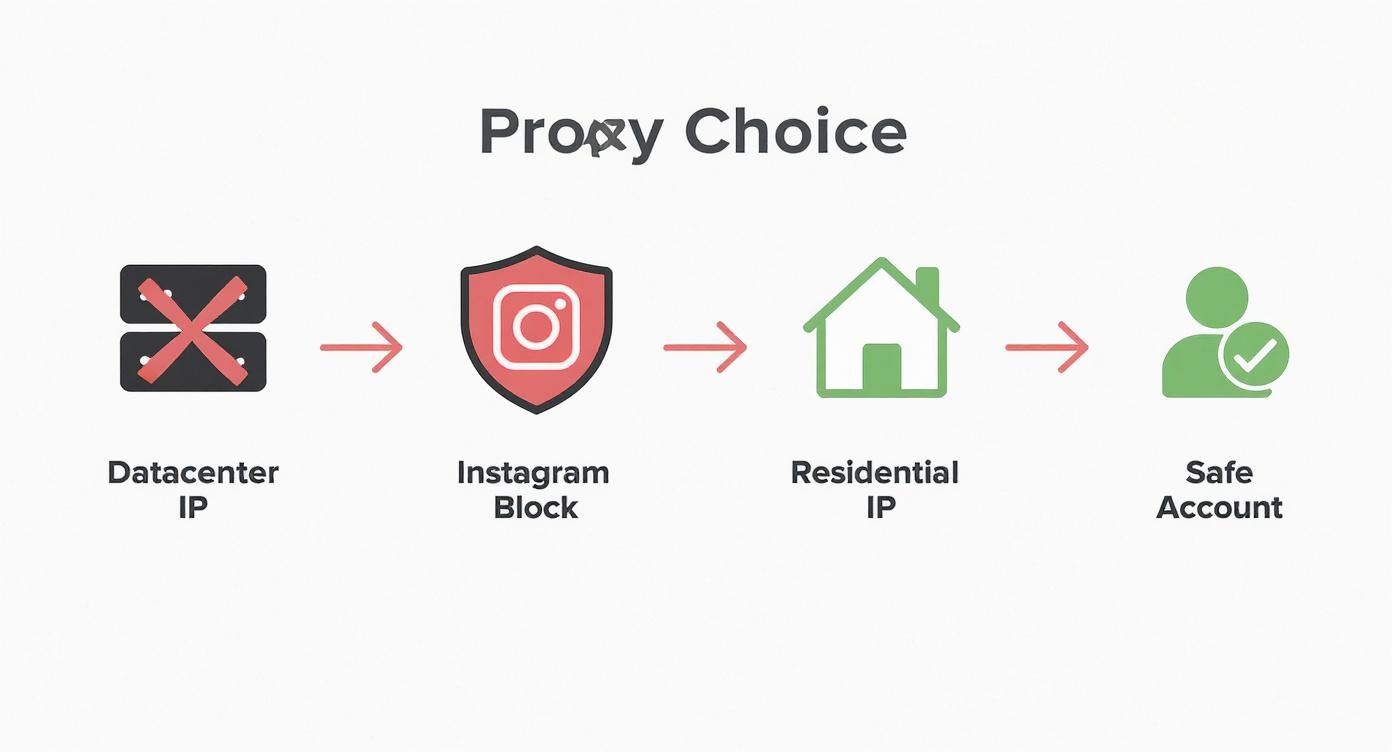
As you can see, datacenter IPs are often a direct path to getting blocked. Residential IPs, on the other hand, are your ticket to maintaining a stable, operational account.
Authentication: Making a Secure Connection
Before you can push any traffic through your proxy, you first have to prove you are who you say you are. This is handled through authentication, and you’ll usually see two main ways to do it.
Username and Password: This is the old standby for a reason. Your provider gives you a username and password, and you pop them into your proxy connection details. It's secure, and because it’s not tied to a specific machine, it's perfect for scripts running on cloud servers or different computers.
IP Whitelisting: With this method, you tell your proxy service, "Hey, any traffic from this specific IP address is me." It’s convenient if you're always working from a machine with a static IP, like your office desktop, but it's a pain if your script’s location ever changes.
For the vast majority of Instagram automation scripts, username/password is the way to go. Its flexibility is a lifesaver.
Session Control: The Rotating vs. Sticky Dilemma
Session management is a concept you absolutely have to master for Instagram. It all comes down to a simple question: does your IP address change with every action, or does it stay the same for a while? Botching this is like waving a giant red flag at Instagram's detection systems.
Rotating SessionsThink of a rotating session as getting a new disguise for every single request you make. A fresh residential IP is assigned each time. This is a killer feature for large-scale data scraping—like when you're pulling information from thousands of profiles and need to avoid hitting rate limits on any single IP.
Sticky SessionsA sticky session is the complete opposite. It gives you one residential IP and lets you hold onto it for a set amount of time, usually anywhere from 5 to 30 minutes. This isn't just a suggestion; it's a hard requirement for any task that involves managing a logged-in account.
Imagine this from Instagram's perspective: a user logs in from a New York IP, likes a post from a Los Angeles IP two seconds later, and then uploads a story from a Chicago IP five seconds after that. No real human moves that fast. It's erratic, impossible behavior that screams "BOT!" and is a surefire way to get an account suspended.
Bottom line: If you're posting content, answering DMs, or following users, you must use a sticky session to look like a normal, consistent user.
Geo-Targeting: Location, Location, Location
Another piece of the puzzle you can't ignore is geo-targeting. This feature lets you choose residential proxies that come from a specific country, state, or even city. For Instagram, this isn't just a neat trick—it's a core part of your operational security.
Your proxy's location needs to match where the account has historically been used. If an account has always been active in Germany, and you suddenly start sending requests from proxies in Brazil, you’re creating a huge anomaly that Instagram’s AI will flag for a closer look. Always, always align your proxy's geo-location with the account's origin to fly under the radar.
Putting It All Together: A Python Example
So, how does this look in actual code? Once you have your proxy credentials, plugging them into an automation script is pretty straightforward. You just need to format a proxy string that your HTTP library of choice can understand.
Here’s a quick example of how you could set up a sticky, geo-targeted session using Python's fantastic library.
import requests
Your residential proxy credentials and settings
proxy_host = 'gate.scrapeunblocker.com'proxy_port = '12345'proxy_user = 'your_username'proxy_pass = 'your_password'country_code = 'US' # Geo-targeting to the United Statessession_id = 'a_unique_session_id' # For a sticky session
Format the proxy URL for authentication
proxy_url = f"http://{proxy_user}-country-{country_code}-session-{session_id}:{proxy_pass}@{proxy_host}:{proxy_port}"
The proxies dictionary that the requests library will use
proxies = { "http": proxy_url, "https": proxy_url,}
The target URL on Instagram you want to access
target_url = 'https://www.instagram.com/some_profile'
try: # Make the request through the configured residential proxy response = requests.get(target_url, proxies=proxies, timeout=15)
# Check if the request was successful
if response.status_code == 200:
    print("Successfully accessed the page via the residential proxy!")
    # You can now process the response.text or response.json()
else:
    print(f"Request failed with status code: {response.status_code}")
except requests.exceptions.RequestException as e: print(f"An error occurred: {e}")
This little snippet is a perfect blueprint for a real-world setup. If you want to go deeper, our guide on using Python Requests with proxies offers a more detailed look.
By nailing these three elements—authentication, session type, and location—you build a solid foundation for safe and effective Instagram automation. And it's a big deal; the global Instagram proxy market was valued at an estimated $280 million in 2025, with residential proxies leading the charge. This just goes to show how essential these tools have become.
Best Practices for Avoiding Instagram Blocks

Getting your hands on a quality residential proxy is a great first step, but it’s far from the finish line. The real secret to staying off Instagram's radar is in how you use that proxy. Even the best IP address in the world can't protect you if your activity is screaming "bot." This is where thoughtful strategy and good habits make all the difference.
To make your residential proxies for Instagram work for you, your goal is to perfectly mimic human behavior. It's not just about hiding your IP; it's about blending into the crowd of millions of real users.
Think and Act Like a Human
Instagram's detection systems are incredibly good at spotting robotic, repetitive patterns. If your bot likes 10 posts with exactly three seconds between each action, you might as well send Instagram a notification that you're automating. Real people are messy, inconsistent, and get distracted.
Your automation has to mirror that natural randomness. Instead of fixed delays, build in randomized timers. One action might have a 7 to 15 second pause, while the next gets a 3 to 9 second delay. It seems like a small detail, but this unpredictability makes your activity look authentic.
The key thing to remember is that perfect consistency is a dead giveaway. Humans just don't operate with machine-like precision. Mixing up your actions—a like, then a comment, then a follow, all with varied timing—is essential for flying under the radar.
Respect Instagram's (Unwritten) Rules
Instagram doesn't publish a list of official action limits. Why would they? That would just make it easier for bots to game the system. But through years of trial and error, the community has a pretty good idea of what's safe. These numbers aren't set in stone—they depend a lot on your account's age and trust score—but they're a solid starting point.
Follows & Unfollows: Keep this under 150-200 total actions per day, and make sure to spread them out.
Likes: You've got more room to play here. Sticking to less than 300-400 likes a day is a smart move.
Comments: Instagram is extremely sensitive to this. Comments should always be unique and relevant. Stay under 50-60 a day to avoid getting flagged for spam.
Always start low and slow. Gradually ramp up your activity over a few weeks to "warm up" the account. This helps build a trusted reputation with Instagram’s algorithms.
Practice Good Proxy Hygiene
Think of "proxy hygiene" as the way you manage your IPs to build a consistent, believable digital history for each account. The golden rule is simple: one high-quality residential IP per Instagram account. Never, ever share a single proxy across multiple accounts.
When you dedicate one sticky residential IP to a single account, you're creating a stable footprint. To Instagram, it just looks like a normal user logging in from their home Wi-Fi every day. That consistency is a huge trust signal.
On the other hand, having one account jump between dozens of IPs in just a few hours is a classic bot move that practically begs for a CAPTCHA or a block. Stick to one IP per account for the long haul. For a deeper dive into these kinds of strategies, you can learn more about how to ethically bypass website blocking in our detailed guide.
Daily Instagram Automation Safety Checklist
Before you kick off any automated task, it pays to run through a quick pre-flight check. This simple habit can be the difference between a successful day and a blocked account. It helps you catch simple mistakes before they become big problems.
Check Item | Status (OK/Not OK) | Action Required |
|---|---|---|
Proxy Type | OK | Confirm a residential IP is assigned, not datacenter. |
Session Type | OK | Ensure a sticky session is active for account management. |
Geo-Location | OK | Verify the proxy's country matches the account's origin. |
Action Speed | OK | Double-check that randomized delays are implemented. |
Daily Limits | OK | Confirm that today's action counts are well below safe thresholds. |
Going through this checklist forces you to nail the fundamentals every single time. It ensures your residential proxies for Instagram are set up for safety and long-term success. By pairing top-tier proxies with smart, human-like behavior, you create a resilient automation strategy that can navigate Instagram’s defenses and deliver results.
Putting It All Together: Proxies and an Unblocker API
Knowing the theory is one thing, but seeing how everything connects in a real script is where it all starts to make sense. Let's walk through integrating your residential proxies for Instagram with a service like ScrapeUnblocker. This is how you go from just having proxies to putting them to work inside your automation tools.
First things first, you need your credentials. Any good service will give you an API key or a username and password right from their dashboard. These details are what authorize your requests and form the backbone of your proxy connection string.
Building Your Proxy Connection String
With your credentials in hand, the next step is to build the proxy endpoint—the string of text your code will actually use. This isn't just a simple IP address. It's a carefully formatted string that packs your authentication details and specific instructions for the proxy service all into one line.
A basic proxy string often looks like this: .
But for something as sensitive as Instagram automation, you need more control. This is where advanced services shine. They let you embed commands for things like geo-targeting and session management directly into the username itself.
This is the secret sauce: building commands right into your connection string. You can tell the API, "Give me a residential IP from Germany, and keep it the same for the next 10 minutes."
Imagine you're managing an account for a US-based client. You’d need a US IP address and a sticky session to avoid raising red flags. Your username gets modified to include those parameters, turning a generic proxy string into a highly specific and effective tool.
A Quick Look at the Code
Making this work in your code is simpler than it sounds. You just need to format the complete proxy string and tell your HTTP library—like in Python—to use it for all outgoing traffic.
Here’s the thought process broken down:
Get Your Credentials: Grab that API key or user/pass from your proxy service dashboard.
Define Your Needs: For account management, you’ll want a sticky session and a specific geo-location (e.g., ).
Construct the String: Combine your credentials with the session and location parameters to create the final proxy URL. This is the endpoint your script connects to.
Send the Request: Your code points its request to your proxy endpoint, not directly to Instagram. The unblocker service takes it from there, routing it through the perfect residential IP.
This approach is so effective because it outsources all the heavy lifting. You don't have to worry about manually rotating IPs, solving CAPTCHAs, or faking browser fingerprints. The API handles all that complexity behind the scenes, letting your script focus purely on the task you built it for. It takes the guesswork out of integration and lets you automate with much more confidence.
Common Questions About Instagram Residential Proxies
Even with the best plan in place, you're bound to run into some specific questions once you start working with residential proxies on Instagram. Let's tackle the most common ones I hear, with straight-up answers to help you handle the details and keep things running without a hitch.
How Many Instagram Accounts Can I Safely Run Per Proxy?
This is probably the most important question, and the answer is refreshingly simple: one.
The golden rule for keeping your accounts safe is to assign one high-quality residential IP address to each Instagram account. Period. The moment you share a proxy, even between just two accounts, you're creating a digital footprint that connects them.
Think about it: if one account gets flagged, Instagram can instantly see that IP address and slap restrictions on any other account using it. It's a domino effect waiting to happen. Sticking to a strict 1:1 ratio of account-to-proxy is the single best thing you can do for your operational security.
By giving each account its own residential IP, you're building a unique digital identity that looks completely natural. It's like each account is a real person logging in from their own home Wi-Fi—the perfect way to stay off Instagram's radar.
Static vs. Rotating Residential Proxies: Which One Should I Use?
This isn't about which proxy type is "better"—it's about picking the right tool for the job. Your choice between static and rotating proxies comes down entirely to what you're trying to accomplish.
Static Residential Proxies (Sticky Sessions): These are your workhorses for anything that involves being logged into an account. A static proxy, or what we often call a "sticky session," locks you into the same IP for a set amount of time (usually 10-30 minutes). This stability is crucial for things like posting content, sending DMs, or updating a profile. It looks like a normal user session.
Rotating Residential Proxies: These are the exact opposite. They give you a brand-new IP address with every request you make. This is perfect for large-scale, anonymous data collection, like scraping thousands of public profiles for market research. The constant IP switching helps you avoid rate limits, but it's a terrible choice for managing an actual account.
For pretty much any kind of account management on Instagram, you'll want to use sticky sessions to maintain a consistent and believable presence.
Are Residential Proxies Legal for Instagram?
Using a proxy itself is completely legal. Proxies are standard-issue tools used for privacy and network security all over the world. The real question is how you're using them on Instagram.
Generally, using residential proxies for Instagram to manage multiple client accounts or conduct legitimate marketing research is fine. Where things get murky, both legally and ethically, is when they're used for activities that break Instagram's Terms of Service—think spamming, creating armies of fake accounts, or scraping private data.
The best advice? Stick to Instagram's rules and focus on ethical, value-driven activities. That's how you stay on the right side of the line.
Can Instagram Still Detect Me If I Use a Residential Proxy?
Yes, absolutely. A residential proxy is a fantastic piece of camouflage, but it's not an invisibility cloak. It solves the huge problem of your IP address giving you away, but Instagram's detection systems are much smarter than that. They're also watching what you do.
Even with a perfect residential IP, you can still get flagged if your actions look like a bot. This includes stuff like:
Doing things way too fast without realistic, random delays between actions.
Liking, following, or commenting in a repetitive, machine-like way.
Blowing past the unwritten daily limits for actions.
Your proxy gets you past the front gate by making you look like a real person. Your automation's behavior is what lets you stay inside.
Ready to manage your Instagram accounts with top-tier security and reliability? ScrapeUnblocker offers premium residential proxies and a powerful unblocker API that handles all the technical headaches for you, from solving CAPTCHAs to managing browser fingerprints. You can finally focus on your strategy, not on avoiding blocks.
Article created using Outrank


Comments