

How to Get Any Web Page as Clean Markdown for LLMs

Give a language model a web page and you usually give it HTML. Most of that HTML is not what anyone reads: scripts, inline styles, tracking tags, cookie banners, navigation menus and footer links. The model has to read all of it, you pay for all of it in tokens, and the article you actually wanted sits somewhere in the middle.
Markdown keeps what a reader sees and drops the rest. Headings stay headings, tables stay tables, links stay links. ScrapeUnblocker can now return any page in that form: add markdown=true to a request and the rendered page comes back as clean Markdown instead of HTML. This guide covers why that helps, how to call it from cURL, Python and Node.js, and when HTML or parsed JSON is still the better choice.
Why LLMs Work Better With Markdown Than HTML
You Pay for Every Token of Boilerplate
LLM APIs bill by the token, and every model has a context limit. HTML spends most of both on markup. Here is how much smaller real pages get as Markdown:
| Page | HTML | Markdown |
|---|---|---|
| Wikipedia article | 230 KB | about 51 KB |
| GitHub repository page | 317 KB | 10 KB |
| Amazon search results page | 1.5 MB | 230 KB |
The Markdown is between about 3% and 22% of the original size. Bytes are not tokens, but for the same text a smaller input means fewer tokens. The same budget covers several times more pages, and a page that is too big for a context window as HTML may fit as Markdown.
Less Noise in the Prompt
When most of the prompt is page chrome, the model can pick up the wrong text: a related-articles widget, a menu label, the cookie notice. Retrieval suffers the same way. Split raw page text into chunks for a RAG index and many chunks are navigation and footer links, which then compete with the real content in search results. Markdown of the main content gives the model, and the retriever, the part of the page that matters.
Structure Survives
Plain-text extraction is the other common shortcut, and it throws away structure. A table turns into a run of words, and you can no longer tell a heading from a paragraph. Markdown keeps that structure in a form models read well: headings mark sections, tables keep their rows and columns, and links keep their targets, so an agent can follow them.
What You Get Back
The response body is Markdown, with Content-Type: text/markdown. It keeps:
- headings, paragraphs and lists
- tables, as Markdown tables
- links, with absolute URLs
- images, as
 - code blocks
It drops scripts, styles, cookie dialogs, buttons and forms, and hidden elements. By default it also leaves out navigation and the footer, more on that below.
Here is the response for a product page on books.toscrape.com, a demo shop built for scraping practice (the description is shortened):
- [Home](https://books.toscrape.com/index.html)
- [Books](https://books.toscrape.com/catalogue/category/books_1/index.html)
- [Poetry](https://books.toscrape.com/catalogue/category/books/poetry_23/index.html)
- A Light in the Attic
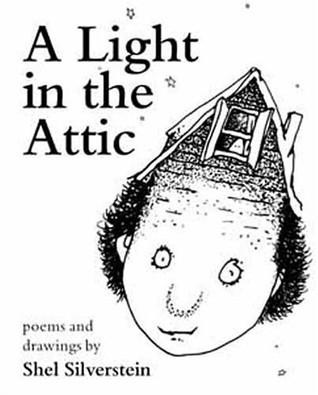
# A Light in the Attic
£51.77
In stock (22 available)
## Product Description
It's hard to imagine a world without A Light in the Attic. ...
## Product Information
| UPC | a897fe39b1053632 |
| --- | --- |
| Product Type | Books |
| Price (excl. tax) | £51.77 |
| Price (incl. tax) | £51.77 |
| Tax | £0.00 |
| Availability | In stock (22 available) |
| Number of reviews | 0 |The breadcrumb, the cover image with its alt text, the price and the product details table all come through, and the links point to full URLs.
How to Request Markdown
cURL
Add markdown=true to a normal /getPageSource request:
curl -X POST "https://api.scrapeunblocker.com/getPageSource?url=https://en.wikipedia.org/wiki/Web_scraping&markdown=true" \
  -H "x-scrapeunblocker-key: YOUR_API_KEY"
Python
With plain requests:
import requests

r = requests.post(
    "https://api.scrapeunblocker.com/getPageSource",
    params={"url": "https://en.wikipedia.org/wiki/Web_scraping", "markdown": True},
    headers={"x-scrapeunblocker-key": "YOUR_API_KEY"},
    timeout=120,
)
r.raise_for_status()
markdown = r.text
Or with the official SDK (pip install scrapeunblocker, version 0.13.0 or later), which reads your key from the SCRAPEUNBLOCKER_KEY environment variable:
from scrapeunblocker import Client

su = Client()  # reads SCRAPEUNBLOCKER_KEY
markdown = su.get_markdown("https://en.wikipedia.org/wiki/Web_scraping")
Node.js
import { ScrapeUnblockerClient } from "scrapeunblocker";

const su = new ScrapeUnblockerClient(); // reads SCRAPEUNBLOCKER_KEY
const markdown = await su.getMarkdown("https://en.wikipedia.org/wiki/Web_scraping");
The Ruby SDK has the same call as get_markdown, and the PHP SDK as getMarkdown.
Main Content Only, or the Whole Page
By default you get only the page’s main content. Navigation, the site header, the footer and sidebars are left out, because they repeat on every page of a site and rarely answer the question you are asking. That default is main_content_only=true.
Sometimes the part you need sits outside the main content: contact details in the footer, or the navigation links when an agent should explore the rest of the site. Set main_content_only=false to convert the whole page:
curl -X POST "https://api.scrapeunblocker.com/getPageSource?url=https://example.com&markdown=true&main_content_only=false" \
  -H "x-scrapeunblocker-key: YOUR_API_KEY"
In the Python SDK, that is su.get_markdown(url, main_content_only=False).
It Works on Protected Sites
Turning HTML into Markdown is the easy part. Plenty of open-source libraries do it, and you can run one yourself. The hard part is getting the real page in the first place. Feed a converter a Cloudflare challenge or an empty JavaScript shell, and you get a tidy Markdown copy of the challenge page.
A Markdown request goes through the same pipeline as an HTML request:
- JavaScript rendering in a real browser, so pages that build their content client-side come back complete.
- Anti-bot bypass for Cloudflare, DataDome, PerimeterX and Akamai.
- Country targeting with
proxy_country, for pages that change by location. - Browser steps with
steps: click “load more”, type into a search box or wait for an element, and the page is converted after the steps run. - Live pages. Every call fetches the page as it is now; nothing comes from a cache.
The price does not change either. A Markdown call is billed exactly like an HTML call, and only when the page is delivered. Blocks, timeouts and errors on our side cost nothing.
Markdown, Parsed Data or HTML?
All three come from the same endpoint, so choose by what happens to the page next:
| You want to | Use |
|---|---|
| Give a page to an LLM: summaries, Q&A, RAG, agents | markdown=true |
| Store fields in a database: price, title, availability, specs | parsed_data=true |
| Run your own selectors or parsers | the default HTML |
Markdown is for reading. If you need a price as a number in a column, parsed_data=true returns structured JSON, and our guide to Schema.org and JSON-LD data explains where those fields usually come from. Each of these options returns its own format, so markdown=true cannot be combined with parsed_data, get_cookies or list_elements. Such a request is rejected with a 422.
Example: Chunk a Page for a RAG Index
Markdown headings give you natural places to split a page. This sketch fetches an article and groups its sections into chunks of up to about 4,000 characters, ready for your embedding model:
import re
from scrapeunblocker import Client

su = Client()

def chunk_markdown(md, max_chars=4000):
    chunks, current = [], ""
    for section in re.split(r"\n(?=#{1,3} )", md):
        if current.strip() and len(current) + len(section) > max_chars:
            chunks.append(current.strip())
            current = ""
        current += section + "\n"
    if current.strip():
        chunks.append(current.strip())
    return chunks

md = su.get_markdown("https://en.wikipedia.org/wiki/Web_scraping")
for chunk in chunk_markdown(md):
    print(len(chunk), chunk.splitlines()[0][:70])
Chunks break only at headings, so each one holds whole sections and starts with its own heading as context. A section longer than the limit stays in one piece. Two refinements for production: split very long sections at paragraph breaks, and skip # lines inside fenced code blocks, which are comments rather than headings.
For AI Assistants: The MCP Server
If your agent runs in Claude, ChatGPT, Cursor or another MCP client, you do not have to write the request yourself. The ScrapeUnblocker MCP server has a fetch_markdown tool that reads a page as Markdown, and search_and_read, which runs a Google search and returns the top results as Markdown in one call.
FAQ
Does Markdown cost more than HTML?
No. A Markdown call is billed exactly like an HTML call, and only when the page is delivered.
Can I get the navigation and footer as well?
Yes. Add main_content_only=false and the whole page is converted. Without it, you get the main content only.
Does it work on JavaScript-heavy and protected pages?
Yes. The page is rendered in a real browser and fetched through the same anti-bot bypass as an HTML call, and proxy_country and steps work the same way.
Can I combine markdown=true with parsed_data=true?
No. Each returns its own format, so the API answers that combination with a 422. Make two calls if you need both.
Try It on Your Own Pages
Every new account gets 500 free requests with no card needed, and a Markdown call costs one request like any other page. Sign up at app.scrapeunblocker.com, add markdown=true to your next request, and see the Markdown guide in the docs for every option.
Try ScrapeUnblocker free
95%+ success rate · from 0.55€ per 1,000 calls (VAT may apply) · 500 free requests on signup.